Phone Speaker Not Working: How to Repair?
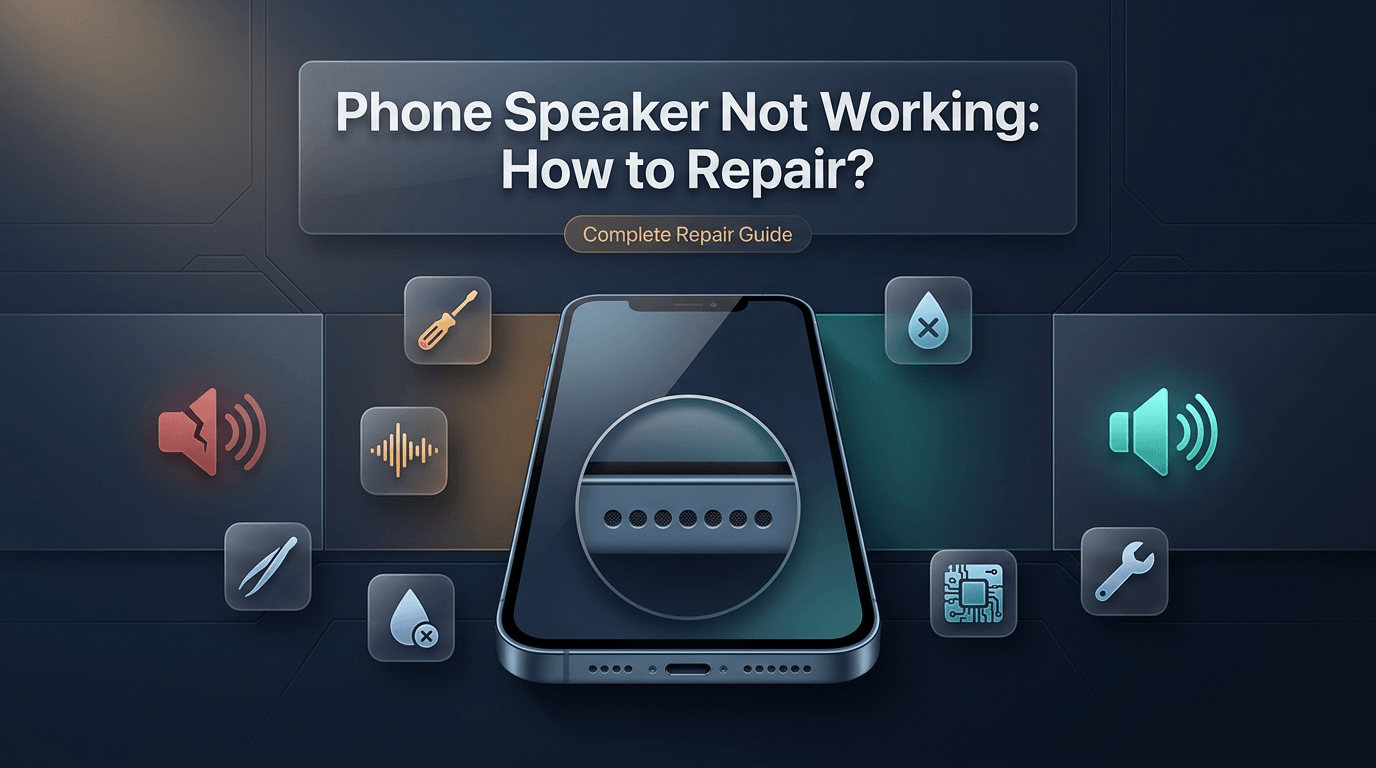
A phone speaker that stops working is one of the most disruptive issues a smartphone user can experience. Whether you cannot hear the person on the other end of a call, your ringtones have gone completely silent, or your music is playing without any audible output, the problem disrupts daily communication, entertainment, and productivity in significant ways. The frustrating part is that a phone speaker not working can stem from dozens of different causes — some as simple as a software glitch, others as complex as a damaged audio IC chip on the motherboard.
Many users immediately assume the worst when they encounter no sound on their phone speaker, picturing an expensive repair bill or a total device replacement. The reality, however, is that a large percentage of phone speaker issues are fully diagnosable, treatable, and repairable — often at an affordable cost and sometimes even without professional intervention. Understanding the root cause is the key to applying the right solution.
This guide covers every aspect of phone speaker repair: the anatomy of a phone speaker, common causes of failure, software versus hardware issues, step-by-step DIY troubleshooting, when professional repair is necessary, cost breakdowns, and maintenance tips to prevent future problems. Whether you are dealing with a muffled phone speaker, a completely dead loudspeaker, or a crackling sound issue, the following sections will walk you through everything you need to know.
Understanding How a Phone Speaker Works
Before attempting any diagnosis or repair, it helps to understand the basic mechanics behind a phone speaker. A smartphone typically contains two distinct speakers: the earpiece speaker located at the top of the device and the loudspeaker or bottom speaker positioned at the base. Each serves a different purpose.
The earpiece speaker, also called the ear speaker, is the small component you hold against your ear during phone calls. It is designed to output low-volume, directional sound for private conversations. The loudspeaker, sometimes referred to as the media speaker or ringtone speaker, handles everything from ringtones and music playback to speakerphone calls and video audio. On many flagship devices, there are two bottom speakers arranged in a stereo configuration to enhance audio output quality.
Both speakers operate using electromagnetic principles. An electrical signal from the audio processor passes through a coil inside the speaker, which vibrates a diaphragm to produce sound waves. Damage to any component in this chain — the coil, the diaphragm, the solder connection, the audio IC, or the software pathway that routes audio signals — can result in a complete or partial speaker failure. This is why diagnosing a phone speaker issue requires a layered approach, starting with the simplest possible causes and working toward the more complex hardware-level problems.
Common Causes of Phone Speaker Not Working
Understanding why a phone speaker stops working is essential before attempting any fix. There are numerous causes, ranging from environmental damage to internal hardware failures, and correctly identifying the source of the problem saves time, money, and unnecessary disassembly.
Dust and Debris Accumulation
One of the most common and overlooked causes of a muffled phone speaker is the gradual buildup of dust, lint, and debris inside the speaker grille. Over time, particles accumulate and physically block the sound output pathway, resulting in reduced volume, distorted sound, or a completely muted speaker. This is especially common with bottom speakers on phones that are frequently carried in pockets or bags.
Speaker grill cleaning is often all that is needed to restore normal audio function. This is a safe, non-invasive process that any user can perform at home without voiding any warranty or risking hardware damage, provided the right tools and techniques are used. Many users are surprised to find that a problem they assumed required professional phone speaker repair was simply a case of packed-in pocket lint blocking the grille.
Water Damage
Water damage is one of the leading causes of phone speaker failure. Even devices marketed as water-resistant can suffer speaker damage when liquid penetrates the speaker grille and reaches the internal components. The speaker diaphragm and coil are particularly vulnerable to moisture, and even a brief exposure can cause immediate or delayed audio failure.
Speaker not working after water damage is a complaint that appears frequently, and the challenge is that water damage does not always manifest immediately. Corrosion can develop over days or weeks after exposure, eventually deteriorating the electrical connections responsible for audio output. If your phone has been submerged, splashed, or exposed to high humidity and the speaker is now failing, water damage is the most likely culprit.
Software Glitches and System Errors
Not every phone speaker issue has a hardware origin. Software faults, operating system bugs, and misconfigured audio settings can prevent sound from routing correctly to the speaker output. Speaker not working after an update is a particularly common scenario, where a new firmware version introduces bugs that affect audio driver behavior or sound routing logic.
Audio problems caused by software can also stem from corrupted sound files, third-party apps conflicting with system audio settings, or accidentally enabled accessibility features that redirect audio output. These are fully reversible in most cases and do not require any physical repair.
Bluetooth Audio Routing Issues
A bluetooth audio routing issue is another frequent but easily resolved cause of phone speaker silence. When a phone remains connected to a Bluetooth device such as headphones, a car stereo, or a speaker, it continues routing audio output to that connected device rather than the internal speaker. The phone speaker appears to be dead when, in reality, it is simply not the active audio output.
Many users have panicked over a presumed speaker failure, only to discover that disconnecting a forgotten Bluetooth device immediately restored full audio output. Always check Bluetooth status before pursuing any other diagnostic or repair path.
Hardware Damage and Physical Impact
Physical impact, such as dropping the phone on a hard surface, can damage the speaker internally. The solder joints connecting the speaker to the motherboard can fracture, the diaphragm can tear, or the speaker housing can crack. In these cases, the speaker output issue is physical and requires actual component-level repair or speaker replacement.
Hardware damage can also occur without obvious physical trauma. Manufacturing defects, component aging, and prolonged thermal stress can gradually degrade speaker performance, leading to distorted, crackling, or low-volume output over time.
Audio IC and Motherboard Issues
In more severe cases, the problem is not the speaker itself but the audio integrated circuit on the motherboard. The audio IC manages all sound processing and routing functions. When it fails, no amount of speaker cleaning or replacement will restore sound because the signal is never reaching the speaker in the first place.
Mobile audio IC repair is a complex, precision-level service that requires micro-soldering equipment and expert technicians. This is not a DIY-friendly repair, and attempting it without proper training and tools will almost certainly result in further motherboard damage.
Symptoms That Indicate a Phone Speaker Problem
Recognizing the symptoms of a failing phone speaker helps in narrowing down the cause and choosing the right repair approach. Some symptoms point clearly to hardware issues, while others suggest software or configuration problems.
A completely silent speaker with no output at all — even during phone calls, ringtones, or media playback — usually indicates either a dead hardware component, a disconnected speaker, or a severe software audio failure. When only the call speaker not working but media plays fine, or vice versa, it narrows the issue to one specific speaker unit rather than a system-wide audio failure.
Muffled phone speaker output, where sound is present but sounds like it is coming through a thick cloth or underwater, almost always points to physical obstruction, water damage, or a deteriorating speaker diaphragm. Speaker crackling repair is typically needed when the audio output sounds distorted, popping, or static-like, which indicates the speaker coil or diaphragm is damaged and vibrating incorrectly.
Low-volume output that cannot be corrected by increasing the volume slider, even at maximum, is a symptom of either partial speaker damage, grille obstruction, or an audio driver issue that is capping the output level below normal range.
Step-by-Step Troubleshooting: Start Here Before Any Repair
Before proceeding with any physical repair or spending money at a mobile repair shop, working through a structured troubleshooting sequence is essential. Many speaker issues are resolved at this stage without any tools or cost.
Step 1: Check Volume and Sound Settings
The first and most obvious check is the volume level. Confirm that the device volume is turned up using the hardware volume buttons and that the media volume, ringtone volume, and call volume are each set to audible levels in the sound settings menu. On many Android devices, these three volume channels are controlled independently. A phone can be at maximum ringtone volume but have media volume at zero, creating the impression of a broken media speaker.
Also check whether the device is set to silent or vibrate mode. On iPhones, the physical mute switch on the side of the device is a common accidental activation point that silences all ringtone output.
Step 2: Disconnect All External Audio Devices
Disconnect any wired headphones, earbuds, or connected Bluetooth audio devices. A lingering Bluetooth connection is one of the most common causes of apparent speaker silence. Go into the Bluetooth settings menu, turn Bluetooth off entirely, and then attempt to play audio through the internal speaker. Also check if a wired headphone plug is partially inserted in the headphone jack, as this can cause the device to route audio to the external output channel rather than the internal speaker.
Step 3: Restart the Device
A simple device restart resolves a surprisingly large number of software-related audio problems. Restarting clears temporary memory, terminates background processes that may be interfering with audio routing, and reloads audio drivers from a clean state. If the phone speaker issue appeared suddenly without any physical incident, a restart should be the first repair action taken.
Step 4: Test the Speaker Using the Built-In Diagnostic Tool
Running a phone speaker diagnostic is an effective way to determine whether the speaker hardware is functioning. Many Android devices include built-in diagnostic tools accessible through the dialer by entering specific codes. For Samsung devices, entering the code #0# opens a hardware test menu where the speaker can be tested directly. For iPhones, the Speaker tool within the Field Test Mode or Apple's official diagnostic suite can be used.
Additionally, a phone speaker test can be performed by asking a voice assistant a question or playing a video, then observing whether any sound output is produced at all or whether the output is distorted.
Step 5: Check for App-Specific Audio Issues
If sound works in some applications but not others, the issue is likely app-specific rather than a hardware or system-wide problem. Test the speaker using multiple different applications — a phone call, the default music player, a video platform, and a system sound like the ringtone. If audio works in all contexts except one application, the problem resides within that application's settings or audio permissions rather than in the phone speaker itself.
Step 6: Update or Roll Back the Operating System
If the phone speaker stopped working after a system update, the new firmware may have introduced a bug affecting audio performance. Check for additional updates that may include audio patches, or consider rolling back to a previous firmware version if the device and operating system support it. Performing a software fix for phone speaker issues through an OS update or rollback is a legitimate and effective repair strategy in update-related scenarios.
Step 7: Perform a Factory Reset (Last Software Resort)
If all other software troubleshooting steps have failed, a factory reset restores the device to its original operating state and eliminates all software-level causes. Before proceeding, back up all data completely, as a factory reset erases all user content and installed applications. If the phone speaker functions normally after a factory reset, the cause was software-related. If the problem persists after a full reset, the issue is hardware-based and requires physical repair.
DIY Speaker Cleaning: How to Remove Dust and Debris Safely
Phone speaker cleaning is one of the most practical and effective DIY repairs available to smartphone users. Cleaning the speaker grille removes physical obstructions that reduce sound quality, eliminate volume, or produce muffled audio output.
To clean a phone speaker grille safely, gather the following tools: a soft-bristled brush (a clean, dry toothbrush or a purpose-made electronics cleaning brush works well), a can of compressed air, a wooden or plastic toothpick, and optionally a small amount of painter's tape or blue tack adhesive.
Begin by powering off the device completely before starting any cleaning process. Using the soft brush, gently sweep across the speaker grille in short, careful strokes. Apply light pressure only — excessive force can push debris further into the speaker cavity or damage the delicate mesh. Brush in multiple directions to dislodge particles from different angles within the grille.
Use short, controlled bursts of compressed air directed at the speaker grille from a slight angle rather than directly perpendicular. Hold the can upright and maintain a few centimeters of distance to prevent moisture from the compressed air canister from entering the speaker. The goal is to blow debris out of the grille rather than further into the speaker cavity.
If visible debris remains lodged within the grille mesh, a wooden toothpick can be used to very carefully dislodge individual particles. Never use metal objects such as pins or needles, as these can puncture the speaker membrane and cause irreversible damage. Some technicians recommend pressing a small piece of blue tack adhesive gently against the speaker grille and lifting it away to extract embedded lint and dust particles without any abrasive action.
After cleaning, power the device back on and test the speaker output. Many users report dramatic improvements in volume and audio clarity following a thorough speaker grille cleaning.
DIY vs. Professional Phone Speaker Repair: Comparison Table
Understanding when to attempt a DIY fix and when to hand the device to a professional is critical. The table below provides a clear comparison based on the nature of the issue, complexity, risk, and likely outcome.
| Issue Type | DIY Repair Suitability | Risk Level | Typical DIY Cost | Professional Repair Recommended |
|---|---|---|---|---|
| Dust/debris in speaker grille | High — fully safe for most users | Very Low | $0 (tools at home) | No |
| Bluetooth audio routing issue | High — settings adjustment only | None | $0 | No |
| Software/OS audio glitch | High — restart, update, reset | Very Low | $0 | Only if reset fails |
| Water damage (mild) | Moderate — rice or silica gel drying | Medium | $0–$10 | Yes, if symptoms persist |
| Water damage (severe) | Low — internal corrosion present | High | Not advised | Yes, immediately |
| Speaker replacement (bottom speaker) | Moderate — requires tools and skill | Medium–High | $10–$40 (part only) | Recommended |
| Ear speaker replacement | Low — delicate location and assembly | High | $10–$30 (part only) | Strongly recommended |
| Audio IC / motherboard repair | Not suitable for DIY | Extremely High | Not applicable | Yes, essential |
| Speaker after physical impact | Low — alignment and soldering required | High | Not advised | Yes |
How to Fix a Water Damaged Phone Speaker
Water damaged phone speaker repair is one of the more complex DIY attempts and carries genuine risk of further device damage if approached incorrectly. However, if the damage is caught early and the right steps are followed, it is possible to restore function without professional intervention.
Immediately after liquid exposure, power the device off completely. Do not attempt to charge it, test the speaker, or use any functions while the device is wet. Continuing to use a water-exposed device with power active dramatically increases the risk of short circuits and corrosion damage.
Remove the SIM card tray and any case or accessories. Pat the exterior dry with a clean, lint-free cloth. Position the phone with the speaker grille facing downward to encourage gravity drainage of any liquid that has entered the speaker cavity. Leave the device in this position in a dry, warm environment for a minimum of 24 to 48 hours.
The use of dry rice as an absorption agent is a widely repeated recommendation, but its effectiveness is limited compared to silica gel desiccant packets, which absorb moisture more efficiently. Place the phone in a sealed bag or container with multiple silica gel packets and leave it undisturbed for 48 to 72 hours.
After the drying period, power the device back on and run a phone speaker test. If audio has returned to normal, the speaker diaphragm has dried and resumed correct function. If the sound remains muffled, distorted, or absent, internal corrosion may have already set in, and professional phone speaker repair is necessary at this stage. Corrosion on speaker contacts or motherboard pathways requires chemical cleaning or component-level replacement that cannot be performed without proper equipment.
Professional Phone Speaker Repair: What to Expect
When DIY troubleshooting reaches its limits, professional phone speaker repair is the appropriate next step. Knowing what to expect from a professional repair service helps users make informed decisions and avoid being overcharged or misled.
A reputable mobile repair shop will begin with a full phone speaker diagnostic, testing both the ear speaker and the loudspeaker independently, examining the speaker connections, checking audio IC functionality, and reviewing the device's repair history. This diagnostic process typically takes 15 to 30 minutes and should be offered at no charge or at a minimal fee credited toward the final repair cost.
Based on the diagnostic findings, the technician will recommend one of several repair approaches. If the speaker grille is obstructed, a professional cleaning service is performed using ultrasonic cleaning equipment or pressurized air systems. If the speaker unit itself is damaged, a phone speaker replacement is performed, with the faulty component carefully removed and a compatible replacement installed. If the audio IC is faulty, micro-soldering repair or chip reballing is required, which is the most technically demanding and cost-intensive repair option.
Turnaround time for most speaker repairs ranges from 30 minutes for simple replacements to several hours for audio IC work. Reputable services offer same-day repair for most standard speaker issues, which is a significant advantage for users who depend on their devices for work or communication.
iPhone Speaker Repair: What Makes It Different
iPhone repair presents unique challenges compared to Android devices due to Apple's tightly integrated hardware design, proprietary components, and the complexity of the iPhone's internal architecture. Understanding these differences helps users set realistic expectations before seeking service.
Apple's iPhone models use speaker components that are deeply integrated into the device assembly. The ear speaker on many iPhone models is combined with the Face ID TrueDepth camera module, meaning that replacing it without specialized equipment risks damaging the biometric sensor and triggering Face ID calibration errors. The bottom speaker assembly is connected via delicate flex cables that require careful handling during disassembly.
Software-level audio restrictions on iPhones can also complicate repair. Apple's serialization system links certain components to the device's logic board, and installing a non-genuine speaker on some models may trigger warning messages or limited functionality alerts, particularly on iPhone 12 and later models. For this reason, using genuine Apple components or high-quality compatible parts sourced from reputable suppliers is strongly recommended when performing iPhone speaker repair.
Common iPhone speaker problems include the call speaker not working during active calls, muffled audio from the bottom speaker due to grille obstruction, and speaker failure following iOS updates that alter audio routing behavior. Each of these issues follows a different repair path, which is why a proper diagnostic is essential before any physical work begins on an iPhone.
Samsung Speaker Repair: Common Issues and Fixes
Samsung repair for speaker-related issues encompasses a wide range of Galaxy models, each with slightly different hardware configurations. Samsung Galaxy devices are popular targets for repair due to their widespread use and the relative availability of compatible replacement parts.
Samsung's Galaxy S and A series devices commonly experience bottom speaker issues resulting from dust accumulation in the speaker grille, physical damage from drops, and water damage despite IP-rated water resistance. The IP rating provides protection against water ingress under specific conditions, but repeated exposure, aging seals, or drops that compromise the device's structural integrity can allow moisture to reach the speaker components.
Fix distorted phone speaker issues on Samsung devices often require replacing the speaker unit, as Samsung's bottom speakers are particularly susceptible to diaphragm damage when the device is used at maximum volume for extended periods. This causes the diaphragm to vibrate beyond its designed range, gradually weakening the material and producing crackling or distorted audio output over time.
Samsung's own diagnostics application, accessible through the #0# menu on most Galaxy devices, provides a direct speaker test function that plays test tones through each speaker independently. This is an effective first step in any Samsung speaker troubleshooting workflow, as it immediately confirms whether the speaker hardware can produce output when commanded directly by the system.
Phone Speaker Replacement: Cost Breakdown and Repair Time
Understanding the cost of phone speaker replacement helps users budget appropriately and evaluate whether repair or replacement of the device makes more financial sense. Costs vary based on the device model, the speaker component required, the labor involved, and the repair service provider's pricing structure.
The table below provides a realistic cost comparison across different device types and repair scenarios.
| Device Type | Repair Type | Parts Cost (Estimate) | Labor Cost (Estimate) | Total Repair Cost | Typical Turnaround |
|---|---|---|---|---|---|
| Mid-range Android (Samsung A series) | Bottom speaker replacement | $8–$20 | $20–$40 | $28–$60 | 30–60 minutes |
| Flagship Android (Samsung S series) | Bottom speaker replacement | $20–$45 | $30–$60 | $50–$105 | 45–90 minutes |
| iPhone SE / iPhone 11 | Ear speaker or bottom speaker | $15–$35 | $30–$60 | $45–$95 | 45–75 minutes |
| iPhone 13 / 14 / 15 | Ear or bottom speaker replacement | $30–$60 | $40–$80 | $70–$140 | 60–120 minutes |
| Google Pixel series | Bottom speaker replacement | $15–$40 | $25–$55 | $40–$95 | 45–90 minutes |
| Any device | Audio IC repair (motherboard) | $30–$80 (part) | $80–$200 | $110–$280 | 2–4 hours |
| Any device | Speaker grill cleaning | $0–$5 | $10–$25 | $10–$30 | 15–30 minutes |
These figures represent general market ranges and may vary depending on geographic location, repair shop reputation, and component availability. A professional phone speaker repair near me search will surface local providers whose specific pricing should be confirmed directly before committing to service.
When to Seek Professional Repair vs. Attempting DIY
The decision to pursue DIY phone speaker repair versus professional service should be based on an honest assessment of skill level, available tools, the device's value, and the complexity of the repair required.
DIY repair is appropriate and safe for tasks such as speaker grille cleaning, adjusting audio settings, troubleshooting Bluetooth routing issues, performing software resets, and drying out a mildly water-affected device using controlled drying methods. These tasks carry minimal risk and can be performed without any specialized equipment.
Professional repair is the right choice when the speaker unit itself requires physical replacement, when the device shows signs of significant water damage with corrosion, when the audio IC may be involved, or when the device is a high-value model where incorrect disassembly could cause additional damage that exceeds the cost of the original repair. Repair phone speaker sound issues that persist after full software troubleshooting and cleaning almost always require professional hands.
The cost-benefit calculation is also important. For a flagship device worth several hundred dollars, paying a professional $60 to $100 for a correct repair is a far better financial decision than risking a failed DIY attempt that could cause motherboard damage requiring $200 or more in additional repair work.
Preventing Phone Speaker Damage: Maintenance Tips
Proactive mobile speaker maintenance significantly reduces the likelihood of speaker failure and extends the useful life of the audio components. Following a few consistent practices can protect the speaker from the most common causes of damage.
Use a protective phone case with speaker grille covers or mesh inserts that allow sound to pass through while blocking direct entry of dust and lint. Many rugged cases include this feature, and it is particularly valuable for users who work in dusty environments or carry their phones in pockets frequently.
Avoid exposing the device to liquid whenever possible, even if the device carries a water-resistance rating. Water-resistance ratings degrade over time as seals age and as the phone is subjected to drops and flexing. For users who frequently work in wet environments, a waterproof pouch or case provides a reliable secondary layer of protection.
Avoid using the phone at maximum volume for extended periods. Sustained high-volume audio output stresses the speaker diaphragm beyond its optimal operating range and accelerates physical wear. For listening sessions at high volume, external Bluetooth speakers or wired headphones distribute the audio load away from the internal speaker hardware.
Schedule a professional clean phone speaker dust service periodically, particularly if the phone is used heavily in dusty or outdoor environments. A professional cleaning removes debris that accumulates in areas beyond what a soft brush can reach and ensures that the speaker grille mesh is fully clear without risk of damage.
Related Device Repair Services Worth Knowing
Phone speaker issues often accompany or are caused by broader device damage. Users dealing with speaker problems may benefit from understanding the full range of related repair services available.
If the phone was dropped, the speaker problem may be accompanied by a cracked display requiring screen repair. Physical impact often affects multiple internal components simultaneously, and a full device inspection following a drop is always recommended rather than addressing only the most visible symptom.
Charging issues frequently co-occur with speaker problems in water-damaged devices, as moisture infiltration tends to affect the lower portion of the phone where both the charging port and the bottom speaker are located. If your device is also experiencing charging difficulties alongside a speaker problem, a comprehensive battery replacement and charging port inspection should be included in the repair scope.
Users experiencing a range of hardware problems across their device portfolio may also need laptop repair or gaming console repair services depending on their equipment setup. Reputable full-service repair shops handle multi-device repair needs under one roof, which saves time and simplifies the repair management process.
Comparison: DIY Repair Outcomes vs. Professional Repair Outcomes
| Factor | DIY Repair | Professional Repair |
|---|---|---|
| Cost | Lower upfront (parts only) | Higher upfront (parts + labor) |
| Risk of additional damage | Moderate to high for complex issues | Low (trained technicians) |
| Quality of repair | Variable depending on skill | Consistent and reliable |
| Warranty on repair | None | Typically 30–90 days or more |
| Diagnostic accuracy | Limited without equipment | High — proper tools used |
| Time required | Longer (learning curve involved) | Faster (experienced workflow) |
| Component sourcing | Self-sourced, quality varies | Vetted suppliers, consistent quality |
| Recourse if repair fails | None | Warranty claim or redo |
Get Your Phone Speaker Repaired by Experts Today
Dealing with a phone speaker not working is stressful, but it does not have to stay that way. At Phone Repair Place, the team of experienced, certified technicians handles every type of phone speaker repair with precision, speed, and genuine care for your device. Whether your speaker is muffled from dust buildup, damaged by water, producing crackling distortion, or completely silent following an internal hardware failure, the right solution is a short trip or call away.
Every repair begins with a thorough diagnostic at no obligation, ensuring you know exactly what is wrong and what it will cost before any work begins. Same-day service is available for most speaker repair cases, and all repairs are backed by a service warranty for complete peace of mind. Affordable pricing, fast turnaround, and honest assessments make Phone Repair Place the trusted choice for smartphone audio repair in the Hyattsville area and beyond.
Do not let a broken speaker keep your phone from working the way it should. Walk in, call ahead, or book your appointment online — the team is ready to restore your phone's sound to full, clear performance today.
Phone Repair Place
3500 East-West Hwy STE 1417,
Hyattsville, MD 20782, United States
(202) 870-4914
https://phonerepairpgmall.com/
Frequently Asked Questions
Q1: Why is my phone speaker suddenly not working even though nothing happened to it?
Sudden phone speaker failure without any obvious physical cause is most commonly the result of a software glitch, a Bluetooth audio routing issue, or a silent mode activation. Start by checking volume settings, disabling Bluetooth connections, and restarting the device. If none of these steps restore audio, a factory reset or professional phone speaker diagnostic is the next appropriate step.
Q2: Can a muffled phone speaker be fixed without replacing the speaker component?
Yes, in many cases a muffled phone speaker is caused entirely by dust and lint blockage in the speaker grille rather than internal damage. A thorough speaker grill cleaning using a soft brush and controlled compressed air often restores full volume and audio clarity without any replacement needed. If cleaning does not improve the output, partial diaphragm damage may require speaker replacement.
Q3: How much does professional phone speaker repair typically cost?
The cost of phone speaker repair varies based on the device model and the nature of the damage. Most bottom speaker replacements for mid-range Android phones cost between $30 and $70 in total. iPhone speaker repair typically ranges from $45 to $140 depending on the model. Audio IC repair, which is the most complex speaker-related service, can range from $110 to $280 or more.
Q4: Is it safe to use my phone if the speaker is making crackling sounds?
Using a phone with a crackling speaker is generally not dangerous, but continued use at high volume can worsen the diaphragm damage and eventually cause total speaker failure. A speaker crackling repair should be addressed promptly to prevent the problem from escalating. Reducing volume to a comfortable level in the interim reduces further mechanical stress on the damaged component.
Q5: Can a software update really break a phone speaker, and how is it fixed?
Yes, a speaker not working after an update is a documented phenomenon where firmware changes alter audio routing behavior or introduce driver bugs that affect speaker output. The fix typically involves installing a subsequent software patch released by the manufacturer, clearing the system cache partition, or in persistent cases, performing a factory reset to restore clean audio system function. If the problem remains after a full reset, the update likely exposed a pre-existing hardware issue.
Q6: When should I consider replacing my phone instead of repairing the speaker?
Speaker repair is almost always more cost-effective than device replacement, particularly for phones that are otherwise functioning well. The decision to replace rather than repair typically makes sense only when the repair cost approaches or exceeds 60 to 70 percent of the device's current market value, when multiple components have failed simultaneously, or when the phone is several generations old and lacks support for current operating system updates.
Need This Problem Fixed Fast?
Bring your broken smartphone, tablet, or console to Phone Repair Place in Hyattsville, MD for quick diagnosis and same-day turnaround.