Phone Charging Port Repair: Complete Guide for All Phones
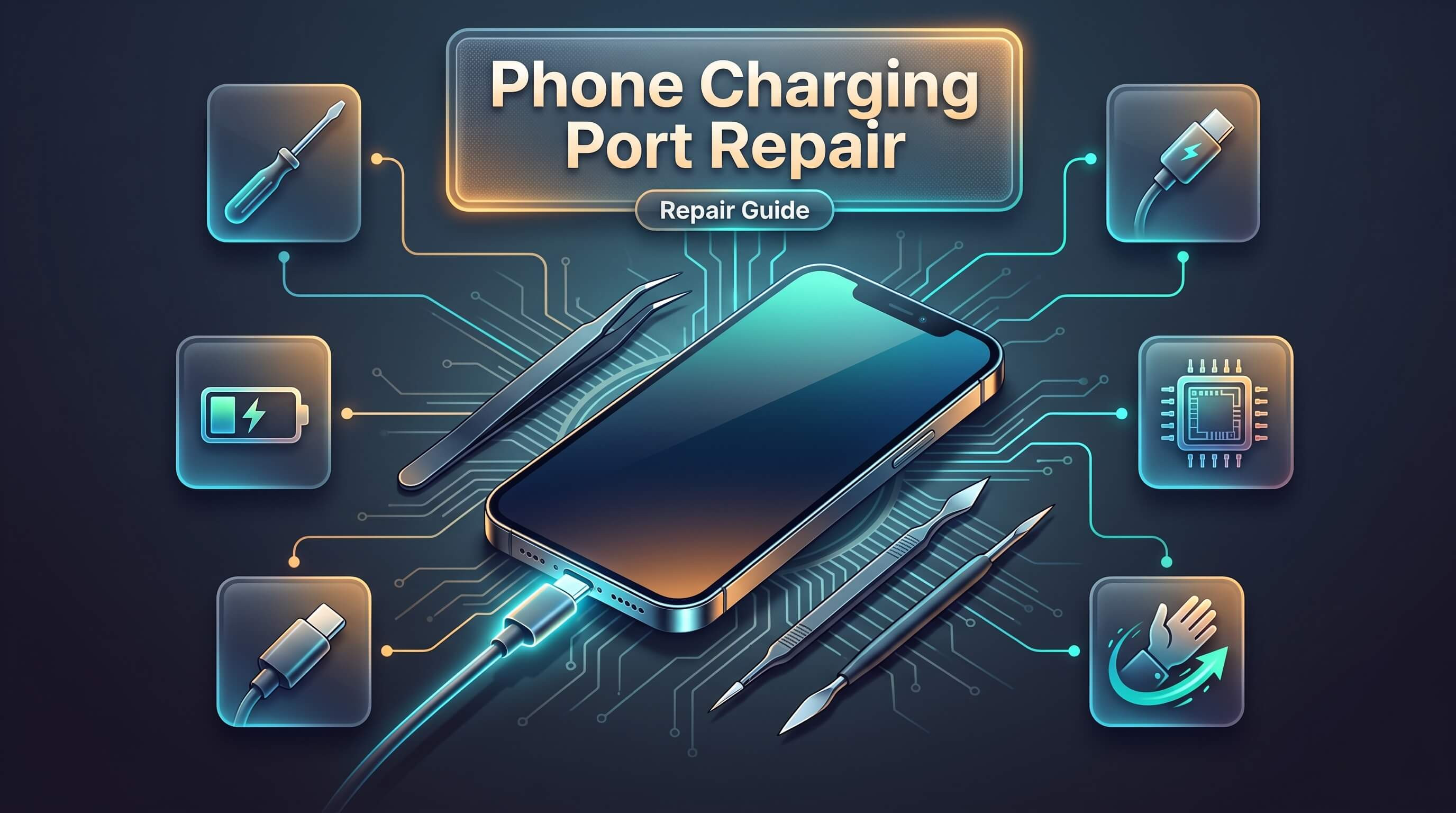
A phone that refuses to charge is one of the most stressful problems a device owner can face. Battery percentage drops, the cable feels loose, and suddenly a call, a photo, or an important email becomes impossible to reach. Most of the time, the culprit isn't the battery or the charger itself — it's the small metal connector tucked inside the bottom (or side) of the phone known as the charging port. This guide walks through everything a phone owner needs to know about charging port repair, from the causes of common failures to step-by-step troubleshooting, professional repair processes, and the honest cost differences between DIY fixes and expert service.
Whether the device in question is an iPhone, a Samsung Galaxy, or any other Android smartphone, the charging port plays the same essential role: it's the physical bridge between the wall outlet and the battery inside. When that bridge breaks down, even a fully charged wall adapter and a brand-new cable won't get power into the phone. Understanding how this small component works — and how it fails — is the first step toward getting a device back to full charging health.
What the Charging Port Actually Does
The charging port is a small hardware module soldered directly onto the phone's logic board. It contains tiny metal pins or contact points that align with the matching pins inside a Lightning cable, USB-C cable, or micro-USB cable, depending on the device. When a cable is inserted, these pins make contact and create a closed electrical circuit that allows current to flow from the charger into the battery.
Modern charging ports do more than just pass electricity through, though. On most smartphones released in the last several years, the port also handles data transfer, allowing photos, files, and backups to move between the phone and a computer. Some ports even support fast-charging protocols, which require additional pins and firmware communication between the cable, the adapter, and the phone itself to negotiate voltage and current levels safely.
Because the port sits at the very edge of the phone's body, it is one of the most physically exposed components in the entire device. It faces constant mechanical stress from cables being plugged and unplugged, exposure to pocket lint and dust, and — for many users — daily contact with moisture from hands, humidity, or accidental spills. This combination of exposure and daily use makes the charging port one of the most common repair requests at any mobile repair shop, right alongside screen repair and battery replacement.
Common Causes of Charging Port Problems
A damaged or malfunctioning charging port rarely happens for just one reason. Several distinct causes tend to show up again and again, and knowing which one applies to a particular phone can help determine whether a simple cleaning will solve the issue or whether full charging port replacement is the only real fix.
Dust, lint, and debris buildup. Pockets and bags are full of fine particles that work their way into the charging port over weeks and months. Once enough debris accumulates, it physically blocks the cable's pins from making a clean connection with the port's internal contacts. This is, by a wide margin, the single most common cause of a "phone not charging" complaint, and it's also the easiest one to resolve without professional help.
Corrosion from moisture exposure. Sweat, humidity, rain, and accidental liquid spills all introduce moisture into the port. Even phones with water-resistance ratings aren't fully immune, since charging ports usually aren't perfectly sealed once dust or debris compromises the gasket. Moisture reacts with the metal contacts inside the port and creates corrosion, which increases electrical resistance and can eventually block the charging signal entirely.
Bent or broken internal pins. Repeatedly inserting a cable at the wrong angle, forcing a cable in upside down, or using a cable with a bent or worn tip can physically bend the delicate pins inside the port. Once a pin is bent far enough out of alignment, it stops making contact with the cable altogether, and in more severe cases, the pin can snap off inside the housing.
Loose or worn-out connector housing. After thousands of insert-and-remove cycles, the mechanical clip or housing that holds the port securely to the logic board can loosen. This creates a port that "wiggles" and only charges when the cable is held at a very specific angle — a telltale sign that the housing itself needs attention rather than just cleaning.
Water damage and internal short circuits. In more serious cases, liquid exposure travels beyond the port itself and reaches the logic board, causing corrosion on nearby components or even a short circuit. This is a more complex repair scenario and often requires professional diagnostic equipment to identify the full extent of the damage.
Manufacturing defects and normal wear. Occasionally, a port fails simply due to a manufacturing flaw or the natural wear of daily use over a year or more. Even with careful handling, no charging port lasts forever, especially on phones used heavily for gaming, video calls, or constant charging and discharging cycles.
Warning Signs of a Charging Port Issue
Recognizing the early symptoms of a failing charging port can save a phone from a complete charging failure down the road. The following signs are the ones repair technicians hear about most often from customers experiencing charging port problems.
The phone only charges when the cable is held at a certain angle. This is one of the clearest indicators of a loose or misaligned port, since it shows the connection is inconsistent rather than completely absent.
Charging is unusually slow, even with a cable and adapter that used to work fine. Partial pin contact caused by debris or corrosion can allow a trickle of current through without supporting a full, fast charge.
The phone shows a "charging" icon but the battery percentage doesn't actually increase, or it increases and drops intermittently. This points to an unstable connection rather than a completely dead port.
Data transfer through the cable stops working, even though charging still functions, or vice versa. Since charging and data pins are separate inside most connectors, one function can fail while the other still works, which helps narrow down which pins are affected.
The port feels loose, wiggly, or the cable falls out on its own without being pulled. A properly functioning port should hold a cable snugly in place.
There is visible lint, dust, or a greenish-white residue (a sign of corrosion) inside the port opening when checked with a flashlight.
The phone gets warm near the charging port during use, or there's a burning smell, which should be treated as a serious warning sign requiring immediate attention rather than continued use.
DIY Troubleshooting Steps Before Seeking Repair
Not every charging port issue requires a trip to a repair shop. Several safe, low-risk troubleshooting steps can resolve minor problems, particularly those caused by debris or a temporary software glitch rather than physical damage.
- Power off the device completely. Before touching the charging port in any way, turn the phone off. This removes any risk of a short circuit while cleaning and protects both the user and the internal components.
- Inspect the port with a flashlight. Shine a bright light directly into the port opening and look closely for lint, dust, sand, or a corroded, discolored appearance on the metal contacts. This visual check tells you what you're actually dealing with before attempting anything else.
- Use a can of compressed air. Short bursts of compressed air, held at a slight angle rather than pointed straight in, can dislodge loose debris without pushing it further into the port. Avoid shaking the can excessively, since this can release moisture along with the air.
- Try a soft, dry tool for stubborn debris. A wooden toothpick or a plastic anti-static tool (never metal, and never a needle or pin) can gently scrape out compacted lint. Move slowly and avoid pressing against the sides of the port, since the pins inside are delicate and easily bent.
- Test with a different cable and adapter. A worn-out or damaged cable is sometimes the real problem rather than the port itself. Swapping in a cable and adapter that are known to work correctly on another device helps isolate whether the issue is actually inside the phone.
- Restart the phone after cleaning. Occasionally, a charging issue is tied to software rather than hardware — a stuck charging management process can prevent the phone from recognizing a properly connected cable. A simple restart resolves this in many cases.
- Check for a software update. Manufacturers occasionally release updates that fix charging-related bugs, including issues with fast-charging negotiation or battery management. Updating the phone's operating system takes just a few minutes and rules out a software-side cause.
If these steps restore reliable charging, the issue was almost certainly related to debris or a minor software glitch. If the phone still doesn't charge properly, or if any bent pins, corrosion, or looseness were visible during inspection, it's time to consider professional repair rather than attempting further DIY intervention, since forcing tools into a port with physical damage can make the problem significantly worse.
When Professional Charging Port Repair Is Necessary
Certain symptoms point clearly to a hardware problem that DIY cleaning cannot fix. Bent or broken pins need to be carefully straightened or the port needs to be replaced entirely, and this requires precision tools and a steady hand that go beyond what most people have at home. Corrosion that has already reached the point of visible discoloration usually means the metal contacts have degraded and won't restore a full, reliable connection even after cleaning.
A port that has come loose from the logic board — often noticeable because the entire connector shifts or rotates slightly when a cable is inserted — requires resoldering or full replacement, work that involves opening the phone and handling components that are easy to damage without the right equipment. Liquid damage that has spread beyond the port itself calls for a full diagnostic check, since corrosion can silently damage nearby components that won't show symptoms until weeks later.
Phones that have been dropped or exposed to significant impact near the charging port area may have hairline cracks in the logic board itself, not just the connector, which only a technician with diagnostic tools can properly identify. And any phone still under an active manufacturer warranty should generally go through an authorized service channel first, since opening the device independently can void that coverage.
Attempting advanced repairs without the right tools carries real risk. Opening a modern smartphone typically involves removing tiny pentalobe or Phillips screws, prying apart adhesive-sealed panels without cracking the screen or back glass, and handling ribbon cables that connect the battery and other components — all of which can turn a straightforward charging port repair into a much more expensive problem if done carelessly.
The Professional Charging Port Repair Process
Understanding what happens during a professional repair helps set realistic expectations for cost, turnaround time, and the overall experience. While specific steps vary slightly depending on the phone model, the general workflow at a qualified repair shop follows a consistent pattern.
Step 1: Diagnostic inspection. A technician examines the phone visually and with diagnostic software to confirm the issue is actually the charging port and not the battery, the cable, the charging IC (integrated circuit) on the logic board, or a software fault. This step often includes testing with multiple known-good cables and checking charging behavior on a bench power supply.
Step 2: Device disassembly. The phone is powered off, and the technician carefully removes the back panel or display assembly, depending on the model, to access the internal logic board. This step requires specialized tools such as precision screwdrivers, suction cups, and plastic prying tools designed to avoid scratching or cracking components.
Step 3: Locating and removing the damaged port. The charging port assembly is either connected via a small flex cable and connector (common on many Android phones) or soldered directly onto the logic board (common on iPhones). Flex-cable ports can usually be unplugged and replaced quickly, while soldered ports require desoldering with precision heat tools, a more delicate and time-intensive process.
Step 4: Cleaning the surrounding area. Before installing the new part, the technician cleans away any corrosion, adhesive residue, or debris from the surrounding area to ensure the new port makes full, clean contact with the logic board connections.
Step 5: Installing the replacement port. A new charging port assembly is installed, either by reconnecting a flex cable connector or by carefully soldering the new component onto the board. Precision and a steady hand matter enormously here, since misalignment or excess heat can damage nearby components.
Step 6: Reassembly and testing. The phone is reassembled, and the technician tests charging with multiple cables and adapters, checks data transfer functionality, and verifies fast-charging negotiation works correctly if the phone supports it. A final full-charge cycle test is often performed before the phone is handed back.
Step 7: Quality check and warranty documentation. Reputable repair shops perform a final quality check and provide documentation of the repair, along with warranty terms covering the replacement part and labor.
iPhone Charging Port Repair: What Makes It Different
iPhone charging port repair carries a few unique considerations compared to Android devices. Apple's Lightning port (used on iPhone models prior to the USB-C transition) and the newer USB-C port found on recent iPhone models are both soldered directly onto the logic board rather than connected through a removable flex cable. This means iPhone charging port repair typically requires desoldering and resoldering work, which demands more specialized equipment and a higher level of technical skill than a simple connector swap.
Apple also integrates the charging port closely with the phone's Face ID or Touch ID security architecture on some models, and certain repairs can trigger software warnings if genuine, properly calibrated parts aren't used. A qualified iPhone charging port repair technician understands these nuances and uses parts and procedures designed to minimize the risk of triggering unnecessary error messages after the repair.
Because iPhones use a tightly sealed internal design with layered adhesive and closely packed components, opening the device to access the charging port assembly requires care to avoid damaging the battery, the taptic engine, or nearby ribbon cables. This is one of the main reasons professional iPhone charging port repair is strongly recommended over DIY attempts — the margin for error is small, and a mistake during disassembly can turn an affordable port repair into a much costlier fix involving the battery or display.
Samsung and Android Charging Port Repair: What Makes It Different
Samsung charging port repair and broader Android charging port repair generally follow a somewhat more accessible internal design than iPhones. Many Samsung Galaxy models, along with other Android charging port repair candidates, use a charging port that connects to the logic board through a small flex cable and connector rather than being directly soldered in place. This design allows a technician to unplug the damaged port and plug in a replacement without desoldering work, which can make the repair faster and, in many cases, more affordable.
That said, not every Android phone follows this pattern. Some Samsung flagship models and a number of other Android manufacturers do use soldered charging ports, particularly on slimmer or more water-resistant designs where a flex-cable connector would compromise the seal. This is why an accurate diagnostic step matters just as much for Android charging port repair as it does for iPhones — the correct repair approach depends entirely on how a specific model is built internally.
Samsung devices with water-resistance ratings also use rubber gaskets around the charging port to keep moisture out. After a charging port repair or replacement, reinstalling or replacing this gasket correctly is essential to preserving the phone's original water resistance. A shop that skips this detail may hand back a phone with a functioning charging port but compromised protection against future spills or humidity exposure.
Charging Port Repair vs. Full Replacement
| Factor | Port Cleaning / Minor Repair | Full Charging Port Replacement |
|---|---|---|
| Best for | Debris, light corrosion, temporary looseness | Bent/broken pins, heavy corrosion, loose housing |
| Typical turnaround | Same day, often within the hour | Same day to 24–48 hours depending on part availability |
| Tools required | Compressed air, plastic tools, flashlight | Precision screwdrivers, soldering equipment, diagnostic tools |
| Risk level | Low | Moderate, requires technician-level skill |
| Long-term reliability | Good if debris was the only cause | High, resolves the underlying hardware fault |
| Cost | Lower | Moderate, varies by phone model |
DIY Repair vs. Professional Repair
| Consideration | DIY Approach | Professional Repair Service |
|---|---|---|
| Suitable for | Cleaning debris, testing cables, software checks | Bent pins, soldered ports, water damage, loose connectors |
| Tools needed | Compressed air, flashlight, plastic pick | Specialized precision and soldering tools |
| Risk of further damage | Low if limited to cleaning only | Minimal, handled by trained technicians |
| Warranty impact | May void manufacturer warranty if device is opened | Reputable shops offer repair warranties |
| Time investment | A few minutes | Typically same-day service |
| Confidence in outcome | Uncertain for hardware-level issues | High, backed by diagnostic testing |
Charging Port Repair Turnaround and Part Quality Comparison
| Repair Aspect | Standard Aftermarket Part | OEM-Grade / High-Quality Part |
|---|---|---|
| Fit and alignment | Generally good, occasional variance | Precise, matches original specifications |
| Fast-charging support | May be limited on some brands | Fully supports original charging speeds |
| Durability over time | Moderate | High |
| Recommended for | Budget-conscious repairs | Long-term reliability and daily heavy use |
How to Prevent Future Charging Port Damage
Prevention is far cheaper and less disruptive than any repair, and a few consistent habits go a long way toward extending the life of a phone's charging port. Always insert the cable gently and check the orientation before pushing it in, rather than forcing it if it doesn't slide in easily on the first try. A cable that seems to resist should be checked for the correct orientation rather than pushed harder.
Store the phone in a pocket or bag that limits exposure to lint, sand, and dust whenever possible, and consider a phone case with a port cover if the device is regularly used in dusty or outdoor environments. Avoid charging the phone in the bathroom during a shower or near sources of steam and humidity, since repeated moisture exposure is one of the leading causes of long-term corrosion.
Periodically inspect the port with a flashlight, roughly once every few months, to catch small amounts of debris before they compact into a harder blockage. Use quality, properly certified cables and adapters rather than cheap, poorly made alternatives, since low-quality cables often have loose-fitting connectors that place unnecessary mechanical stress on the port's internal pins over time.
Avoid charging the phone while it's inside a thick case if the case doesn't align well with the port opening, since repeated at-an-angle insertion caused by a misaligned case cutout can gradually bend the internal pins. And if the phone is ever exposed to a spill or unexpected moisture, power it off immediately, avoid charging it, and let it dry fully — or bring it in for a professional check — before attempting to charge it again.
Choosing the Right Repair Service
Not all repair providers offer the same level of expertise or part quality, and choosing the right one matters for both the immediate fix and the long-term health of the device. Look for a repair provider with visible experience across a wide range of devices, including iPhone repair, Samsung repair, and general Android charging port repair, rather than a shop that only handles one brand.
A trustworthy repair service should offer a warranty on both parts and labor, since this reflects confidence in the quality of the replacement components being used. Transparency about the repair process, the expected turnaround time, and the type of replacement part being installed also signals a shop that operates professionally rather than cutting corners.
Beyond charging port issues, a well-rounded repair shop typically also handles related services such as screen repair, battery replacement, and broader smartphone charging port repair diagnostics, which is useful since charging problems sometimes overlap with battery health or software issues that benefit from being checked at the same visit. A phone charging port replacement performed alongside a quick battery health check, for example, often gives a more complete picture of the device's overall condition rather than treating the symptom in isolation.
Get Your Charging Port Fixed by Trusted Professionals
A phone that won't charge reliably doesn't have to stay that way. Whether the issue is a stubborn buildup of lint, a bent pin from years of daily use, or a fully worn-out connector that needs replacing, getting it looked at sooner rather than later prevents a minor inconvenience from turning into a phone that won't power on at all.
Phone Repair Place offers expert charging port repair and replacement for iPhones, Samsung devices, and virtually every other Android smartphone on the market, with technicians who work on these repairs every day and understand the differences between soldered and flex-cable connector designs. Same-day service is available for most charging port repairs, and every repair is backed by a warranty covering both parts and labor, so customers can walk out with real confidence in the fix. Walk-ins are welcome, and appointments can be booked over the phone for anyone who wants a guaranteed time slot.
Phone Repair Place
3500 East-West Hwy STE 1417,
Hyattsville, MD 20782, United States
(202) 870-4914
https://phonerepairpgmall.com/
Frequently Asked Questions
How do I know if my charging port is broken or if it's my cable?
Test the phone with a different cable and adapter that are known to work on another device. If charging still fails with a different cable, the issue is very likely inside the phone's charging port rather than the accessory, and it's a good time to schedule a professional charging port repair.
Can a charging port be cleaned instead of replaced?
Yes, in many cases a phone charging port replacement isn't necessary at all. If the problem is caused by dust, lint, or light debris rather than bent pins or corrosion, a careful cleaning with compressed air and a soft plastic tool can restore normal charging without any hardware replacement.
Is it safe to use my phone while the charging port is damaged?
Using the phone for calls, texting, and general apps is typically fine, but avoid trying to force a cable into a visibly damaged or bent port, since this can worsen the internal damage. If the phone feels warm near the port or shows any signs of a burning smell, stop using it and seek repair immediately.
Does charging port repair affect my phone's warranty?
Getting a repair through the original manufacturer typically preserves warranty coverage, while third-party repairs may affect a manufacturer's warranty depending on the brand and country. A reputable independent repair shop will usually offer its own service warranty on the repair itself, covering both the replacement part and the labor involved.
How long does professional charging port repair take?
Most charging port repairs, including iPhone charging port repair and Samsung charging port repair, are completed the same day, often within one to two hours depending on the model and whether the part needs desoldering. More complex cases involving water damage may take slightly longer due to additional diagnostic checks.
Will a charging port replacement restore my phone's fast-charging speed?
When a high-quality, properly matched replacement port is used, fast-charging functionality is typically restored in full. This is one reason it's worth choosing a repair provider that uses reliable, well-matched parts rather than the cheapest option available.
Need This Problem Fixed Fast?
Bring your broken smartphone, tablet, or console to Phone Repair Place in Hyattsville, MD for quick diagnosis and same-day turnaround.