Top 10 Common Phone Problems and How to Fix Them
Learn how to fix common phone problems with our expert guide. Covering screen, battery, charging, and water damage, get phone repair solutions that work.
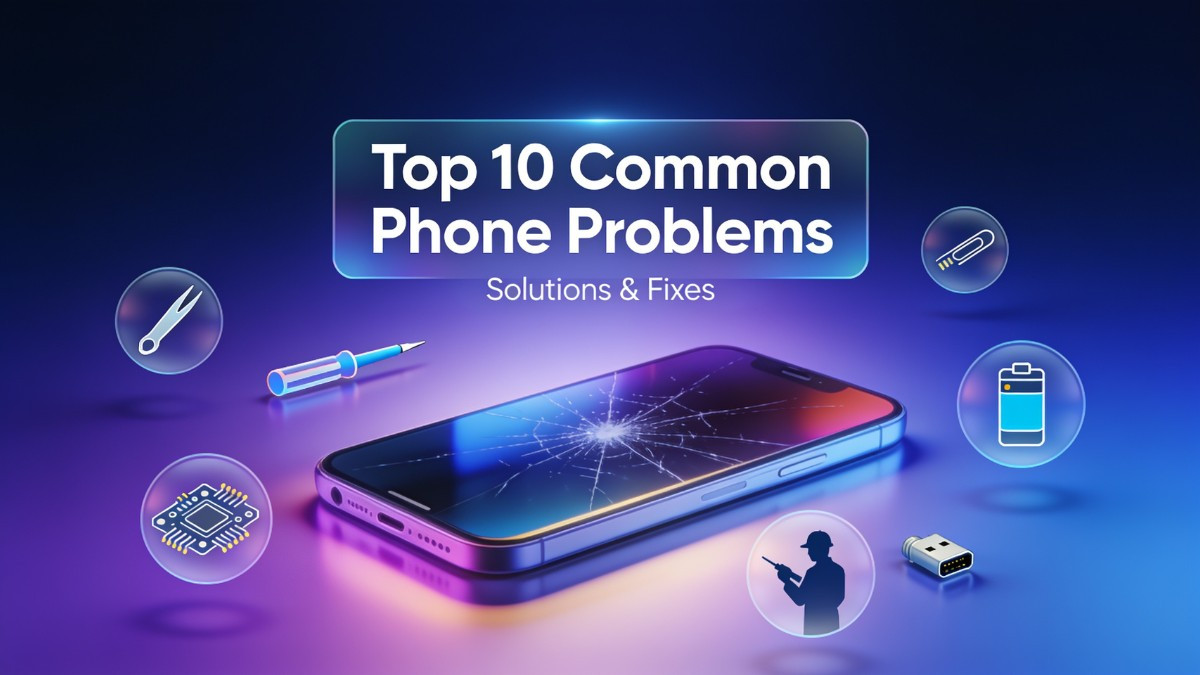
Smartphones have become essential tools for communication, work, and entertainment. When these devices malfunction, it disrupts daily routines and causes significant frustration. Understanding common phone problems and knowing how to fix them can save both time and money. This comprehensive smartphone repair guide covers the most frequent issues users face, offering detailed phone troubleshooting steps, DIY phone repair advice, and insights on when to seek professional phone repair. Whether dealing with a cracked screen or unexplained battery drain, having a structured phone repair checklist helps in making informed decisions about mobile device repair.
1. Cracked or Shattered Screen
A cracked phone screen is arguably the most ubiquitous smartphone ailment. Drops, impacts, and accidental falls onto hard surfaces instantly compromise the structural integrity of the glass. Modern screens consist of multiple layers: an outer glass layer, a digitizer that registers touch inputs, and an underlying OLED or LCD display panel. A drop might only crack the outer glass, but severe impacts can damage the digitizer or the display itself, resulting in visual anomalies or unresponsive areas.
The symptoms of a damaged screen are usually immediately visible. You might notice hairline fractures, shattered glass that can cut your fingers, dead pixels, or patches of discoloration. In more severe cases, the phone touchscreen not responding becomes the primary issue, indicating that the digitizer has been compromised. Sometimes, the display remains entirely black even though the phone is powered on, which signifies a broken display panel rather than just the glass.
Attempting a cracked phone screen fix at home is possible but requires extreme caution and specialized tools. Diy phone repair kits are available online, typically including suction cups, plastic prying tools, a heat gun or hair dryer, and replacement parts. The process involves heating the edges of the phone to soften the adhesive, using a suction cup to lift the glass, and carefully disconnecting the internal flex cables. However, if you lack experience, you risk severing the display ribbons or causing further damage to the motherboard. A minor DIY approach for a purely cosmetic crack is applying a temporary screen protector to prevent the glass from splintering further.
When the display is bleeding, has lines, or is completely black, professional phone screen repair is necessary. A certified phone repair expert utilizes specialized machinery to separate the glass from the LCD or OLED panel safely. For widespread issues across different operating systems, specialized services like iphone repair and android phone repair ensure that original equipment manufacturer (OEM) or high-grade aftermarket parts are used. Professional screen replacement service guarantees that the digitizer alignment is perfect and the device retains its original touch sensitivity and visual clarity. Repair costs vary significantly depending on the model; older LCD screens are cheaper to replace, while modern flexible OLED panels found in flagship devices require a higher investment.
2. Phone Battery Draining Fast
Battery degradation is an inevitable part of smartphone maintenance. Lithium-ion batteries chemically age over time, losing their capacity to hold a charge. When a phone battery draining fast becomes a daily annoyance, it usually stems from a combination of hardware aging and software demands. Background applications constantly syncing data, high screen brightness, and pushing the processor to its limits during gaming or video streaming all accelerate battery drain.
Identifying the root cause requires basic phone diagnostics. Both iOS and Android operating systems have built-in battery health indicators and usage charts. A battery health check revealing a maximum capacity below 80% indicates that the battery is chemically depleted and requires replacement. Additionally, the usage charts show which apps consume the most power. If an app runs in the background unnecessarily, it drains the battery even when the device is idle.
Before seeking a battery repair service, several software adjustments can mitigate the drain. Reducing screen brightness or enabling auto-brightness is a simple phone freezing fix for power consumption. Disabling background app refresh for non-essential applications prevents them from draining resources. Location services should be set to "While Using" rather than "Always." If the phone storage is nearly full, the operating system works harder to manage files, which also impacts battery life; a phone storage full fix involves deleting unused apps and offloading large media files.
If software optimization does not resolve the issue, hardware intervention is required. Swelling of the battery is a severe warning sign; if the screen is lifting or the back panel is bulging, the device must be taken to a phone repair shop immediately due to fire hazards. A professional battery replacement involves opening the device, disconnecting the old battery safely, and installing a new, certified cell. Reputable mobile repair services use high-quality batteries that meet original specifications, ensuring safe operation and restoring the device to a full day's battery life. Attempting to replace a swollen battery at home risks puncturing the cell, which can cause toxic venting or explosions.
| Battery Issue | DIY Troubleshooting | Professional Solution |
|---|---|---|
| Rapid Drain | Check battery usage, disable background apps, lower brightness | Battery diagnostics and replacement with OEM-grade cells |
| Random Shutdowns | Update OS, factory reset, check for rogue apps | Battery health check and internal hardware inspection |
| Swollen Battery | None (Stop using immediately) | Safe removal and immediate battery repair service |
3. Phone Not Charging
A phone not charging is a critical issue that renders the device useless once the current battery depletes. The charging system involves several components: the charging cable, the power adapter, the phone's charging port, and the internal battery. Isolating the faulty component is the first step in device troubleshooting. Often, the issue is as simple as a frayed cable or a defective wall adapter, which can be verified by testing the phone with a different, known-good charging setup.
If the cable and adapter are functioning correctly, the problem likely lies within the phone itself. The charging port is exposed to the environment, making it a magnet for pocket lint, dust, and debris. Over time, this debris compacts at the bottom of the port, preventing the charging cable's pins from making a solid electrical connection. Symptoms include the phone charging only when the cable is held at a specific angle, intermittent charging, or the device failing to register being plugged in at all.
Charging port cleaning is a safe and effective DIY phone repair step for this specific problem. Using a wooden toothpick or a plastic dental flosser, gently scrape the inside of the port to remove compacted lint. Avoid using metal objects like needles or paperclips, as they can short the pins or scratch the internal coating. A can of compressed air can also blow out loose particles. After cleaning, plug the phone in to see if the connection is restored.
When cleaning does not solve the phone not charging issue, the port itself may be physically damaged or the internal charging IC (Integrated Circuit) on the motherboard may have failed. Pins inside the USB-C or Lightning port can bend or break after thousands of insertion cycles. In these cases, charging port repair is necessary. A mobile tech support technician will open the phone, assess whether the port can be resoldered or if the entire port assembly needs replacement. For devices with embedded ports on the motherboard flex cable, the entire flex assembly is replaced. This type of smartphone hardware repair requires micro-soldering skills and should not be attempted by novices.
4. Phone Overheating
Smartphones generate heat during operation, particularly when the processor is under heavy load. However, when a device becomes uncomfortably hot to the touch, it indicates a phone overheating fix is required. Processors have thermal throttling mechanisms; when they reach a certain temperature, they reduce performance to prevent permanent damage. Causes of overheating include running graphics-intensive games for extended periods, recording 4K video, using GPS navigation while charging, or leaving the phone in direct sunlight.
Software anomalies can also cause the processor to work overtime. A rogue app stuck in a loop can peg the CPU at 100%, generating immense heat. Diagnosing this requires checking the device's battery and processor usage stats. If an app shows unusually high background activity, force-closing or uninstalling it usually resolves the overheating. Furthermore, a failing battery can generate internal heat as its internal resistance increases during charging and discharging cycles.
To perform an immediate phone overheating fix, remove the phone from its case, as cases trap heat. Turn off non-essential features like Wi-Fi, Bluetooth, and GPS, and lower the screen brightness. If the phone is charging, unplug it and let it cool down before resuming charging. Never put an overheating phone in the refrigerator or freezer; the rapid temperature shift causes condensation to form inside the device, leading to liquid damage.
If the phone overheats during normal use or while idle, professional phone diagnostics are needed. A phone repair expert can run thermal tests to determine if the heat originates from the battery, the main processor, or a shorted component on the motherboard. If the battery is the culprit, a battery replacement resolves the issue. If the motherboard has a short circuit, specialized electronics repair involving micro-soldering is required to isolate and replace the failing component. Ignoring chronic overheating can lead to CPU delamination, screen damage, or total motherboard failure.
5. Phone Water Damage
Despite modern smartphones featuring water resistance ratings (like IP68), they are not waterproof. Water resistance degrades over time due to normal wear and tear, drops that compromise the seals, and exposure to chemicals like soap or salt water. When liquid breaches the internal chassis, it causes immediate short circuits and long-term corrosion on the motherboard. A phone water damage repair situation requires immediate and decisive action to save the device.
The moment a phone is exposed to liquid, the user must power it off completely. Attempting to charge a wet phone or keeping it powered on causes electrical current to flow through wet components, frying the motherboard. Removing the SIM card tray allows trapped water an escape route and provides ventilation. The old myth of putting a wet phone in rice is ineffective and potentially harmful; rice dust can enter the ports and block connections, while the starch does nothing to stop active corrosion.
Professional phone water damage repair is a complex process. When brought to a phone repair shop, the technician completely disassembles the device. The motherboard is removed and submerged in an ultrasonic cleaner filled with isopropyl alcohol. The ultrasonic waves dislodge microscopic corrosion and minerals from the surface of the board and under the integrated circuits. After cleaning, the board is inspected under a microscope for burned or shorted components. Damaged capacitors, resistors, or ICs are replaced via micro-soldering.
Water damage is highly unpredictable. Sometimes a simple cleaning restores the phone entirely. Other times, the phone turns on but suffers from peripheral failures like a phone speaker not working, a phone camera not working, or a phone touchscreen not responding because the respective flex cables were corroded. A professional repair service will conduct a full phone repair checklist after reviving the motherboard, testing every component to ensure full functionality. Because corrosion can continue to spread if not entirely neutralized, professional mobile repair services are strongly recommended over simply letting the phone air dry.
6. Phone Touchscreen Not Responding
The touchscreen is the primary interface for a smartphone. When it fails, the device becomes nearly impossible to navigate. A phone touchscreen not responding can stem from software glitches, physical damage, or hardware failure. Capacitive touch screens rely on the electrical conductance of the human body; when you touch the glass, it alters the electrostatic field, and the digitizer translates this into a touch coordinate. If this chain is broken, touch inputs fail.
Software freezes can mimic a hardware failure. If the phone freezing fix does not work with a standard hard reset, the issue might be a corrupted touch driver or an operating system error. Booting the phone into safe mode disables third-party apps; if the touch works in safe mode, a downloaded application is interfering with the touch inputs. A factory reset is the ultimate software troubleshooting step to rule out OS corruption.
Hardware causes are more common for persistent touch issues. A cracked screen often damages the digitizer grid beneath the glass. Additionally, a cheap, poorly fitted screen protector can interfere with touch sensitivity. Some modern phones use virtual proximity sensors that rely on the display; if these calibrate incorrectly, the screen goes dead during calls and refuses to wake up. In cold weather, the liquid crystals in LCD panels can slow down, causing temporary touch lagging, though this resolves when the device warms up.
When software solutions fail, professional smartphone hardware repair is required. If the digitizer is integrated into the LCD or OLED assembly, a complete screen replacement service is necessary. A technician will verify the issue by connecting a test screen to the motherboard; if the test screen responds perfectly, the original screen is faulty. If the test screen also fails to respond, the issue lies on the motherboard, typically a damaged touch IC or a blown filter. Mobile tech support technicians can micro-solder the motherboard to bypass or replace the damaged IC, restoring touch functionality without needing a full screen replacement.
7. Phone Speaker or Microphone Not Working
Audio issues severely limit a phone's utility, making calls and media playback impossible. When a phone speaker not working issue arises, it usually manifests as distorted audio, crackling sounds, or total silence. Conversely, a phone microphone not working prevents callers from hearing you, or fails to record audio in video apps. These components are separate but rely on similar principles: tiny MEMS (Micro-Electromechanical Systems) modules and mesh coverings that protect them from debris.
The most common cause of audio failure is physical blockage. The speaker grills and microphone ports collect pocket lint, makeup dust, and dirt over time. When packed tightly, the mesh cannot vibrate properly, muffling the sound or blocking voice input. Software glitches, such as the phone being stuck in headphone mode despite nothing being plugged in, or a Bluetooth device stealing the audio output, also cause apparent speaker failures.
Initial phone troubleshooting for audio issues involves checking the software settings. Ensure the volume is turned up and the device is not connected to a Bluetooth headset. Using a can of compressed air or a soft-bristled brush, gently clean the speaker and microphone grills. For the phone microphone not working issue, recording a voice memo tests the primary mic, while switching to the rear camera tests the video mic. If the audio works through Bluetooth headphones but not the internal speaker, the hardware is isolated as the culprit.
If cleaning does not resolve the muffled or absent audio, the internal component has likely failed or been damaged by moisture. Professional phone repair solutions involve opening the device and testing the continuity of the audio flex cables. Sometimes, the mesh itself is damaged and needs replacement. In other cases, the MEMS microphone or the speaker module burns out and requires a new part. Certain models have common audio IC failures on the motherboard, requiring micro-soldering. A qualified phone repair expert can accurately diagnose whether a simple flex cable replacement or complex motherboard electronics repair is needed.
8. Phone Camera Not Working
Smartphone cameras are highly sophisticated modules containing multiple lenses, optical image stabilization (OIS), and autofocus actuators. A phone camera not working presents in several ways: a black screen when opening the camera app, error messages stating the camera is already in use, blurry photos, or the camera app crashing immediately. These issues affect both the front-facing selfie camera and the primary rear camera array.
Software conflicts are a frequent cause of camera failure. The camera app itself might have a bug, or another app running in the background might be holding the camera API hostage. Force-closing the camera app and restarting the phone is the first step in phone troubleshooting. Clearing the camera app's cache and data can resolve corrupted files. If the phone keeps restarting when the camera is opened, a deeper system corruption might be present, requiring a firmware reflash or factory reset.
Physical hardware issues are also common. Drops and impacts can knock the tiny lens elements out of alignment or shatter the internal lens glass, which is separate from the back cover glass. If OIS is damaged, the camera violently shakes or makes a buzzing sound when opened. Moisture ingress can fog the lens internally or short the camera flex cable. Running phone diagnostics through third-party apps can test the individual lenses, flash, and autofocus mechanisms to pinpoint the hardware failure.
Professional Samsung repair or iPhone camera repair involves replacing the entire camera module assembly. Because the lenses are precisely calibrated at the factory, individual lens repair is generally not feasible; the whole module is swapped out. If the camera software still shows a black screen after a new module is installed, the issue is a blown filter or damaged trace on the motherboard's image processor circuit. Professional smartphone hardware repair technicians can trace the motherboard and repair the specific circuitry controlling the camera, ensuring crisp, functional photography is restored.
9. Phone Stuck on Boot Screen, Freezing, or Lagging
Software instability degrades the user experience significantly. A phone stuck on boot screen, commonly known as a boot loop, occurs when the operating system fails to load completely and continuously restarts at the manufacturer logo. Meanwhile, a phone freezing fix or phone lagging fix is needed when the UI stutters, apps take excessive time to open, or the screen becomes entirely unresponsive for seconds at a time.
A phone stuck on boot screen usually results from a failed software update, a corrupted operating system file, or a failing storage chip (eMMC or UFS). When the bootloader cannot find the necessary system files to hand off to the main OS, it reboots in a continuous cycle. To resolve this, the device must be booted into recovery mode. Wiping the cache partition clears temporary system files without deleting user data. If that fails, a factory reset from the recovery menu is necessary, though this will erase all local data.
For general performance issues, a phone lagging fix often involves managing storage and memory. A phone storage full fix is critical because operating systems need virtual memory (swap space) on the storage drive to function smoothly; if the drive is 99% full, the system thrashes and slows down. Deleting large files, clearing app caches, and uninstalling unused apps free up necessary space. If the phone keeps restarting or freezing intermittently, a rogue app or a failing battery that drops voltage under load might be the cause. Checking battery usage stats and running the device in safe mode helps isolate software-related reboots.
When software solutions fail to resolve a boot loop or chronic freezing, the issue is likely a failing motherboard component. Storage chips degrade over time; bad blocks on the memory chip cause system files to become unreadable, leading to crashes and boot loops. This level of smartphone software repair or hardware failure requires professional phone diagnostics. A mobile device repair technician can force the phone into DFU (Device Firmware Update) mode or download mode to attempt a clean firmware flash. If a firmware flash fails, the storage IC must be replaced or reballed, a highly specialized form of electronics repair that requires advanced micro-soldering expertise.
10. Connectivity Issues: Wi-Fi, Bluetooth, and Signal
A smartphone relies heavily on its ability to connect to networks. Persistent phone wifi not connecting, phone bluetooth not working, or general phone signal problems isolate the user from communication and internet access. These issues can stem from simple software toggles, antenna disconnections, or complex motherboard-level radio failures.
Software is often the culprit behind intermittent connectivity drops. The network settings database can become corrupted, preventing the phone from acquiring an IP address on Wi-Fi or pairing with Bluetooth devices. The most effective initial phone troubleshooting step is resetting network settings. This clears saved Wi-Fi passwords, paired Bluetooth devices, and cellular preferences, forcing the operating system to rebuild the network database from scratch. Toggling Airplane mode on and off can also reset the baseband radio and resolve temporary glitches.
Physical damage is a frequent cause of complete connectivity failure. Phones have multiple antennas routed throughout the frame, connected to the motherboard via spring pins or coaxial cables. A drop can dislodge an antenna connector or snap a coaxial cable. When a phone has no cellular signal at all, but Wi-Fi works, the primary cellular antenna at the bottom of the phone is usually disconnected or damaged. If both Wi-Fi and Bluetooth are grayed out or unresponsive, the Wi-Fi/Bluetooth flex cable located at the top of the device is likely severed or disconnected.
Professional phone repair solutions for connectivity issues involve partial disassembly and hardware testing. A phone repair expert will open the device, inspect the antenna connections, and test the continuity of the coaxial cables. If the cables and antennas are intact but connectivity remains dead, the RF (Radio Frequency) IC or baseband processor on the motherboard has failed. This is a severe issue requiring advanced micro-soldering. Repairing baseband circuits is one of the most complex tasks in mobile phone repair, as it involves working near the central processor. For most users, a phone repair shop can quickly fix a disconnected antenna, but motherboard RF failures may require a full board replacement if micro-soldering is not economically viable.
| Symptom | Likely Cause | Professional Repair Action |
|---|---|---|
| No Cellular Signal | Disconnected bottom antenna or damaged coax cable | Reconnect antenna, replace damaged cable |
| Wi-Fi/Bluetooth Grayed | Severed top flex cable or blown Wi-Fi IC | Replace flex cable or micro-solder Wi-Fi IC |
| Dropped Calls | Degraded antenna switch or RF IC failure | Motherboard diagnostics and RF IC replacement |
DIY Repair vs. Professional Repair: Making the Right Choice
Deciding between diy phone repair and professional phone repair depends on the complexity of the issue, the user's technical skill level, and the value of the device. Diy phone repair is viable for minor issues like charging port cleaning, applying a screen protector over a cracked screen, or software troubleshooting like factory resets and cache wiping. Online guides and repair kits make these tasks accessible. However, opening a modern smartphone requires specialized tools like Pentalobe and Tri-point screwdrivers, heat guns, and suction cups. Without proper tools, a user is likely to strip screws or crack the fragile plastic frame.
Professional mobile repair services are essential for any hardware replacement. Replacing a battery, fixing a screen, or repairing water damage involves navigating tight ribbons, adhesives, and fragile components. Certified technicians follow a strict phone repair checklist to ensure no secondary damage occurs. They utilize anti-static mats, ESD-safe tools, and magnification to perform precise work. Furthermore, professional phone repair solutions often come with a warranty. If a replaced screen fails within the warranty period, the phone repair shop will replace it at no cost. Attempting a complex repair at home and failing often doubles the final repair cost, as the technician must fix both the original issue and the collateral damage caused by the user.
High-end devices like flagship iPhones and Samsung Galaxy models rely heavily on software-locked components. Replacing the battery or screen on these devices often requires programming the new part to the motherboard using proprietary software tools. A local phone repair expert has access to these tools, ensuring that features like True Tone, Face ID, and battery health metrics continue to function after the repair. Mobile tech support ensures the device is not only physically repaired but fully calibrated and tested before being returned to the user.
Dedicated Call-to-Action
Dealing with a malfunctioning device disrupts your productivity and daily life. Do not let a cracked screen, failing battery, or unresponsive touchscreen keep you disconnected. Our certified technicians provide fast, reliable, and affordable professional phone repair to get your device back to optimal working condition. We understand the urgency of mobile device repair, which is why we offer same-day service for most common issues, utilizing high-quality parts backed by a solid warranty. Our team handles everything from basic phone troubleshooting to complex motherboard micro-soldering with precision and care.
We encourage walk-ins, phone calls, and online bookings to fit your busy schedule. Whether you need a quick screen replacement service, a complex battery repair service, or comprehensive water damage recovery, our phone repair shop is fully equipped to deliver exceptional results. Trust our expertise to provide accurate phone diagnostics and effective phone repair solutions that extend the lifespan of your electronics.
Phone Repair Place
3500 East-West Hwy STE 1417,
Hyattsville, MD 20782, United States
(202) 870-4914
https://phonerepairpgmall.com/
Frequently Asked Questions (FAQs)
How much does professional phone repair typically cost?
The cost of mobile phone repair varies based on the device model and the extent of the damage. A basic battery replacement is generally affordable, while high-end screen replacement service for flagship models can be more expensive due to the cost of OLED panels. We provide transparent pricing after a thorough phone diagnostics check.
Is it safe to use a phone with a cracked screen?
Using a phone with a cracked screen is risky because the glass can cut your fingers and allow moisture to seep into the internal components. Furthermore, the structural integrity of the screen is compromised, meaning a subsequent minor drop could cause the display to fail entirely. Seeking a cracked phone screen fix promptly is highly recommended.
Can water damage permanently destroy a smartphone?
Water damage is highly unpredictable and can permanently destroy a motherboard if left untreated. However, immediate professional phone water damage repair using ultrasonic cleaning and micro-soldering can often revive the device. The success rate depends on how long the device was exposed to liquid and whether it was powered on while wet.
How do I know if I need a battery replacement?
If your phone shuts down randomly while showing a 20% charge or higher, or if the battery health check shows maximum capacity below 80%, it is time for a replacement. Physical signs like a bulging back panel or a lifting screen also indicate a swollen battery that requires immediate professional attention.
Do you offer repair services for devices other than smartphones?
Yes, our electronics repair expertise extends beyond mobile phones. We provide comprehensive mobile device repair including tablets, smartwatches, and laptop repair. Our technicians are equipped to handle various smartphone hardware repair and smartphone software repair needs across multiple brands and operating systems.