iPhone Not Charging? Top 10 Reasons and Solutions
Is your iPhone not charging? Learn the top 10 causes and fixes—from dirty ports to battery issues—and when to seek professional iPhone charging repair.
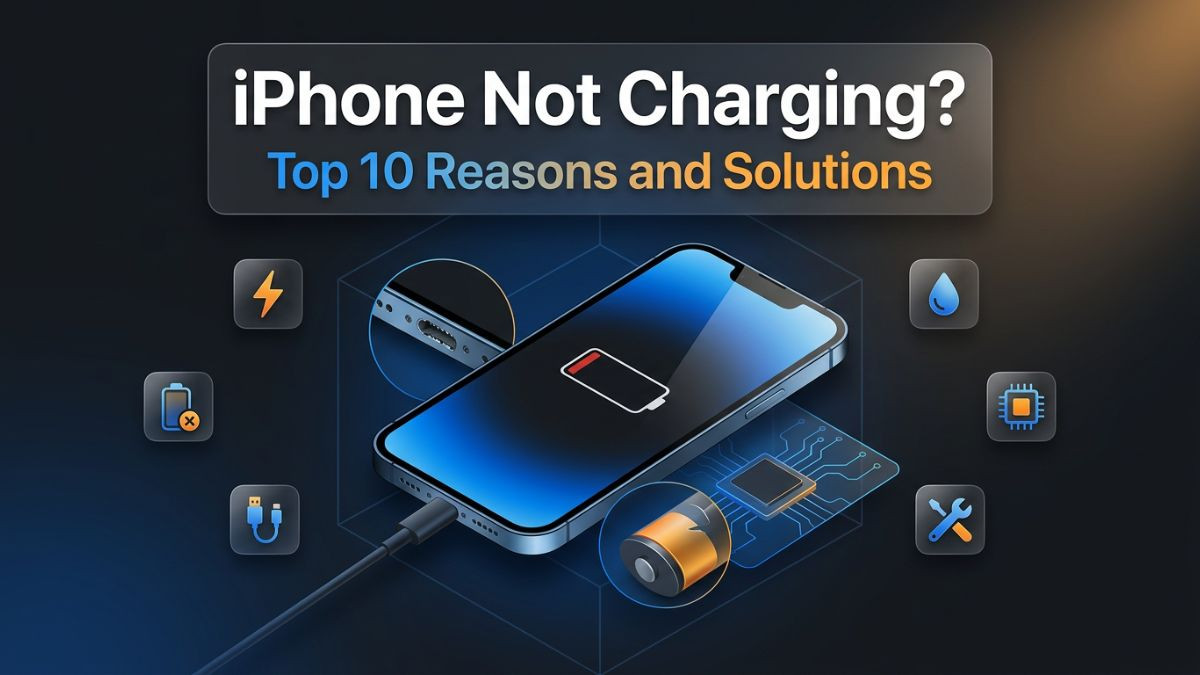
Few things are more frustrating than plugging in your iPhone at the end of a long day and watching the screen stay dark. No charging animation. No familiar chime. Nothing. The instinct is to assume the worst, but an iPhone charging problem is rarely as catastrophic as it first appears. Most charging failures trace back to one of a fairly predictable set of causes, and many of them can be resolved without a repair shop visit at all.
That said, some charging issues do require professional attention, and knowing the difference between a simple fix and a deeper hardware problem can save both time and money. This article covers the top ten reasons why your iPhone is not charging, explains each cause in clear and practical terms, and walks through the appropriate troubleshooting steps and solutions. Whether the issue is a dirty port, a faulty cable, a software glitch, or something more serious, this guide gives you the information needed to address it with confidence.
How iPhone Charging Works
Before jumping into specific causes, it helps to understand the basic system through which an iPhone receives power. When a charging cable is connected, power flows from the adapter through the cable to the charging port, which then communicates with the battery management system inside the device. That system regulates the flow of current to the battery based on factors like battery temperature, current charge level, and software instructions from iOS.
This means that an iPhone charging problem can originate at any point in that chain: the power adapter, the cable, the charging port, the battery itself, or the software managing the entire process. Identifying which part of the chain has failed is the first step in any effective iphone charging troubleshooting process.
Modern iPhones also support multiple charging methods. Older models use a Lightning connector, while newer iPhone 15 and later models use a USB-C port. Many models support wireless charging through the Qi standard, and MagSafe charging is available on iPhone 12 and later. Each of these methods has its own potential failure points, which is why a thorough approach to diagnosis considers all possibilities rather than assuming the problem lies in one obvious place.
Reason 1: Debris or Lint Blocking the Charging Port
This is the most common and most frequently overlooked cause of an iPhone not charging. The charging port sits at the bottom of the device and is exposed to the environment throughout the day. Pockets are particularly effective at packing lint, dust, and fine debris tightly into the port over weeks and months. Eventually, the accumulation becomes dense enough that the charging connector cannot make a proper electrical connection with the port contacts.
The symptom is straightforward: the cable seems to plug in, but the phone shows no charging response. In some cases, the cable feels slightly looser than usual or does not click in with its normal firmness. These are strong indicators that debris is the issue.
iPhone charging port cleaning is something most people can do safely at home, provided it is done carefully. The recommended method involves using a wooden or plastic toothpick, never a metal object, to gently loosen compacted debris from the interior of the port. Work slowly and with minimal force. After loosening the material, use a soft-bristled brush or a can of compressed air held at a slight angle to clear the loosened particles. Avoid blowing directly into the port at close range, as excessive pressure can damage the internal contacts.
After cleaning, reconnect the cable and check whether charging resumes. In many cases, this alone resolves the issue completely. If the port appears visually clear but the problem persists, debris is likely not the primary cause and further troubleshooting is needed. For ports with significant corrosion or physical damage from improper cleaning attempts, professional iphone charging port repair is the appropriate next step.
Reason 2: A Faulty or Non-Certified Charging Cable
The charging cable is one of the most frequently replaced accessories in any iPhone user's life, and it is also one of the most common sources of charging failure. Cables bend, twist, and fray with regular use. The internal wiring can break at stress points near the connector or the adapter end long before the exterior shows visible damage.
An iphone charging cable not working is not always obvious from looking at it. The cable may appear perfectly intact while the internal conductors are partially or fully broken. Testing with a different known-working cable is one of the fastest ways to rule this out as the cause of the problem.
Beyond physical damage, the quality of the cable itself matters enormously. Apple's MFi certification, which stands for Made for iPhone, indicates that a cable or accessory has been tested and certified to meet Apple's performance and safety standards. Cables that lack this certification, sometimes sold at very low prices through online marketplaces, may technically work for a period of time but often fail to deliver consistent power, charge slowly, or stop working altogether without warning. iOS also actively detects non-certified accessories and may display a message stating that the accessory is not supported, which represents a clear iphone charging accessories issue.
If switching to a different MFi-certified cable resolves the charging problem, the original cable is the culprit and should be replaced. Investing in a quality cable from Apple or a certified third-party manufacturer is worthwhile given how central the cable is to the entire charging process.
Reason 3: The Power Adapter Is the Problem
Sometimes the cable is fine and the port is clean, but the power adapter itself is faulty. Adapters can fail due to internal component degradation, physical damage, or simply reaching the end of their usable life. A failed adapter provides either no power or insufficient power to trigger the iPhone's charging system.
Testing this is simple. Try connecting the cable to a different adapter, a computer's USB port, or a car charger. If the iPhone begins charging with an alternative power source, the original adapter is the problem. Replace it with an Apple-certified adapter that matches the appropriate wattage for your iPhone model. Using an underpowered adapter, such as a 5-watt adapter with a newer iPhone that supports 20-watt fast charging, will not prevent charging entirely but will result in an iphone slow charging issue that many users mistake for a deeper problem.
It is also worth checking the power outlet itself. Plug another device into the same outlet to confirm the outlet is functioning. This sounds obvious, but it is a step that is genuinely overlooked, particularly when using a power strip or extension cord that may have tripped a circuit.
Reason 4: iPhone Software Glitch Preventing Charging
Software is responsible for managing the charging process on every iPhone. When iOS encounters a bug, an update error, or a process conflict, the charging system can behave unexpectedly. An iphone charging software issue can manifest as the device showing a charging symbol but not gaining charge, refusing to recognize a connected cable, or powering off despite being plugged in.
The simplest and most effective first response to a suspected software problem is a force restart. On iPhone 8 and later, this involves pressing and quickly releasing the volume up button, then pressing and quickly releasing the volume down button, then pressing and holding the side button until the Apple logo appears. On iPhone 7 and 7 Plus, hold both the volume down and sleep/wake buttons simultaneously. On older models, hold the home and sleep/wake buttons together.
A force restart clears temporary software states without deleting any data and resolves the majority of software-induced charging failures quickly. If the issue appeared after a recent iOS update, it is worth checking Apple's support forums to see whether other users reported the same iphone charging issues after update with the same firmware version. In some cases, a subsequent iOS update patches the bug. In others, restoring the iPhone through iTunes or Finder may be necessary to resolve the issue.
If software-level troubleshooting does not restore normal charging behavior, the problem is likely hardware rather than software, and further investigation is warranted.
Reason 5: Battery Health Has Degraded Significantly
iPhone batteries are lithium-ion cells with a finite number of charge cycles. Apple considers a battery to maintain acceptable performance through approximately 500 complete charge cycles, after which the battery's maximum capacity begins to decline noticeably. A battery that has degraded beyond a certain threshold may struggle to hold a charge, charge very slowly, or in some cases appear to charge but drain immediately under light use.
Checking battery health is straightforward on modern iPhones. Navigate to Settings, then Battery, then Battery Health and Charging. This screen displays the battery's maximum capacity as a percentage of its original design capacity. A battery showing 80 percent or higher is generally considered healthy. Batteries below 80 percent have degraded to the point where performance is meaningfully impacted, and an iphone battery health issue at this level often explains chronic charging and endurance problems.
The iphone battery draining fast and not charging combination is a classic symptom of a degraded battery struggling to maintain charge under normal operating conditions. In this case, the solution is a professional battery replacement service, which restores full charging capacity and eliminates the symptoms caused by battery degradation. This is one of the most common and most impactful repairs performed on iPhones, and it significantly extends the usable life of a device that is otherwise functioning well.
Reason 6: iPhone Overheating During or After Charging
Heat is one of the most damaging environmental factors for lithium-ion batteries and iPhone electronics generally. When an iPhone detects that its internal temperature has exceeded a safe threshold, iOS deliberately throttles charging or stops it entirely to protect the battery and internal components. This thermal protection mechanism is intentional and important, but it can be confusing when users do not understand why their phone suddenly stops charging.
An iphone overheating while charging is usually caused by one or more of the following: charging in a hot environment such as a car on a summer day, using the phone heavily while it is plugged in, using an incompatible adapter that delivers too much or incorrectly regulated power, or a failing battery generating excess heat as it charges. In some cases, a protective case that traps heat during charging can also trigger the thermal cutoff.
The solution in most cases is to remove the case, move to a cooler environment, and allow the phone to cool down before resuming charging. Avoid using the phone for processor-intensive tasks while it is charging if overheating is a recurring issue. If the iPhone overheats regularly during charging even in cool environments with a known-good adapter, a failing battery or an internal hardware problem may be generating the excess heat, and a professional iphone charging diagnostics assessment is appropriate.
Reason 7: Moisture or Liquid Damage Affecting the Charging Port
Modern iPhones carry IP67 or IP68 water resistance ratings, meaning they can withstand submersion to specified depths for limited periods. However, water resistance degrades over time, and it does not make iPhones immune to moisture damage. Exposure to water, humidity, sweat, or other liquids can introduce moisture into the charging port, which iOS detects and responds to with a liquid detection alert.
When iOS detects moisture in the charging port, it displays a message and blocks wired charging to prevent a short circuit. This is the iPhone moisture detected charging issue that many users encounter after dropping their phone in water or using it in wet conditions. The device may still be functional in all other respects, but wired charging will be blocked until the port is fully dry.
The recommended response is to leave the device unplugged in a dry location with good airflow for at least 30 minutes to several hours, then attempt charging again. Do not use compressed air or heat sources like hair dryers to accelerate drying, as these can force moisture deeper into the device or cause thermal damage. If wireless charging is available on your model, it can be used safely while the wired port dries.
For cases where the iPhone charging issue after water damage persists beyond normal drying time, or where physical corrosion has developed inside the port, professional intervention is necessary. Corrosion left untreated spreads to nearby components and causes progressively more serious damage. A qualified technician can clean the port with appropriate tools and solvents and assess whether any internal components were affected. This type of repair is closely related to broader water damage repair work that requires professional equipment and expertise.
Reason 8: A Damaged or Worn Charging Port
Physical damage to the charging port itself is a frequent cause of persistent iphone charging hardware problems. The port can be damaged by inserting cables at an angle, using excessive force, using non-standard connectors, or simply through years of wear from repeated connection and disconnection cycles. The small contact pins inside the port can bend, break, or corrode, resulting in an unreliable or absent electrical connection.
Signs of a damaged port include the cable fitting too loosely or too tightly, the phone only charging when the cable is held at a specific angle, charging that cuts in and out with slight movement of the cable, or no response at all despite a functioning cable and adapter. These symptoms point strongly toward the port itself as the iphone charging connection problem.
A fix iphone charging port repair is a hardware-level procedure that involves accessing the inside of the device and either cleaning and adjusting the existing port or replacing the port module entirely. On most iPhones, the charging port is part of a flex cable assembly that runs along the bottom of the device. Replacing this assembly requires the right tools, technical knowledge, and properly sourced replacement parts.
This is not a repair that most users should attempt at home. The risk of damaging the surrounding flex cables, display connectors, or logic board components during disassembly is significant without proper training and tools. A professional iPhone repair service with experience in iphone charging port repair is the appropriate resource for this type of work. Turnaround time for a charging port repair is typically same-day at a well-equipped shop, and the cost is a fraction of what a device replacement would run.
| Symptom | Likely Cause | Recommended Action |
|---|---|---|
| Cable fits loosely | Worn or bent port pins | Professional port inspection and repair |
| Only charges at certain angle | Damaged internal contacts | Professional port repair or replacement |
| Liquid detection alert | Moisture in port | Dry device, attempt charging after 30+ min |
| No response to any cable | Dead port or logic board issue | Professional diagnostics |
| Charges intermittently | Debris or damaged contacts | Clean port, then professional assessment |
| Cable clicks in firmly, no charge | Software or battery issue | Force restart, check battery health |
Reason 9: Wireless or MagSafe Charging Not Working
For iPhone models that support wireless charging, an iphone wireless charging not working or iphone magsafe charging not working scenario introduces a different set of potential causes than wired charging problems. Wireless charging relies on proper alignment between the iPhone's internal coil and the charging pad, consistent power delivery from the pad, and a compatible charger that meets the Qi or MagSafe standards.
The most common causes of wireless charging failure include using a non-Qi-certified pad, placing the iPhone on the pad with poor alignment, having a case that is too thick or made of a material that interferes with wireless power transfer, or using a Qi pad with an adapter that does not deliver adequate wattage. MagSafe chargers additionally require a USB-C power adapter of at least 20 watts to deliver the full 15-watt MagSafe charging rate. Using a lower-wattage adapter reduces the charging rate substantially and can feel like a failure even though the system is technically functioning.
Software can also affect wireless charging. Some iOS updates have introduced temporary bugs affecting wireless charging behavior. An iphone magsafe charging not working situation after a software update is worth addressing through the same troubleshooting steps described for wired software issues, including a force restart and checking for a newer iOS update.
If none of the basic troubleshooting steps restore wireless charging functionality and wired charging works normally, the wireless charging coil inside the device may have been damaged, which is a hardware problem requiring professional assessment. Coil damage is more common after drops or significant impacts.
| Charging Method | Max Speed | Common Issues | Fix |
|---|---|---|---|
| 5W wired (USB-A) | 5W | Very slow charging | Upgrade to 20W adapter |
| 20W wired (USB-C) | 20W | Port or cable issues | Clean port, replace cable |
| Qi wireless | 7.5W (iPhone) | Alignment, case interference | Remove case, reposition |
| MagSafe | 15W | Adapter wattage, iOS bug | Use 20W+ adapter, update iOS |
| MagSafe duo | 14W | Compatibility issues | Ensure device compatibility |
Reason 10: Logic Board or Power Management IC Failure
This is the most serious category of iPhone charging hardware problem, and fortunately, it is also the least common. The logic board is the central processing hub of the iPhone, and it contains a specialized chip called the Power Management Integrated Circuit, or PMIC, which regulates how power is received, distributed, and stored. If the PMIC or related components on the logic board fail, the iPhone may refuse to charge entirely, behave erratically during charging, or lose the ability to recognize the battery.
An iphone charging system failure at the logic board level typically presents as a device that shows no response to any cable or adapter, fails to charge even after confirmed-working cables, ports, and batteries have been ruled out, or displays unusual behavior like an extremely hot board during attempted charging. Standard troubleshooting steps will not resolve a hardware failure at this level.
Diagnosing a logic board problem requires specialized tools including multimeters, thermal cameras for identifying heat signatures, and advanced diagnostic software. This work falls firmly within the domain of professional iphone charging repair experts who have experience in board-level diagnostics and repair. In some cases, the damaged component can be reballed or replaced using micro-soldering techniques. In others, logic board replacement may be the more practical solution depending on the device's age and value.
The cost of logic board repair varies considerably depending on the extent of the damage and the specific component involved. It is worth obtaining a diagnosis from a reputable shop before deciding whether to proceed with repair or replacement of the device. A reliable iphone repair shop charging issue diagnosis will give you a clear picture of what is involved and what the realistic outcomes are.
Step-by-Step iPhone Charging Troubleshooting Guide
Following a structured sequence of troubleshooting steps is the most efficient way to identify the cause of an iphone not charging fix without unnecessary trial and error. Work through each step in order, and stop when the issue is resolved.
Step 1: Try a different MFi-certified cable. Plug it in and wait 30 seconds for the charging indicator to appear.
Step 2: If no change, try a different power adapter. Use one known to work with another device.
Step 3: Test with a different power outlet. Confirm the outlet is live by plugging in another device.
Step 4: Inspect the charging port with a flashlight. Look for visible debris, lint, corrosion, or bent pins.
Step 5: If debris is visible, clean the port carefully using a wooden toothpick and gentle strokes. Do not use metal tools.
Step 6: Attempt a force restart using the button sequence appropriate for your iPhone model.
Step 7: Check for a liquid detection alert. If present, leave the device unplugged in a dry location for at least 30 to 60 minutes.
Step 8: Navigate to Settings, Battery, Battery Health and Charging. Check whether battery health is below 80 percent.
Step 9: If wireless charging is available on your model, test it with a certified pad to determine whether the issue is wired-only.
Step 10: If none of the above steps restore charging, the problem is likely a hardware fault requiring professional iphone charging diagnostics and repair.
DIY vs. Professional Repair: Choosing the Right Approach
Not every charging problem warrants a trip to a repair shop, and not every charging problem is safe to address at home. Understanding which issues fall into which category protects both the device and the user.
| Issue | Safe for DIY? | Professional Repair Recommended? |
|---|---|---|
| Debris in charging port | Yes, with plastic/wooden tools | If cleaning causes no improvement |
| Faulty cable | Yes, replace cable | Not needed |
| Faulty adapter | Yes, replace adapter | Not needed |
| Software glitch | Yes, force restart and update | If restore fails |
| Battery degradation | No, internal component | Yes, professional replacement |
| Damaged charging port | No, requires disassembly | Yes, port repair or replacement |
| Water damage | No, risk of short circuit | Yes, professional cleaning |
| Logic board/PMIC failure | No, requires board-level work | Yes, micro-soldering or replacement |
| Wireless charging coil damage | No, internal component | Yes, professional assessment |
| Overheating due to environment | Yes, remove case, cool device | If overheating persists indoors |
Attempting to disassemble an iPhone at home without proper tools and training is one of the fastest ways to turn a repairable charging problem into a much more expensive one. Opening the device incorrectly can tear flex cables, crack the display, or damage the logic board. For anything beyond cleaning the port or replacing external accessories, professional iphone charging repair service is the safer and more reliable choice.
What to Expect from a Professional iPhone Charging Repair
When you bring an iPhone to a qualified repair shop for a charging issue, the process begins with a thorough iphone charging diagnostics assessment. A skilled technician will test the device with known-good cables and adapters, inspect the port visually and with appropriate tools, run software-level diagnostics if applicable, and assess the battery's health and behavior. This comprehensive approach ensures that the root cause is accurately identified rather than assumed.
Based on the findings, the technician will recommend the appropriate repair, whether that is port cleaning, port replacement, battery replacement, or deeper board-level work. A reputable shop will provide a clear written estimate before beginning any work and will discuss the expected outcome and any associated warranty.
Turnaround time for most charging-related repairs is impressively fast at well-equipped shops. Port cleaning or cable-related consultations are often resolved on the spot. Port replacement and battery replacement are typically same-day repairs. More complex diagnostics and board-level repairs may take longer but should come with regular communication and progress updates.
Cost varies by repair type and device model. The table below provides general guidance.
| Repair Type | Estimated Cost Range | Typical Turnaround |
|---|---|---|
| Port cleaning (professional) | $0–$30 | Same appointment |
| Battery replacement | $60–$130 | Same day |
| Charging port repair | $70–$180 | Same day |
| Logic board diagnostics | $40–$100 (diagnostic fee) | 1–2 days |
| Logic board repair (PMIC) | $150–$350+ | 2–5 days |
| Water damage cleaning | $80–$200 | 1–3 days |
Preventing iPhone Charging Problems Before They Start
Good iphone charging maintenance habits significantly reduce the frequency and severity of charging problems over time. These practices are simple, require no technical knowledge, and can meaningfully extend the life of both the charging port and the battery.
Always use MFi-certified cables and adapters. The cost savings from cheap cables are not worth the damage they can cause to the port contacts or the risk they pose through inconsistent power delivery. Inspect cables regularly for fraying or damage near the connectors, and replace them at the first sign of wear.
Periodically inspect and clean the charging port, particularly if you spend time in dusty or lint-rich environments. A monthly gentle cleaning prevents the gradual accumulation that eventually blocks the port entirely.
Avoid charging in extreme temperatures. Charging in very cold or very hot environments stresses the battery and accelerates degradation. Room temperature charging is ideal. Remove cases that trap heat during charging if the device feels warm to the touch.
Keep iOS updated. Apple regularly releases updates that include battery and charging management improvements. Staying current reduces the likelihood of encountering an iphone charging software issue tied to an older firmware version.
Finally, avoid allowing the battery to drain to zero regularly. While occasional deep discharges are acceptable, consistently running the battery to zero before charging accelerates capacity degradation. Charging between 20 and 80 percent as a general habit is considered optimal for long-term battery health according to Apple's own guidance.
When Wireless Charging Is the Better Option
For users who regularly encounter wired charging port issues, wireless charging offers a practical workaround that reduces wear on the physical port. Qi wireless charging is supported on iPhone 8 and later models, and MagSafe is available on iPhone 12 and later. Using wireless charging for daily top-ups and reserving wired charging for situations requiring faster speeds can meaningfully extend the life of the charging port.
An iphone usb-c charging issue on newer models is sometimes avoided entirely by users who have adopted MagSafe as their primary charging method. The magnetic alignment system ensures consistent contact without the mechanical stress of inserting and removing a cable multiple times daily.
That said, wireless charging is not a permanent substitute for addressing an underlying hardware problem. If the charging port is damaged or the battery is degraded, those issues will still need attention regardless of the charging method used.
Get Your iPhone Charging Problem Solved Today
A persistent iPhone not charging situation should not be something you work around indefinitely with borrowed cables or awkward positioning. A proper repair restores full charging function, protects the device's long-term health, and eliminates the daily frustration of an unreliable power system.
At Phone Repair Place, the team handles iphone charging repair near me requests from customers across the area every day. Whether the issue is a packed charging port, a depleted battery, a damaged port connector, or a more complex hardware fault, experienced technicians diagnose the problem accurately and resolve it efficiently. Every repair is backed by transparent pricing, quality parts, and a warranty you can count on.
Walk-ins are welcome and same-day service is available for the most common charging repairs. No appointment is necessary for basic diagnostics. If you prefer to call ahead or book online, that option is available too. Do not let a charging problem sideline your device any longer than necessary.
Phone Repair Place
3500 East-West Hwy STE 1417,
Hyattsville, MD 20782, United States
(202) 870-4914
https://phonerepairpgmall.com/
Frequently Asked Questions
Why is my iPhone not charging even with a new cable and adapter?
If a new MFi-certified cable and adapter do not resolve the issue, the problem likely lies within the device itself rather than the accessories. Common internal causes include a debris-blocked or physically damaged charging port, a degraded battery, or a software glitch that can sometimes be cleared with a force restart. If these steps do not work, a professional iphone charging diagnostics assessment will identify the specific hardware or software fault.
Can I fix my iPhone charging port at home?
Cleaning debris from the port is something most users can safely do at home using a wooden toothpick and a soft brush. However, physically repairing or replacing the charging port requires disassembling the iPhone, which involves specialized tools and a meaningful risk of causing additional damage without proper training. A professional fix iphone charging port service is the recommended approach for any repair beyond basic cleaning.
How much does iPhone charging port repair typically cost?
The cost of iphone charging port repair generally ranges from $70 to $180 depending on the iPhone model and the extent of the damage. Shops that use quality parts and offer a repair warranty tend to fall in the mid-to-upper range of that estimate, which represents better long-term value than the cheapest available option.
Is it safe to charge my iPhone overnight?
Modern iPhones include a feature called Optimized Battery Charging, which learns your daily charging routine and slows the charging rate to reduce the time the battery spends at 100 percent. This feature makes overnight charging reasonably safe from a battery health perspective. However, using a non-certified adapter or a damaged cable during overnight charging carries a safety risk, so accessory quality still matters even with this feature active.
Why does my iPhone only charge when the cable is held at a specific angle?
This symptom almost always indicates physical damage to the charging port contacts or a partial obstruction inside the port. When the cable must be positioned precisely to make contact, the internal pins are either bent, corroded, or blocked by debris. A professional iphone charging port repair will resolve this and restore normal reliable charging without the need to hold the cable in place.
Can water damage cause permanent iPhone charging issues?
Yes, if moisture inside the charging port causes corrosion and that corrosion is not professionally cleaned promptly, it can spread to the surrounding flex cable and logic board components, causing permanent damage. An iphone charging issue after water damage that persists beyond normal drying time should be evaluated by a repair technician as quickly as possible to minimize the risk of corrosion spreading to critical components.