How to Check iPhone Battery Health and When to Replace It
The Chemistry and Electrochemistry of Modern iPhone Lithium-Ion Batteries
Modern smartphones rely universally on rechargeable lithium-ion polymer (Li-ion) chemistry to deliver the demanding power profiles required by high-refresh-rate displays, multi-band 5G modems, computational photography engines, and machine learning neural accelerators. Unlike legacy nickel-cadmium or nickel-metal hydride batteries from earlier decades, lithium-ion packs offer significantly higher energy density in an ultra-slim enclosure, charge much faster during the initial phase, and do not suffer from the dreaded memory effect that historically forced users to discharge batteries fully before recharging.
Inside every Apple iPhone, the battery consists of several tightly wound or stacked layers: a positive cathode (typically composed of lithium cobalt oxide or lithium iron phosphate blends), a negative anode (made of microscopic graphite sheets), a porous micro-perforated polymer separator membrane, and a liquid or gel electrolyte containing dissolved lithium salts. When you plug your handset into a Lightning or USB-C power source, external electrical current forces positively charged lithium ions to migrate through the liquid electrolyte from the cathode into the graphite anode structure, storing potential chemical energy. When you disconnect the phone and browse the web, capture 4K video, or run mobile games, those trapped ions naturally migrate back toward the cathode, releasing electrons through the device's electrical circuitry to power the logic board, processor, and display.
Because battery operation depends entirely on reversible chemical oxidation and reduction reactions, degradation is an unavoidable law of physics and chemistry. With every single charge and discharge iteration, minor parasitic reactions take place on the surfaces of the electrodes. A passivation film known as the Solid Electrolyte Interphase (SEI) gradually thickens on the graphite anode, consuming active lithium ions from the chemical reservoir and permanently locking them away. Over months and hundreds of duty cycles, the internal resistance—known technically as impedance—within the cell steadily climbs. When internal impedance increases, the battery can no longer sustain stable voltage during instantaneous, high-amperage current spikes demanded by peak computing workloads. Understanding this physical reality is vital for maintaining your device, accurately reading telemetry, and knowing exactly when to replace iphone battery hardware.
How to Check iPhone Battery Health: The Standard iOS Native Interface
Apple integrates dedicated hardware telemetry and software reporting directly into iOS to give users visibility into the chemical state of their device's energy storage. Checking your current status takes only a few seconds through the system preferences application.
To inspect your phone's power telemetry, open the native Settings application on your iPhone, scroll down the main menu, and tap on the Battery category. Allow the interface two or three seconds to query the hardware fuel gauge chip, then select the Battery Health & Charging menu (or simply Battery Health on earlier iOS versions). Inside this interface, iOS displays several fundamental indicators that define the operating state of the battery pack.
The primary metric presented is Maximum Capacity. When your handset leaves the assembly line, its battery is rated at 100 percent capacity, meaning its chemical volume can hold 100 percent of the original designed milliampere-hours (mAh) engineered for that specific chassis. As the device ages through hundreds of duty cycles, this maximum capacity number gradually decreases. A readout displaying 90 percent indicates that your battery can now hold approximately nine-tenths of the charge it possessed when brand new, resulting in fewer overall screen-on hours between charges.
Directly beneath the percentage readout sits the Peak Performance Capability assessment. Under normal operating parameters when the battery is chemically robust, this section states: "Your battery is currently supporting normal peak performance." This confirmation indicates that internal cell impedance remains sufficiently low to deliver necessary instantaneous voltage spikes without starving the processor. If, however, the battery has experienced significant degradation or an uncommanded power interruption occurred, this section will alert you that performance management has been applied to prevent sudden black-screen shutdowns.
The iPhone 15 and iPhone 16 Generation: Dedicated Cycle Counts and Hardware Limits
Beginning with the iPhone 15, iPhone 15 Pro, iPhone 16, and iPhone 16 Pro families, Apple introduced significant architectural upgrades to battery telemetry reporting and user-configurable power management.
On these newer generations, navigating to Settings Battery Battery Health reveals dedicated hardware telemetry fields that were previously concealed within encrypted developer diagnostic logs. Users can now view the exact Battery Cycle Count directly on the screen, accompanied by the precise Manufacture Date and the First Use Date of the installed pack. Apple's modern lithium-ion cells in the iPhone 15 and 16 lineups are engineered with advanced cathode metallurgy and upgraded electrolyte formulations rated to retain up to 80 percent of their original capacity after 1,000 complete charge cycles under standard conditions—a 100 percent increase in rated longevity over the 500-cycle threshold of iPhone 14 and earlier generations.
Furthermore, these contemporary handsets feature an optional hardware charging ceiling toggle known as the 80% Limit. When enabled in the Charging Optimization menu, the power management integrated circuit (PMIC) intentionally halts external current inflow once the battery reaches 80 percent state-of-charge. Lithium-ion chemistry experiences the highest internal mechanical and electrochemical stress when forced into the top 20 percent of its capacity range (between 4.2V and 4.35V per cell). By terminating charging at 80 percent, device owners who work near power sources or charge frequently throughout the workday can dramatically reduce cathode lattice strain, cut electrolyte decomposition rates in half, and preserve maximum capacity across several years of ownership.
Advanced Diagnostic Methods: Uncovering Exact Cycle Counts on Any iPhone
Owners of iPhone 14, iPhone 13, iPhone 12, and earlier models do not have native cycle count readouts in the basic Settings menu. However, this critical telemetry is continuously recorded by the operating system's internal logging services. You can extract your exact cycle count and true chemical capacity using two proven diagnostic methods without jailbreaking or modifying device firmware.
Method 1: Querying iOS Native Analytics Logs
iOS generates daily diagnostic JSON log files that capture hardware health. To access this data, open Settings, select Privacy & Security, scroll to the bottom, and tap Analytics & Improvements. Next, select Analytics Data. You will see an alphabetical list of system crash and diagnostic logs.
Scroll down through the logs until you locate files prefixed with "Analytics-" followed by the current or most recent calendar date (for example, Analytics-2026-11-15-xxxxxx.ips.ca.synced). Tap on the most recent file to open its raw text contents. Select the entire text block, copy it, and paste it into the native Notes application. Alternatively, you can use the built-in search feature inside Notes or a third-party shortcut to search for two specific XML keys:
- battery.CycleCount: The integer immediately following this key represents the cumulative full charge cycles your battery has completed since leaving the factory.
- last_value_MaximumCapacityPercent: This numerical string displays the true raw chemical capacity calculated by the hardware gas-gauge chip, which is often more accurate than the smoothed cosmetic percentage displayed in the general settings interface.
Method 2: Desktop Diagnostic Query (macOS and Windows)
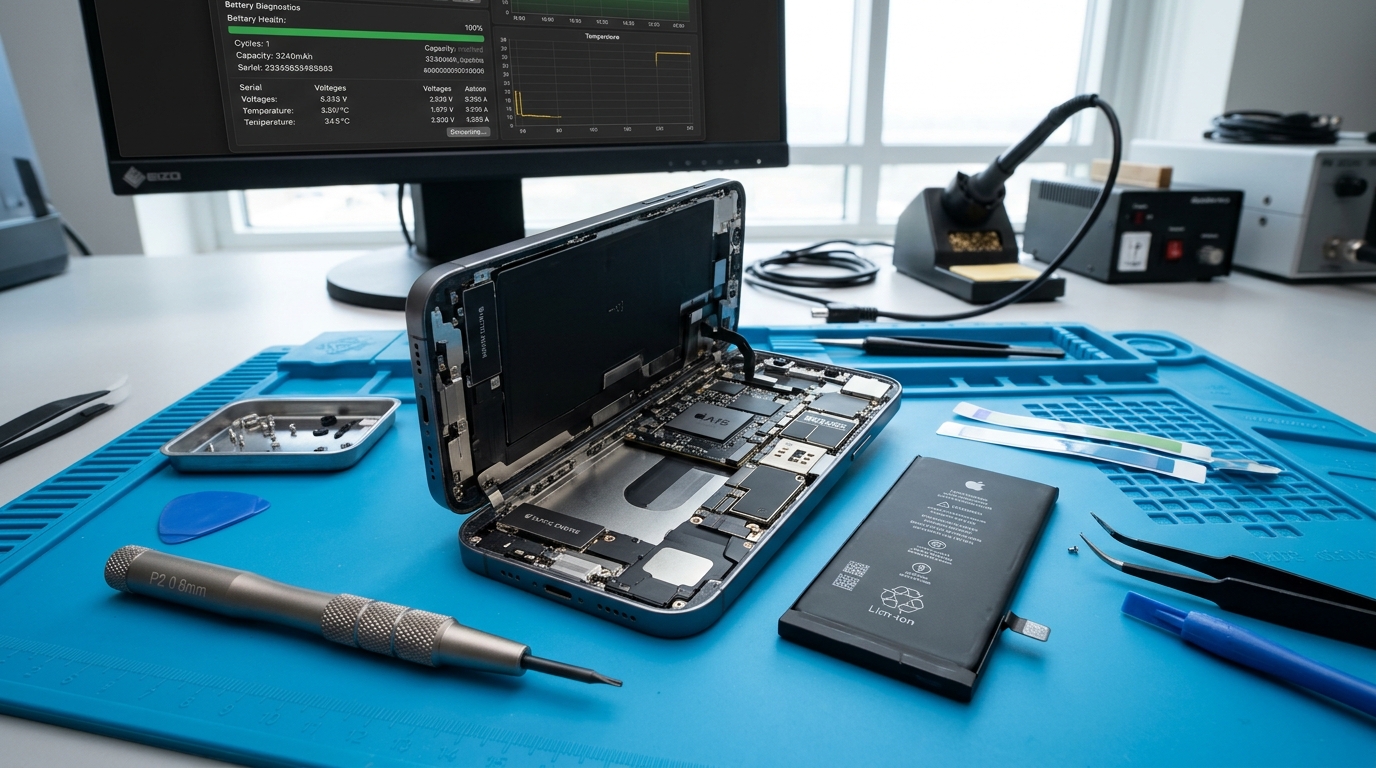
For instant verification without sifting through text logs, connecting your iPhone to a computer via a Lightning or USB-C cable provides immediate hardware gas-gauge telemetry. On macOS, applications like CoconutBattery query the Texas Instruments or Apple custom battery microcontroller across the I2C diagnostic data bus. On Windows, reputable diagnostic utilities such as iMazing or 3uTools read the exact same system bus.
These desktop utilities instantly display the factory Design Capacity (for example, 3,279 mAh on an iPhone 14), the current Full Charge Capacity (for example, 2,820 mAh), the calculated health ratio, the exact Cycle Count, the battery serial number, the real-time cell temperature in Celsius, and the battery manufacturing vendor (such as Sunwoda, Desay, or Simplo). This multi-point verification allows you to confirm whether your battery is merely performing poorly due to background software tasks or is physically nearing the end of its chemical operational lifespan.
The Core Indicators: When Does Your iPhone Battery Need Replacement?
Deciding when to replace a smartphone battery requires evaluating both quantitative metrics and qualitative behavioral symptoms. Below are the definitive signs that indicate your power cell has reached the end of its reliable service life.
1. Maximum Capacity Drops Below 80 Percent
The 80 percent mark is not an arbitrary number; it is the globally recognized engineering threshold established by international battery standards organizations and Apple itself. When a lithium-ion cell drops below 80 percent of its original capacity, the chemical matrix has experienced irreversible structural breakdown. The liquid electrolyte has partially dried or degraded, active lithium ions have become permanently trapped in the SEI layer, and cathode impedance has multiplied.
At 79 percent or lower, an iPhone battery does not simply run out of power 21 percent faster than a new handset. The discharge voltage curve becomes steep and unpredictable. Rather than declining in a smooth linear fashion from 100 percent down to zero, a degraded cell will experience voltage collapses under moderate current draw, causing severe disruptions during everyday tasks.
2. The "Important Battery Message" Warning Banner
When iOS confirms that your battery has degraded past acceptable operating tolerances, a prominent alert banner appears at the very top of the Battery Health menu. The notification reads: "Your battery's health is significantly degraded. An Apple Authorized Service Provider can replace the battery to restore full performance and capacity." This notification confirms that the operating system's internal fuel gauge has flagged the hardware as chemically consumed, signaling that prompt hardware renewal is necessary to avoid sudden failure.
3. Performance Throttling and System Sluggishness
Have you noticed that your iPhone has become noticeably sluggish, that typing on the keyboard lags behind your keystrokes, that camera app startup takes several seconds, or that scrolling through social feeds stutters with dropped frame rates? While many users assume their phone's processor has become obsolete due to newer iOS updates, the true culprit is frequently battery throttling.
When an aged battery with high internal resistance cannot deliver the high peak amperage demanded by the CPU and GPU during intensive tasks, the operating system intervenes to prevent the voltage from dropping below the minimum shutdown threshold of 3.4 volts. iOS automatically activates dynamic performance management, downclocking processor clock speeds by 20 to 40 percent. Replacing the worn battery eliminates this internal resistance, instantly unlocking original factory processor clock speeds and restoring buttery-smooth animations.
4. Spontaneous Black-Screen Shutdowns
If your iPhone unexpectedly shuts down and displays the black screen with a spinning gear while the battery indicator still shows 20 percent, 35 percent, or even 50 percent charge remaining, your battery has suffered severe chemical fatigue. These spontaneous shutdowns occur because launching a demanding application—such as firing the camera flash, opening a high-end 3D navigation app, or establishing a poor-signal 5G cellular connection—draws an instantaneous spike of current. A healthy battery absorbs this load easily; an aged cell experiences an instantaneous voltage crash, triggering the PMIC protection circuit to cut power immediately to safeguard the motherboard from brownout damage.
5. Rapid or Non-Linear Percentage Drops
Healthy batteries deplete smoothly and predictably. A failing battery exhibits jumpy, erratic percentage readings. You might unplug your phone at 100 percent, watch it drop to 88 percent within five minutes of basic messaging, stay stuck at 60 percent for an hour, and then plummet from 40 percent to 8 percent within a single minute. These jumps occur because the battery fuel gauge IC can no longer measure stable voltage gradients across the damaged chemical layers.
6. Extreme Heat During Routine Operations
While wireless fast charging or extended 3D gaming naturally generates moderate warmth, an iPhone that becomes uncomfortably hot to the touch during simple, low-draw tasks—such as scrolling through text messages or reading an article—is exhibiting dangerous internal electrical resistance. High resistance converts electrical energy into wasted thermal heat rather than usable device power. Excessive heat accelerates chemical decomposition in a compounding loop, destroying adjacent display adhesives and risking motherboard thermal stress.
7. Physical Battery Swelling (Critical Emergency)
The most dangerous symptom of battery failure is physical swelling. When a lithium-ion pouch cell degrades severely, suffers internal micro-short circuits, or undergoes thermal overstress, parasitic chemical breakdowns produce combustible gases—primarily carbon dioxide, carbon monoxide, hydrogen, and volatile hydrocarbons. Because modern phone batteries are sealed in airtight polymer pouches to prevent moisture ingress, these gases become trapped, causing the battery to swell like a miniature pillow.
Warning signs of battery swelling include the front display assembly lifting visibly away from the aluminum chassis, a spongy or soft feeling when pressing on the screen, vertical white or colored pressure marks appearing on the OLED or LCD panel where the swollen cell presses against the display backing plate, or the phone rocking unevenly when placed flat on a desk. If your device exhibits any sign of swelling, cease charging immediately, power the handset down, and transport it to a certified repair facility. Prying, puncturing, or dropping a swollen battery can breach the separator membrane, leading to instantaneous thermal runaway, jetting flames, and toxic smoke.
Comprehensive Model-by-Model Battery Specifications and Lifespan Table
To help you benchmark your handset's current battery behavior against factory engineering standards, the responsive comparison table below outlines the battery capacities, standard cycle life expectations, typical degradation timeframes, and common failure symptoms across major iPhone generations.
Debunking Everyday Battery Myths: How to Maximize Battery Longevity
Misinformation regarding smartphone battery care is widespread across internet forums and social media. Let us separate chemical facts from outdated myths to help you extend your pack's lifespan.
Myth 1: "Leaving Your iPhone Plugged in Overnight Destroys the Battery"
This persistent belief stems from 1990s nickel-cadmium rechargeable batteries that lacked intelligent cutoff circuitry. Modern iPhones utilize sophisticated internal Battery Management Systems (BMS) controlled by dedicated microcontrollers. When your device reaches 100 percent, the PMIC physically cuts off the primary charging circuit and switches the handset to trickle charging or direct wall power. The phone cannot be "overcharged" or overfilled with electricity.
However, leaving a battery pinned at 100 percent state-of-charge while exposed to ambient heat (such as charging beneath a pillow or inside a heavy insulating rubber case) does maintain sustained high voltage pressure across the cathode. To counteract this, Apple introduced Optimized Battery Charging in iOS 13. By using machine learning to track your daily routine, iOS charges the phone to 80 percent, pauses charging overnight, and completes the final 20 percent right before your morning alarm sounds.
Myth 2: "You Must Periodically Drain Your Battery to 0% to Recalibrate It"
Completely draining a modern lithium-ion battery down to 0 percent is actually one of the most harmful things you can do to the cell chemistry. Deep discharges place severe mechanical tension on the cathode crystal lattices and can destabilize the copper current collector foils. If a lithium cell drops below a critical low-voltage floor (roughly 2.5V per cell), permanent chemical passivation occurs, and the battery may enter a deep-sleep lockout state where it refuses to accept charging current altogether. For optimal chemical longevity, maintain your battery between 20 percent and 80 percent charge whenever practical.
Myth 3: "Fast Charging Ruins Your Battery in Months"
Fast charging using Apple's 20W, 30W, or higher USB Power Delivery (USB-PD) bricks does not intrinsically damage lithium-ion cells. Modern charging protocols operate in two distinct stages. The constant current phase pushes power rapidly from 0 percent up to roughly 70 or 80 percent while the battery can chemically absorb ions without excessive resistance. Once the pack nears 80 percent, the PMIC enters the constant voltage phase, tapering charging speed down to a trickle to prevent thermal spikes.
The true enemy of battery health during fast charging is uncontrolled heat. If you use a high-wattage fast charger while playing graphic-intensive games or leave your phone mounted on a dashboard in direct sunlight, the combined thermal load will accelerate electrolyte evaporation. Using quality, certified USB-PD chargers in a cool, well-ventilated room poses minimal longevity risk.
Myth 4: "Force Closing Apps in the Multitasking Switcher Saves Battery"
Swiping away background apps in the iOS app switcher does not improve battery life; in fact, it actively increases battery consumption. When you swipe an app out of the switcher, iOS purges its cached state from active dynamic RAM (DRAM). When you reopen that app later, the processor must reload all executable binaries, user assets, and interface libraries from slow NAND flash storage back into RAM, consuming substantial CPU compute cycles and battery power. iOS has an exceptionally aggressive background task governor that freezes suspended apps automatically; allow the operating system to manage memory on its own.
Service Options: Apple Store vs. Certified Independent Repair Facilities
When the evidence confirms that your power cell requires replacement, choosing the appropriate service channel ensures your handset is restored quickly, safely, and cost-effectively.
The Official Apple Store Pathway
Apple provides out-of-warranty battery service across its retail store network and mail-in repair depots. For customers covered under an active AppleCare+ warranty whose battery maximum capacity has verified dropped below 80 percent, replacement is complimentary. However, for out-of-warranty devices, official replacement fees range from $69 for older SE models up to $89 to $99 for iPhone 11 through 15 series, and $119 for iPhone 16 Pro models.
The primary drawbacks of the official channel involve logistical friction. Apple Store Genius Bar reservations frequently require booking several days in advance. Furthermore, Apple's rigid corporate service protocols mandate that if your device has minor frame warping, rear glass hairline fractures, or secondary hardware defects, technicians may refuse to service the battery unless you agree to pay hundreds of dollars for complete chassis overhaul. Additionally, Apple's intake system regularly wipes user data as a blanket security measure, requiring you to perform comprehensive local or cloud backups before surrendering your phone.
Professional Independent Repair: Phone Repair Place
Certified independent repair facilities like Phone Repair Place in Hyattsville, MD provide an efficient, consumer-focused alternative. Our technicians complete professional iPhone battery replacements in just 15 to 25 minutes on a walk-in basis, without requiring advance appointments or wiping your personal data, messages, and photos.
Independent repair specialists utilize premium, certified OEM-specification battery cells equipped with genuine Texas Instruments fuel gauges and integrated temperature sensors. By sourcing directly from ISO-certified component manufacturers, certified independent shops deliver factory-grade performance and endurance at 30% to 50% lower cost than Apple retail pricing, backed by comprehensive parts and labor warranties.
The "Important Battery Message" and Component Serialization Explained
Starting with the iPhone XS and expanding across all subsequent generations, Apple programmed micro-controller chips inside their original battery packs with proprietary encrypted cryptographic keys. If a battery is replaced—even if you swap genuine original batteries between two identical brand-new iPhones straight out of the box—iOS detects that the new battery's unique serial number does not match the motherboard's encrypted factory profile.
As a result, iOS displays a temporary notification stating: "Important Battery Message: Unable to verify this iPhone has a genuine Apple battery." In addition, the Maximum Capacity percentage readout will display a dash (-) rather than a number. It is vital to understand that this message does NOT mean the replacement battery is defective, dangerous, or inferior. The replacement battery will charge at full speed, deliver complete all-day battery life, and regulate temperature perfectly. The banner simply indicates that Apple's proprietary serial handshake was not performed by an Apple server. At Phone Repair Place, our master micro-soldering technicians possess the precision spot-welding equipment and EEPROM programmers to transplant your original BMS circuit board onto the fresh replacement cell, successfully preserving native battery health telemetry without triggering warning prompts.
The Grave Hazards of DIY Battery Replacement
Given the availability of cheap replacement battery kits online, some device owners consider performing a weekend do-it-yourself repair. In the technical hardware repair industry, battery replacement is categorized as one of the most mechanically perilous procedures for non-professionals.
Modern iPhones are sealed with industrial perimeter adhesive that requires calibrated thermal heating mats to soften. Without temperature-regulated heating equipment, attempting to pry the screen up with guitar picks or metal blades frequently cracks expensive OLED displays or severs delicate ribbon cables connecting Face ID sensors, which permanently disables biometric facial authentication.
More critically, iPhone batteries are secured to the metal chassis using delicate stretch-release adhesive pull-tabs. If an untrained user pulls these tabs at the incorrect angle, the elastic strip snaps flush beneath the battery. Attempting to pry a stuck lithium-ion pouch out with metal tweezers, screwdrivers, or pry tools will puncture the paper-thin aluminum polymer enclosure. When atmospheric oxygen and moisture mix with reactive lithium salts, a violent chemical short circuit occurs within fractions of a second, producing an intense exothermic thermal runaway reaction with blinding sparks, 1,000-degree flames, and dense chemical fumes that cannot be extinguished with water. Entrusting battery replacements to experienced technicians equipped with ESD-safe benches, specialized pneumatic pullers, and fire-suppression equipment is the only safe approach.
Frequently Asked Questions About iPhone Battery Health
Why did my iPhone battery health drop several percent right after an iOS update?
Installing a major iOS software update does not suddenly destroy battery capacity overnight. Rather, the operating system's battery fuel gauge algorithm recalibrates its chemical estimation models during the update process. If your battery had been slowly degrading over several months but the background software had not updated its calculation, the system update triggers a complete diagnostic scan that suddenly updates the displayed percentage to reflect reality. Furthermore, for 48 to 72 hours following an update, iOS performs extensive background Spotlight file re-indexing, photo database categorization, and machine learning model compilation, which temporarily elevates processor draw and battery drain.
Is it bad to charge my iPhone with a high-wattage iPad or MacBook charger?
No, using an authentic Apple 30W, 61W, 96W, or 140W USB-C power adapter is completely safe for any modern iPhone. Modern USB Power Delivery (USB-PD) charging operates via active digital communication between the charger and the phone's internal Tristar or Hydra power management controller. The charger never "pushes" wattage; the iPhone actively "pulls" only the maximum amperage it is engineered to accept (typically capping between 20W and 27W on flagship models). Using a higher-wattage power brick simply allows the phone to charge at its maximum allowable velocity without stressing the wall adapter.
Does wireless MagSafe charging degrade battery health faster than cable charging?
Wireless inductive charging is inherently less energy-efficient than direct copper wire transmission, with approximately 20 to 30 percent of electrical energy lost as radiant thermal heat. Because elevated heat accelerates lithium-ion chemical degradation, charging your phone on a wireless MagSafe puck inside a thick case or on a car windshield mount on a sunny afternoon can cause your battery health percentage to decline slightly faster than using a standard 12W or 20W wired cable in a cool environment. To mitigate this, ensure proper airflow around wireless charging pads and remove heavy protective cases during charging.
Can cold winter weather permanently damage my iPhone battery?
Cold temperatures temporarily slow down electrochemical reactions within lithium-ion cells, causing internal impedance to surge. This results in temporary drops in reported capacity and sudden shutdowns in sub-freezing weather. However, once the handset returns to normal room temperature (68°F to 72°F or 20°C to 22°C), normal chemical performance is fully restored with zero permanent capacity loss. The only true danger in cold weather is attempting to fast-charge a frozen battery (below 32°F / 0°C), which can cause permanent metallic lithium plating on the anode.
At what battery health percentage should I replace my battery if performance still feels okay?
While Apple recommends replacement once maximum capacity reaches 80 percent, you are not required to replace the cell the exact day it hits 79 percent if you are satisfied with your daily runtime and have not experienced sudden shutdowns. However, if your daily schedule requires reliable connectivity without carrying power banks, or if you notice slight app launch stuttering, replacing the battery at 80 percent prevents unexpected shutdowns and keeps your device operating at maximum processor performance.
How long does a professional iPhone battery replacement take?
At Phone Repair Place in Hyattsville, MD, a professional iPhone battery replacement typically takes between 15 and 25 minutes. Our technicians carefully heat the perimeter adhesive, lift the screen assembly, disconnect the logic board battery isolation contact, extract the degraded cell using non-destructive pull-tab techniques, install a certified fresh battery with OEM-grade stretch adhesive, apply a new water-resistant perimeter seal, and perform comprehensive diagnostic charging checks before handing your restored phone back to you.
Visit Phone Repair Place for Fast, Professional iPhone Battery Replacement
Do not let a degraded, sluggish battery, unexpected black-screen shutdowns, or constant low-power warnings disrupt your productivity, communication, and daily peace of mind. Bring your handset to the certified hardware specialists at Phone Repair Place for same-day diagnostic evaluation and precision battery renewal. Walk-ins are warmly welcomed daily at our Hyattsville repair center, or call us today to speak directly with an experienced technician.
Phone Repair Place
3500 East-West Hwy STE 1417,
Hyattsville, MD 20782, United States
(202) 870-4914
https://phonerepairpgmall.com/
Need This Problem Fixed Fast?
Bring your broken smartphone, tablet, or console to Phone Repair Place in Hyattsville, MD for quick diagnosis and same-day turnaround.