Samsung Camera Blurry After Drop: Repair Options Explained
The Mechanical Precision of Modern Samsung Galaxy Camera Systems
Modern Samsung Galaxy smartphones are celebrated worldwide for their exceptional photographic capabilities. Flagship devices like the Galaxy S24 Ultra, Galaxy S23 Ultra, and Galaxy S22 series house multi-sensor camera arrays featuring revolutionary 200-megapixel primary sensors, ultra-wide optical lenses, and dedicated periscope telephoto systems delivering up to 100x Space Zoom. These camera assemblies represent the pinnacle of miniaturized electro-optical engineering. However, the very mechanical sophistication that enables sharp, professional-grade imagery also introduces profound physical vulnerability to sudden kinetic trauma. Experiencing a samsung camera blurry after a drop is an alarming and remarkably common hardware failure that leaves mobile photographers and everyday users struggling with out-of-focus photographs and shaky video recordings.
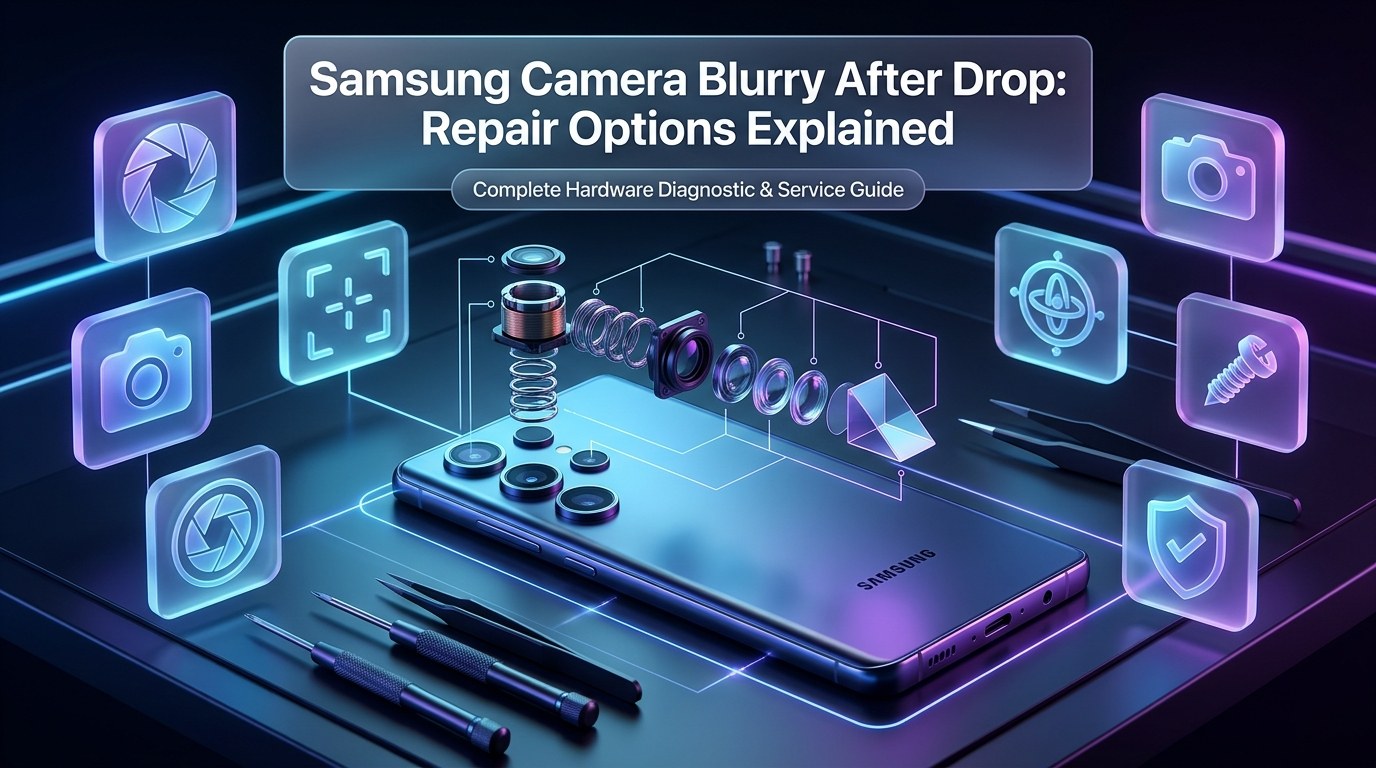
Unlike the solid-state computer chips that power smartphone logic boards, smartphone camera modules contain microscopic moving parts suspended in free space. To achieve instantaneous autofocus and smooth optical image stabilization (OIS), Samsung engineers suspend multi-element optical lens barrels inside precision electromagnetic Voice Coil Motors (VCMs). Ultra-thin beryllium-copper suspension leaf springs—often measuring only 20 to 30 microns in thickness—hold the optical elements centered between permanent neodymium magnets. When electrical current passes through copper wire coils surrounding the lens barrel, electromagnetic force shifts the lenses forward and backward with sub-micron precision to bring subjects into tack-sharp focus.
When an unprotected smartphone slips from your hand and strikes a hard tile floor, pavement, or concrete sidewalk, the sudden deceleration subjects the camera assembly to extreme mechanical shock waves exceeding hundreds of G-forces. While the external aluminum frame and Gorilla Glass back panel may survive without a visible scratch, the internal kinetic energy must dissipate somewhere. Frequently, that force snaps microscopic suspension springs, bends delicate OIS suspension wires, jams floating lens barrels against internal plastic stops, or fractures sensitive periscope prisms. When mechanical movement is restricted, the camera loses its ability to adjust focal planes, leaving your photos perpetually soft, distorted, or completely out of focus.
Immediate Triage: Distinguishing Software Glitches from Physical Hardware Trauma
Before committing to hardware disassembly or repair service, executing a systematic diagnostic triage allows you to isolate whether your blurry camera is caused by superficial exterior contamination, a crashed software daemon, or a catastrophic internal mechanical failure.
Step 1: Inspect the Exterior Camera Glass and Housing
Begin by examining the rear camera island under an intensely bright desk lamp or flashlight. Inspect the circular sapphire glass covers protecting each individual camera sensor. Look for hairline impact fractures, starburst impact points, micro-abrasions, or internal condensation fogging the underside of the glass. Even a microscopic crack directly over the primary lens will scatter incoming light rays, creating severe glare, loss of contrast, and persistent blurriness. If the outer glass is intact, clean the lenses thoroughly using an optical microfiber cloth dampened with a drop of lens cleaner to eliminate skin oils and smudges.
Step 2: The Multi-Lens Isolation Diagnostic
Modern Samsung devices feature between three and five distinct cameras, each operating as an independent hardware module. Open the native Samsung Camera app and systematically switch through all available magnification presets:
- 0.6x (Ultra-Wide Camera): A fixed-focus or wide-angle autofocus lens capturing broad landscape scenes.
- 1x (Primary Wide-Angle Camera): The main high-resolution sensor featuring large-aperture OIS and dual-pixel autofocus.
- 3x (Short Telephoto Camera): A secondary optical telephoto lens designed for portraits and moderate zoom.
- 5x or 10x (Periscope Telephoto Camera): A specialized folded optics assembly utilizing a right-angle prism for long-distance optical zoom.
By toggling between these presets, you can quickly identify whether the camera blurry defect affects every sensor or is isolated to a single camera module. If your 0.6x ultra-wide and 3x telephoto cameras shoot crystal-clear images while your 1x primary camera remains perpetually blurry, the failure is isolated squarely to the mechanical autofocus or stabilization hardware of that single primary camera module.
Step 3: Pro Mode Manual Focus Override
Within the native Samsung Camera application, swipe over to "More" and launch "Pro Mode." Tap on the manual focus control (labeled "AF/MF") and manually drag the focus slider back and forth between macro focus (0.0) and infinity focus (1.0). In a healthy camera, you will visually observe the focus plane shifting across your viewfinder, accompanied by green peaking highlights outlining in-focus edges. If sliding the manual focus control produces zero visual change, the internal lens barrel is physically jammed and cannot translate along its optical axis.
Step 4: The Audible Vibration and Rattling Diagnostic
Hold the back of your phone directly against your ear while opening the camera app. Listen closely as the camera initializes. Do you hear an audible high-frequency buzzing, clicking, or grinding sound? Does the phone vibrate slightly near the camera island, accompanied by a wave-like shimmering distortion on the screen? This phenomenon occurs when damaged optical image stabilization gyroscopes attempt to center a mechanically jammed lens carriage, sending rapid electrical pulses through the coils in an endless, futile corrective loop.
Step 5: The Samsung Members Hardware Diagnostic Suite
Every Samsung Galaxy smartphone includes a built-in diagnostic utility accessible through the pre-installed Samsung Members application (or by dialing *#0*# into the phone dialer on supported carrier firmware). Navigate to Samsung Members > Support > Phone Diagnostics > Camera. The automated hardware diagnostic will test sensor communication, flash synchronization, and autofocus responsiveness, providing an official hardware pass or fail code.
Root Cause 1: Dislodged or Broken Voice Coil Motor (VCM) Suspension Springs
The Voice Coil Motor (VCM) is the mechanical heart of smartphone autofocus. Suspended within a miniature magnetic enclosure, the compound lens assembly must move smoothly forward and backward along the optical Z-axis across a travel distance of only a few hundred micrometers. To ensure frictionless motion, the lens barrel does not ride on traditional bearings; instead, it floats suspended by microscopic top and bottom suspension leaf springs stamped from high-elasticity beryllium copper or titanium alloys.
When a smartphone experiences severe deceleration from a drop, the mass of the glass lens elements creates substantial inertial momentum. This force can exceed the yield strength of the leaf springs, causing them to permanently deform or snap. If a suspension spring snaps on one side, the lens barrel tilts diagonally inside the module housing. This tilt causes what optical engineers term "decentering" or "coma aberration," where one quadrant of your image may appear sharp while the remainder of the photograph is severely smeared and out of focus.
In more severe impacts, the lens barrel is driven past its mechanical retention limits and wedges tightly against the surrounding plastic chassis walls. Once jammed, the electromagnetic coil cannot generate sufficient magnetic force to break the barrel free from static friction. As a result, the camera becomes frozen at whatever focal distance it occupied during impact—most commonly stuck in extreme close-up macro focus, rendering everything beyond three inches from the phone completely blurry.
Root Cause 2: Optical Image Stabilization (OIS) Floating Carriage Jamming
Optical Image Stabilization (OIS) is essential for capturing crisp low-light photographs and stable video recordings without motion blur. While autofocus moves the lens along the Z-axis, OIS shifts the entire optical assembly along the lateral X and Y axes, and frequently tilts along pitch and yaw rotational axes. Advanced Samsung flagships incorporate dual-OIS and sensor-shift stabilization platforms suspended by hair-thin tungsten-alloy suspension wires controlled by multi-axis Hall sensors.
During an accidental drop, the OIS floating carriage can slam against its internal rubber dampeners with sufficient force to dislodge the suspension wires from their laser-welded anchor posts. When an OIS suspension wire breaks or unhooks, the floating assembly collapses toward one corner of the enclosure. The handset's internal MEMS gyroscopes detect that the camera is misaligned and command the drive IC to apply maximum corrective current to the electromagnets. This produces the notorious "camera buzz": the camera physically vibrates against the chassis, producing an audible humming sound and causing the live video preview to warp and jitter like jello.
Operating a camera in this condition causes rapid thermal buildup within the miniature voice coils. Over time, excessive current can burn out the microscopic magnetic coils, completely destroying the stabilization sub-circuit. Because the delicate suspension wires are permanently sealed inside the module at the factory, dislodged OIS mechanisms cannot be repaired by hand; complete module replacement is required.
Root Cause 3: Periscope Telephoto Prism Misalignment on Ultra Flagships
Samsung's flagship Ultra lineup—including the Galaxy S20 Ultra, S21 Ultra, S22 Ultra, S23 Ultra, and Galaxy S24 Ultra—pioneered consumer periscope folded telephoto architecture. Achieving 5x, 10x, and 100x magnification within a phone only 8 millimeters thick requires bending incoming light rays 90 degrees using a precision optical prism, routing light horizontally across the phone's interior through a series of sliding motorized lens elements before striking a perpendicular image sensor.
This folded optical tunnel introduces complex mechanical failure points. The primary right-angle prism is mounted on its own miniature dual-axis motorized gimbal for long-distance image stabilization. Beneath the prism sits a high-precision micro-stepper motor and ball-bearing guide rail that slides the optical telephoto elements back and forth. When subjected to drop impact trauma, the following periscope failures commonly occur:
- Prism Pivot Dislocation: The right-angle prism pops out of its miniature synthetic sapphire jewel bearings, tilting light rays away from the internal sensor and resulting in a completely black or severely dimmed viewfinder when zooming past 3x or 5x.
- Guide Rail Jamming: The sliding lens group binds on its stainless steel guide tracks, preventing the stepper motor from driving the telephoto lenses into focus. Users frequently hear a faint clicking or straining sound when switching to high zoom levels.
- Prism Micro-Fractures: The internal glass prism develops internal fractures along its reflective silver coating, casting double-vision ghost images and optical haze across zoom photographs.
Because the periscope module is an independent, hermetically sealed electro-optical unit, our Samsung Galaxy S series repairs specialists can replace the isolated periscope telephoto assembly without altering your device's motherboard or other camera lenses.
Root Cause 4: Internal Lens Element Delamination vs. Outer Rear Glass Fractures
A common misconception among phone owners is that the circular glass circle visible on the back of the phone is the actual camera lens. In reality, the exterior circle is merely a protective window made of tempered glass or synthetic sapphire designed to shield the delicate optics within. The actual camera lens is an intricate compound lens stack—typically consisting of six or seven individual precision-molded optical polymer and glass elements (known as a 6P or 7P lens stack) stacked within a tiny cylindrical barrel only millimeters in diameter.
Each lens element in the stack features a unique refractive profile and optical coating engineered to correct chromatic aberration, spherical distortion, and color fringing. These individual elements are bonded together with microscopic spacers and UV-curable optical adhesives. When a phone impacts a hard surface, the sudden shock wave can cause internal lens elements to micro-fracture, shatter, or delaminate from their alignment spacers. Even if the outer rear glass cover remains completely unblemished, an internal element fracture scatters incoming photons, resulting in foggy images, hazy milkiness, loss of fine detail, and severe purple flaring around light sources.
Conversely, if only the outer rear glass window is cracked, moisture and pocket lint will quickly enter the camera chamber. Within days, airborne dust particles settle directly onto the exposed front surface of the camera lens, while atmospheric moisture creates a permanent chemical haze that wipes away anti-reflective coatings. Addressing outer glass damage immediately at a certified repair center prevents dust from permanently ruining the underlying camera module.
Root Cause 5: Fractured Laser Autofocus (ToF) Sensor or Proximity Module
Modern Samsung Galaxy devices do not rely solely on optical contrast or phase detection to focus on subjects. To deliver instantaneous shutter response in low-light environments, Samsung incorporates a dedicated Laser Autofocus (Laser AF) module or 3D Time-of-Flight (ToF) sensor located adjacent to the camera lenses.
The Laser AF module emits an array of invisible, eye-safe infrared light pulses toward the subject. By calculating the exact picoseconds required for the infrared beam to bounce off the subject and return to a miniature photodiode sensor, the phone measures distance with pinpoint precision up to several meters. The camera firmware uses this distance measurement to instantly snap the VCM lens barrel to the correct focal plane before capturing an image.
When an impact occurs near the camera array, the fragile glass cover or infrared emitter of the Laser AF sensor can crack or disconnect from the sub-board. When the Laser AF module fails, the camera software detects a distance timeout and is forced to fall back on legacy contrast-detection autofocus (CDAF). Under low ambient lighting or when photographing low-contrast objects, the camera will hunt back and forth continuously, pulsing in and out of focus, and frequently taking completely blurry shots.
Temporary Troubleshooting Workarounds vs. Permanent Hardware Repair Realities
When searching for solutions to an Android camera blurry malfunction, users frequently encounter internet discussion boards recommending physical tricks or software resets. Understanding what these workarounds actually achieve—and their inherent limitations—is critical.
The "Firm Tap" Trick: What It Does and Why It Fails Long-Term
One of the most widely shared internet workarounds involves tapping the side of the smartphone firmly against the palm of your hand or tapping the camera bump with a finger while the camera app is open. In cases where the lens barrel has suffered minor friction jamming along its guide walls, the physical vibration of a firm tap can momentarily dislodge the jammed barrel, allowing the magnetic coils to pull the lenses back into focus temporarily. However, this is never a permanent repair. Because the underlying suspension leaf springs or OIS wires remain bent or fatigued, the lens will inevitably jam again the next time the phone is placed on a table, slipped into a pocket, or subjected to minor handling vibrations. Furthermore, striking the phone repeatedly risks causing deeper damage to internal display layers or loosening battery adhesive.
Clearing Camera Application Cache and Resetting Settings
If the camera issue is related to corrupted focus calibration parameters rather than mechanical trauma, resetting the camera software can occasionally restore normal operation. Navigate to Settings > Apps > Camera > Storage > Clear Cache and Clear Data. Next, launch the Camera app, tap the Settings gear icon in the top corner, scroll to the bottom, and select "Reset Settings." While this flushes software glitches, it cannot repair bent physical springs or shattered glass.
Booting into Android Safe Mode
Third-party applications with camera permissions—such as social media platforms, video calling apps, or unauthorized camera filter utilities—can occasionally hook into the camera hardware abstraction layer (HAL) and freeze focus parameters. Booting the device into Android Safe Mode temporarily disables all third-party software. If the camera focuses smoothly in Safe Mode, uninstall recently downloaded camera-related apps. If the camera remains blurry in Safe Mode, physical hardware damage is confirmed.
Comprehensive Comparison Tables: Symptoms, Costs, and Repair Options
To assist you in evaluating your device's condition and selecting the optimal repair avenue, our engineering team has compiled three comprehensive reference matrices detailing failure symptoms, repair pricing by model generation, and service trade-offs.
| Observed Camera Symptom | Primary Probable Root Cause | Diagnostic Complexity | Required Repair Action |
|---|---|---|---|
| Blurry at distance, sharp in extreme close-up (macro) | Voice Coil Motor (VCM) lens barrel jammed forward | Moderate | Replace primary wide-angle camera module |
| Camera vibrates, buzzes loudly, video wavers like jello | Broken OIS suspension wires; runaway electromagnetic coils | Moderate | Replace primary camera module with genuine OIS assembly |
| Sharp at 1x and 0.6x, but completely blurry or black at 5x/10x | Periscope telephoto prism dislocation or jammed slider rail | Moderate to High | Replace independent periscope telephoto module |
| Hazy, milky photos with severe light flare around bulbs | Cracked internal lens element or dust/oil on sensor surface | Low to Moderate | Clean sensor under laminar bench or replace camera module |
| Camera hunts endlessly in low light, sharp in bright sun | Cracked Laser Autofocus (Laser AF) infrared window or sensor | Moderate | Replace Laser AF sensor assembly and rear lens window |
| Camera app displays "Warning: Camera Failed" and crashes | Disconnected camera FPC connector or blown power supply rail | High | Inspect FPC socket, test voltage rails, replace module |
Repair costs correspond directly to the specific camera sensor damaged and the model tier of your device. Independent repair centers like Phone Repair Place provide modular component replacement, saving clients substantial money compared to authorized dealership whole-unit swaps.
| Samsung Galaxy Device Model | Camera Configuration | Rear Glass Cover Replacement | Primary Camera Module Replacement | Periscope Telephoto Replacement |
|---|---|---|---|---|
| Galaxy A Series (A14, A24, A34, A54, A55) | 50MP Main OIS + Ultra-Wide | $29 – $39 | $59 – $79 | N/A (No Periscope) |
| Galaxy S21 / S22 / S23 / S24 (Base & Plus) | 50MP Dual-Pixel OIS + 3x Zoom | $35 – $45 | $79 – $119 | N/A (Standard 3x Telephoto) |
| Galaxy S21 Ultra / S22 Ultra | 108MP OIS + 3x & 10x Periscope | $39 – $49 | $99 – $139 | $89 – $119 |
| Galaxy S23 Ultra / S24 Ultra | 200MP HP2 OIS + 5x/10x Periscope | $45 – $55 | $129 – $179 | $119 – $159 |
| Galaxy Z Fold 4 / Fold 5 / Fold 6 | Triple Pro Array + Under-Display Cam | $49 – $65 | $119 – $169 | $99 – $139 (Telephoto) |
Comparing temporary consumer workarounds against professional laboratory component restoration illustrates why physical repair delivers lasting satisfaction.
| Repair & Diagnostic Approach | Initial Direct Cost | Autofocus & OIS Durability | Associated Risk Profile | Long-Term Resolution Status |
|---|---|---|---|---|
| "Firm Palm Tap" Workaround | $0 (Free) | Fails within minutes/hours | High: risks OLED display cracking, further spring fatigue | Temporary / Ineffective |
| Software Cache & Settings Reset | $0 (Free) | Permanent if software bug; zero if hardware | Zero risk to hardware | Resolves only ~5% of drop-induced blur |
| Amateur DIY Camera Disassembly | $40 – $70 (Part Kit) | Uncertain quality | Extreme: dust in optical cavity, shattered rear glass, torn flex | High rate of secondary damage |
| Phone Repair Place Certified Module Swap | $59 – $169 (Model-Dependent) | 100% Factory Precision | Zero: dust-free cleanroom benches, full warranty | Permanent 100% Restoration |
Professional Camera Replacement Workflow at Phone Repair Place
Replacing an advanced Samsung Galaxy camera assembly requires surgical environmental control, micro-mechanical precision, and specialized tooling. At Phone Repair Place in Hyattsville, MD, our certified technicians adhere to strict laboratory standards to guarantee pristine optical performance without dust contamination.
The repair begins on digital vacuum heating plates calibrated strictly to 75°C. Controlled heat softens Samsung's factory waterproof back glass adhesive without transferring excessive thermal energy into the lithium-ion battery or optical components. Technicians slice the perimeter adhesive using ultra-thin polymer pry tools and lift the back glass cleanly.
Once inside, the upper motherboard shield and wireless charging coil assembly are removed, exposing the main logic board. Technicians immediately disconnect the internal battery connector using non-conductive nylon spudgers to eliminate electrical risk. The damaged camera module's high-density Board-to-Board (BTB) micro-connector is unseated, and the modular camera is extracted from its aluminum chassis pocket.
Crucially, camera installation takes place within a specialized laminar flow dust-free workbench equipped with HEPA filtration. A single airborne dust speck landing on the camera sensor or the underside of the sapphire cover glass will appear as an obnoxious dark grey blob on every photograph. Technicians clean the optical chamber with anti-static compressed gas and install an original equipment manufacturer (OEM) specification camera module with factory-calibrated VCM autofocus and OIS gyroscopes. Brand-new die-cut waterproof perimeter gaskets are applied to the chassis, and the rear glass is pressed and clamped to restore structural seals. The device then undergoes a 12-point optical test—verifying infinity focus, macro focus, OIS video stability, and optical zoom handoffs—completed in just 25 to 40 minutes.
Preventive Best Practices to Protect Your Galaxy Camera Array
Protecting the expansive camera islands on modern Samsung smartphones requires proactive handling and smart protective gear:
- Choose Cases with Deeply Recessed Camera Bezels: Select protective phone cases featuring a raised perimeter bezel that extends at least 2.0mm to 2.5mm above the camera lenses. This prevents the glass covers from contacting the ground during flat drops.
- Consider Sliding Camera Door Cases: For demanding outdoor, construction, or athletic environments, heavy-duty cases featuring a sliding physical camera cover shield both the outer glass and internal optical mechanisms from point impacts.
- Avoid Cheap Stick-On Glass Lens Protectors: Inexpensive stick-on glass lens caps often utilize low-grade adhesives that leave sticky residues, trap air bubbles, and cause optical ghosting or severe lens flaring when shooting toward light sources. If you use lens protectors, choose individual metal ring bezel guards with anti-reflective sapphire optics.
- Avoid Mounting on High-Vibration Motorcycle Handlebars: Direct exposure to the high-frequency engine vibrations of motorcycles and off-road vehicles destroys OIS suspension wires and VCM springs over time, mimicking drop damage without an actual fall. Use vibration-dampening phone mounts if navigating on two wheels.
Visit Phone Repair Place for Fast, Certified Samsung Camera Repair
Do not allow a blurry camera, buzzing OIS stabilizer, or cracked camera glass to prevent you from capturing life's irreplaceable moments. Whether you need an individual camera module replacement, laser autofocus restoration, or precision rear glass repair, the seasoned technical team at Phone Repair Place in Hyattsville, MD is ready to revive your smartphone today with certified expertise and transparent pricing.
In addition to our specialized Samsung phone repair specialists and Samsung Galaxy S series repairs, we offer comprehensive professional Android phone repair services, certified iPhone repair services, iPad and tablet repair services, computer and laptop repair solutions, and gaming console HDMI and hardware fixes across our full comprehensive electronic repair catalog. Most smartphone camera replacements are completed in just 25 to 40 minutes while you relax or shop inside The Mall at Prince Georges. Every repair includes our comprehensive parts and labor warranty, giving you total peace of mind. Walk-ins are warmly welcomed daily, or contact our workshop directly for an immediate free diagnostic quote.
Phone Repair Place
3500 East-West Hwy STE 1417,
Hyattsville, MD 20782, United States
(202) 870-4914
https://phonerepairpgmall.com/
Frequently Asked Questions
Why did my Samsung camera get blurry immediately after a drop?
A drop subjects the camera assembly to intense G-forces that easily dislodge or bend the hair-thin beryllium-copper leaf springs and Voice Coil Motors (VCM) that suspend the autofocus lenses. When these internal micro-springs bend, the lens barrel jams against the plastic housing walls, freezing the camera in a fixed focal plane and making all other distances appear completely blurry.
Can a blurry Samsung camera be fixed without replacing the entire phone?
Yes, absolutely. Modern Samsung Galaxy smartphones utilize modular camera assemblies where individual camera modules—such as the primary 200MP wide-angle sensor or the periscope telephoto lens—can be individually disconnected and replaced with a brand-new factory-grade module, restoring 100% optical performance at a fraction of the cost of a new handset.
Why does my Samsung camera buzz or vibrate and shake when I open it?
The buzzing sound and vibrating screen occur when the Optical Image Stabilization (OIS) suspension wires are unseated or broken during a drop. The phone's gyroscope detects a physical misalignment and repeatedly pumps maximum electrical current into the electromagnets to center the lens, creating an audible vibration and wave-like video distortion.
Will tapping the phone fix a blurry Samsung camera permanently?
No, tapping the phone against your palm is merely a temporary workaround that may dislodge a lightly stuck lens barrel for a few minutes. Because the underlying suspension springs or guide rails remain physically damaged, the lens will inevitably jam again with normal movement, and repeatedly striking the phone risks cracking the display or internal components.
How long does a Samsung camera module replacement take at Phone Repair Place?
At Phone Repair Place in Hyattsville, MD, most Samsung Galaxy camera module replacements and rear camera glass repairs are completed in just 25 to 40 minutes. Our technicians maintain a large stock of genuine-quality parts on site, allowing walk-in customers to have their phone repaired and fully bench-tested during a single convenient visit.
Need This Problem Fixed Fast?
Bring your broken smartphone, tablet, or console to Phone Repair Place in Hyattsville, MD for quick diagnosis and same-day turnaround.