iPhone Screen Repair: Everything You Need to Know Before Visiting a Repair Shop
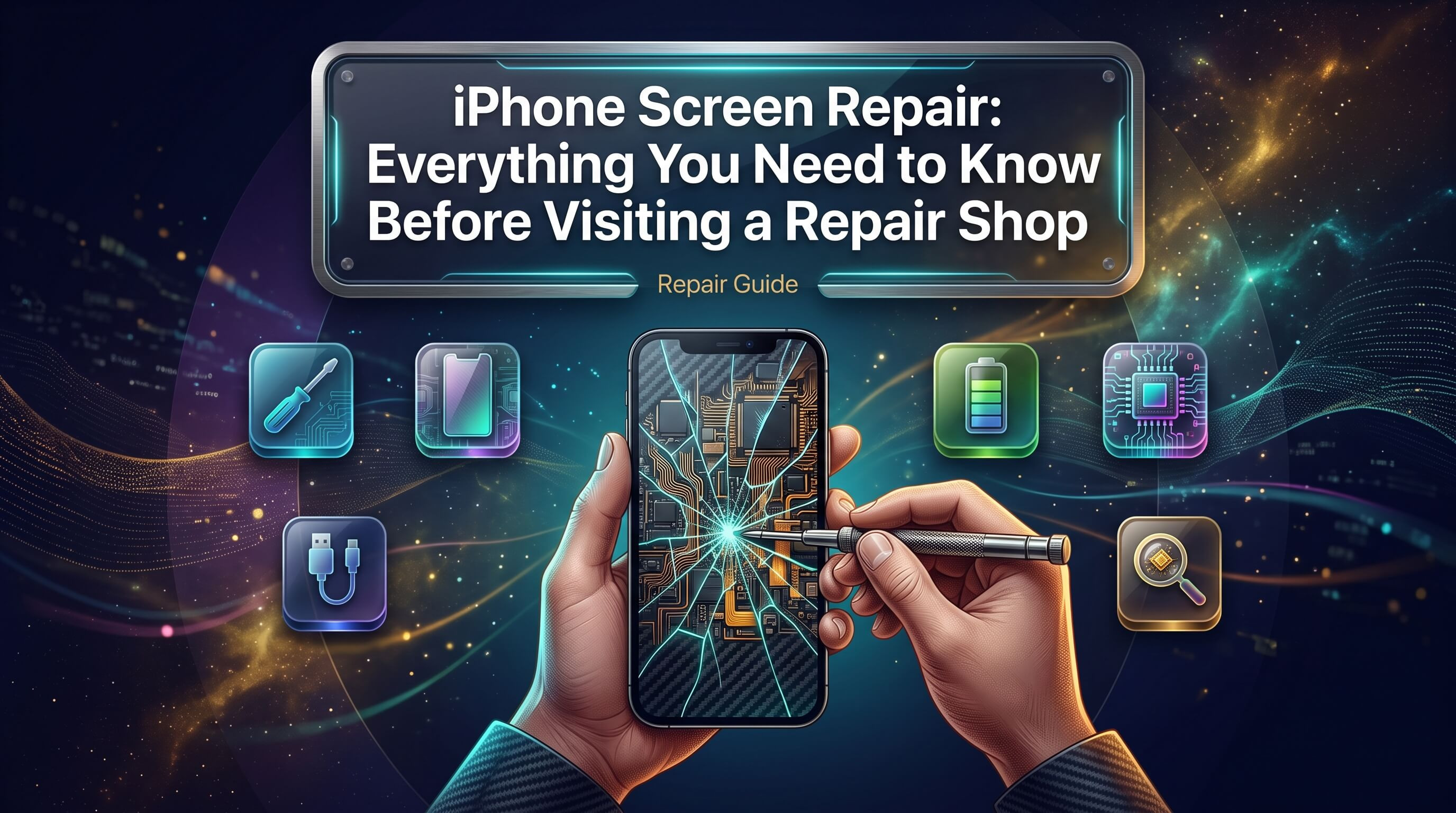
A cracked or unresponsive iPhone screen is one of the most common reasons people search for repair help, and for good reason. The screen is the single most exposed component of the device, and even a short fall from a pocket or a countertop can leave it shattered, discolored, or completely dead. Before booking an appointment at any repair shop, it helps to understand what actually happens to your phone when the screen breaks, what your realistic repair options are, and how to tell a trustworthy technician from one who might cut corners. This guide walks through everything from the technical side of screen damage to the practical decisions you will face when choosing between DIY fixes and professional iPhone repair services.
Why iPhone Screens Break So Easily
Apple has improved screen durability with every generation, moving from standard glass to reinforced options and eventually to Ceramic Shield on newer models. Even so, no smartphone screen is truly shatterproof. Glass, by its nature, is rigid rather than flexible, which means it resists everyday scratches well but transfers impact force directly into cracks when it is struck at the wrong angle. Several factors influence how likely a screen is to break during a drop. The height of the fall matters less than the angle and surface it lands on. A phone that lands flat on carpet is far less likely to crack than one that lands corner-first on tile or concrete, because the force concentrates into a single point rather than spreading across the surface. Cases and screen protectors reduce risk substantially, but they do not eliminate it, especially for drops from waist height or higher. Temperature also plays a quiet but real role. Glass becomes more brittle in cold weather, so a drop that would only scuff a warm phone can crack the same screen in freezing conditions. Pressure damage is another overlooked cause. Sitting on a phone, placing heavy objects on top of it in a bag, or applying pressure while it rests on an uneven surface can crack the glass without any visible drop ever occurring. Finally, manufacturing tolerances and prior micro-damage contribute to failures that seem to happen "out of nowhere." A phone that survived several minor drops may have hairline stress fractures that are invisible until one more impact finally causes the screen to give way.
Common Symptoms of a Damaged iPhone Screen
Not every screen problem looks the same, and the symptoms often point to different underlying issues. Recognizing the specific pattern of damage helps a technician diagnose the problem faster and can also help you decide how urgently you need repair. Visible cracks are the most obvious sign, but the pattern matters. A single crack radiating from one impact point usually indicates a clean break in the glass layer only, while a spiderweb of cracks across the entire screen often means both the glass and the display layer underneath have been affected. Dark spots, ink-like blotches, or black patches spreading from the edges typically point to internal LCD or OLED damage rather than surface glass damage alone. Touch responsiveness problems are just as common as visual cracks, and sometimes occur without any cracking at all. If certain areas of the screen stop responding to taps, if the phone registers touches you never made, or if scrolling becomes erratic, the digitizer layer that reads your touch input has likely been damaged internally, even if the glass looks fine. Discoloration, flickering, or lines running vertically or horizontally across the display usually signal damage to the display cable or the connection between the screen assembly and the logic board. This type of damage frequently results from drops that do not crack the glass but jolt the internal components loose. A completely black or unresponsive screen, while the phone still powers on and makes sounds, points to either a severed display cable or a dead display panel. This is one of the more serious symptoms because it can sometimes overlap with deeper hardware issues. The table below summarizes common symptoms and what they typically indicate.
| Symptom | Likely Cause | Repair Urgency |
|---|---|---|
| Single crack, screen still responsive | Surface glass damage only | Moderate, repair soon to prevent further cracking |
| Spiderweb cracking across screen | Glass and display layer damage | High, risk of glass shards and worsening display |
| Dark spots or ink blotches | Internal LCD/OLED damage | High, will likely spread over time |
| Unresponsive touch in specific areas | Digitizer damage | High, affects usability significantly |
| Flickering or colored lines | Damaged display cable/connector | High, can lead to total screen failure |
| Black screen, phone still powers on | Cable disconnection or dead panel | Very high, needs prompt diagnosis |
DIY Screen Repair vs Professional Repair
The rise of online repair kits has made some iPhone owners consider fixing a cracked screen themselves. It is technically possible for certain models, but the decision involves real trade-offs in cost, risk, and long-term reliability that are worth understanding before you pick up a screwdriver. DIY screen replacement kits typically include a replacement screen assembly, adhesive strips, and basic tools such as suction cups, spudgers, and precision screwdrivers. On paper, the process sounds straightforward: remove a few screws, disconnect the old screen, connect the new one, and reseal the phone. In practice, modern iPhones pack extremely delicate ribbon cables, tiny screws of varying lengths that must go back in the exact original position, and adhesive seals that are difficult to replicate without professional-grade tools. The risks of attempting this without experience are significant. A slightly torn ribbon cable can disable Face ID permanently. Water resistance, which depends on a precise factory seal, is almost never fully restored after a home repair. True Tone, the feature that automatically adjusts color temperature based on ambient light, can stop working if a non-genuine or improperly paired screen is installed, and on some newer models even a professionally sourced part can trigger a software warning if it is not calibrated correctly. Professional repair shops address these risks through experience, specialized tools, and access to a range of part quality options depending on your budget. A trained technician can typically complete a standard iPhone screen replacement in under an hour, test all affected functions before handing the phone back, and offer a warranty on the work performed, something a DIY kit cannot provide.
| Factor | DIY Repair | Professional Repair |
|---|---|---|
| Time required | 1 to 3 hours for a first attempt | Typically 30 to 60 minutes |
| Risk of secondary damage | Higher, especially to cables and sensors | Low, handled by trained technicians |
| Water resistance restored | Rarely, if ever | Often restored close to original spec |
| Face ID / True Tone function | At risk if cables are mishandled | Preserved with proper technique |
| Warranty on repair | None | Usually included |
| Tool investment | Required, one-time purchase | None, shop provides tools |
| Best suited for | Older, low-value devices | Any device you intend to keep using |
For anyone who depends on their phone daily or plans to keep the device for another year or more, professional screen repair is generally the more reliable path, both financially and functionally.
What Happens During a Professional iPhone Screen Repair
Understanding the repair process helps set realistic expectations and makes it easier to ask informed questions at the shop counter. While exact steps vary slightly by model, most professional screen repairs follow a consistent sequence. The process begins with a diagnostic check. A good technician does not simply assume the screen is the only issue. They will examine the phone for signs of secondary damage, such as a bent frame, water exposure, or battery swelling, since any of these can complicate the repair or affect the outcome. This step also confirms whether the touch and display issues genuinely stem from the screen assembly rather than a logic board problem, which would require a different repair approach entirely. Next comes safe disassembly. The technician powers down the device, removes the pentalobe screws near the charging port, and carefully separates the screen from the frame using heat and precision tools to soften the adhesive without cracking already-damaged glass further. This step requires patience, since forcing the separation can snap the delicate cables connecting the screen to the logic board. Once the old screen is detached, the internal ribbon cables are disconnected in the correct order, and the new screen assembly is connected in reverse. Technicians test the new screen while the phone is still open, checking touch sensitivity across the full surface, display brightness and color accuracy, and proximity and ambient light sensor function before sealing anything shut. This mid-process testing step is one of the clearest signs of a shop that does careful work rather than rushing through repairs. After testing confirms everything functions correctly, the phone is resealed using new adhesive to help maintain structural integrity and reduce dust or moisture intrusion. The final step is a full functional check, including Face ID verification, camera operation, and speaker and microphone testing, since these components sit close to the screen assembly and can occasionally be affected during the swap.
Genuine, Aftermarket, and Refurbished Parts: What Is the Difference
One of the most important decisions in any screen repair, though customers rarely realize they are making it, is the choice of replacement part. Repair shops generally source screens from three categories, and the difference affects both the cost and the long-term performance of your phone. Genuine or OEM-sourced parts come from original Apple displays, either pulled from donor devices or sourced through authorized supply chains. These parts match the original screen in color accuracy, touch responsiveness, and compatibility with features like True Tone. They typically carry the highest price point among the three options but offer the closest experience to an unmodified phone. Aftermarket parts are manufactured by third-party suppliers to replicate the specifications of the original screen. Quality varies significantly between suppliers. High-grade aftermarket screens can be difficult to distinguish from genuine parts in daily use, while lower-grade versions may show weaker color accuracy, dimmer maximum brightness, or slightly less precise touch response. A reputable shop will be transparent about which tier of aftermarket part they are installing and why. Refurbished parts are original Apple screens that have been professionally restored, often with new glass bonded to a salvaged display panel. When done well, this offers a middle ground between price and quality, though the outcome depends heavily on the skill of the refurbishing process.
| Part Type | Typical Quality | Best For |
|---|---|---|
| Genuine/OEM | Closest to factory original, full feature compatibility | Owners who want original performance and plan to keep the phone long-term |
| High-grade aftermarket | Very close to original, minor differences possible | Budget-conscious owners wanting reliable daily performance |
| Low-grade aftermarket | Noticeably dimmer or less accurate touch response | Short-term use or lower-value devices |
| Refurbished OEM | Good quality if properly restored | Balance between cost and original feel |
Always ask your repair shop which category of part they use before agreeing to a price. A shop that clearly explains its parts sourcing is generally more trustworthy than one that avoids the question.
Charging Issues and Battery Problems That Often Accompany Screen Damage
A cracked screen rarely travels alone. The same impact that shatters the glass can jolt internal components, and it is common for customers to notice charging or battery symptoms only after bringing the phone in for screen repair. Charging issues after a drop often stem from a bent charging port, dust and debris lodged inside the port, or a loosened connection between the charging flex cable and the logic board. Symptoms include the phone charging intermittently, requiring the cable to be held at a specific angle, or not charging at all despite trying multiple cables and adapters. A technician diagnosing a screen repair should check the charging port and test charging speed as part of a thorough inspection, since this is a small addition to the repair that can save a second shop visit. If the port itself is damaged, dedicated charging port repair service can resolve the issue separately from the screen. Battery health can also decline after physical trauma to the device, even if the battery itself was not the direct point of impact. A sudden drop in battery percentage accuracy, unexpected shutdowns at percentages above zero, or a battery that swells slightly are all signs worth flagging to your technician. Apple's built-in battery health feature, found in Settings under Battery, gives a maximum capacity percentage that is worth checking before and after a screen repair to confirm nothing else was affected. When battery capacity has genuinely degraded, whether from age or impact, battery replacement restores both runtime and the phone's ability to handle peak power demands like camera flash or intensive apps. It is worth mentioning these symptoms upfront when booking a screen repair appointment rather than waiting until pickup, since bundling repairs in a single visit is almost always more efficient than returning for a second appointment.
When DIY Fixes Are Appropriate and When They Are Not
Not every screen issue requires an immediate shop visit, and a small number of situations are reasonable to handle at home, provided expectations stay realistic. Minor surface scratches that do not affect touch response or visibility can often be improved with a proper glass polishing compound, though deep scratches will not fully disappear this way. Applying a new tempered glass screen protector over a screen with only superficial hairline scratches is a low-risk, low-cost way to improve the look and feel of the device without opening it up. Software-related display glitches are sometimes mistaken for hardware damage. Restarting the phone, checking for a pending iOS update, or resetting display settings can resolve flickering or unresponsive touch that is actually caused by a software conflict rather than physical damage. It is worth ruling this out before assuming a hardware repair is needed, since it costs nothing and takes only a few minutes. On the other hand, any situation involving actual cracked glass, exposed internal layers, unresponsive touch zones, or visible discoloration should be treated as a hardware issue requiring professional attention. Attempting to press down on cracked glass to "test" responsiveness, using the phone with exposed glass edges, or ignoring a spreading dark spot all risk turning a contained problem into a more expensive one, including cuts from glass shards or complete display failure.
How iPhone Repair Compares to Other Device Repairs
Screen repair principles are not unique to the iPhone, and understanding how they compare to other devices can help set realistic expectations, especially for households managing multiple types of technology. Samsung repair shares many similarities with iPhone repair in terms of process, though Samsung's use of curved-edge and foldable displays on certain models adds complexity that flat-screen iPhones do not have. Foldable Samsung screens, in particular, involve more delicate hinge mechanisms and layered flexible displays that typically cost more to replace and require more specialized handling. Laptop repair involves a different scale of disassembly. Laptop screens are generally larger and less prone to the kind of pocket-drop damage phones face, but they are more vulnerable to pressure cracks from being closed on small objects or from a laptop bag being compressed. Laptop screen replacement also frequently involves separating the display bezel from the lid, a process with more steps than a phone screen swap but generally lower risk of collateral damage to unrelated components. Gaming console repair rarely centers on screen issues, since most home consoles connect to external displays, but handheld and portable gaming devices follow patterns closer to smartphones, with similar risks around digitizer damage and cable disconnection from drops.
| Device Type | Common Screen Issue | Repair Complexity | Typical Turnaround |
|---|---|---|---|
| iPhone | Cracked glass, dead pixels, touch failure | Moderate, compact internal layout | Same day in most cases |
| Samsung (flat) | Similar to iPhone | Moderate | Same day in most cases |
| Samsung (foldable) | Hinge and flexible display damage | High | Multiple days, specialized parts |
| Laptop | Pressure cracks, backlight failure | Moderate to high, larger disassembly | 1 to 3 days |
| Handheld gaming device | Digitizer and cable damage | Moderate | Same day to 2 days |
How to Choose a Trustworthy Repair Shop
Not all repair shops operate to the same standard, and choosing the right one affects both the quality of the repair and the long-term health of your device. A few practical checks can help separate reliable technicians from shops that cut corners. Ask about warranty coverage before agreeing to any repair. A shop confident in its work will typically stand behind the screen replacement for a defined period, covering issues like touch malfunction or display defects that appear shortly after the repair, excluding new physical damage. Ask what part quality is being used, as covered earlier, and request that the technician show you the box or packaging of the replacement part if possible. Transparency here is a strong signal of a shop's overall honesty. Check whether the shop tests functions beyond the screen itself, including Face ID, cameras, and speakers, since a rushed repair sometimes overlooks components near the work area that can be disturbed during disassembly. Look at turnaround time expectations. Most straightforward iPhone screen repairs can be completed the same day, often within an hour. A shop that quotes multiple days for a standard screen swap, without a stated reason such as a part being specially ordered, may not have parts readily in stock or may be juggling a heavy backlog. Finally, consider reviews and reputation, but read beyond the star rating. Look specifically for comments mentioning repair longevity, whether customer issues were resolved on follow-up visits, and how the shop handled any problems that arose after the initial repair.
Caring for Your iPhone After a Screen Repair
Protecting your investment after a repair extends the life of the new screen and reduces the odds of needing another visit soon. Apply a screen protector immediately after pickup if one was not already included with the repair. Tempered glass protectors absorb minor impacts and scratches that would otherwise reach the new screen directly. Use a case with raised edges around the screen, since this creates a buffer that keeps the display from making direct contact with flat surfaces during drops. This is particularly important in the days immediately following a repair, while any new adhesive is still fully curing. Avoid extreme temperature exposure when possible, such as leaving the phone in a hot car or using it for extended periods in freezing outdoor conditions, since temperature swings put additional stress on both the display and the adhesive seal. Monitor touch response and display quality over the first week. Minor issues such as a slightly less responsive corner or a faint discoloration are worth reporting to the shop promptly, since most warranty windows are more forgiving about issues caught early rather than months later.
Get Your iPhone Screen Repaired by Trusted Local Experts
A cracked or malfunctioning screen does not have to slow you down for long. Whether you are dealing with a single hairline crack, a fully shattered display, or touch response problems that make everyday use frustrating, professional repair restores your phone to reliable working condition without the guesswork and risk that come with a DIY attempt. Fast, reliable, and affordable service means you do not have to choose between quality and convenience, and most standard iPhone screen repairs can be completed the same day so you are not left without your phone for long. Walk-ins are welcome, phone consultations are quick, and online booking is available for anyone who prefers to schedule ahead. Every repair is backed by experienced technicians, quality-tested parts, and a service warranty that gives you confidence long after you leave the counter. Do not wait for a small crack to spread or a loose cable to fail completely. Reach out today and get your device back to full performance.
Phone Repair Place
3500 East-West Hwy STE 1417,
Hyattsville, MD 20782, United States
(202) 870-4914
https://phonerepairpgmall.com/
Frequently Asked Questions
How long does a typical iPhone screen repair take?
Most standard iPhone screen repairs are completed within 30 minutes to an hour when the part is in stock. More complex cases involving additional cable or sensor damage may take longer, but same-day completion is the norm at most professional repair shops.
Will my iPhone still be water resistant after a screen repair?
Water resistance depends on the seal between the screen and the frame, which is disrupted any time the phone is opened. A skilled technician can restore much of the original seal quality using proper adhesive, but no repair shop can guarantee the exact factory-level water resistance rating after the device has been opened once.
Is it worth repairing an older iPhone with a cracked screen?
This depends on the phone's overall condition and how much longer you plan to use it. If the battery, charging port, and other components are still functioning well, screen repair is usually far more affordable than replacing the entire device and can extend its usable life significantly.
Can a cracked screen affect other parts of my iPhone over time?
Yes. Exposed glass can allow dust and moisture to reach internal components, and continued use with unresponsive touch zones can strain the display cable further. Addressing a cracked screen promptly helps prevent secondary damage to the digitizer, backlight, or connecting cables.
Should I back up my iPhone before a screen repair?
It is a good habit, even though screen repair alone rarely affects stored data. Backing up beforehand protects against the rare case where an unrelated hardware issue surfaces during the repair process, and it only takes a few minutes using iCloud or a computer backup.
How do I know if I need a screen repair or a full battery replacement?
Screen repair addresses cracks, discoloration, and touch issues on the display itself, while battery replacement is needed when you notice rapid battery drain, unexpected shutdowns, or reduced maximum capacity in your battery health settings. A qualified technician can diagnose both during a single visit if you are experiencing overlapping symptoms.
Need This Problem Fixed Fast?
Bring your broken smartphone, tablet, or console to Phone Repair Place in Hyattsville, MD for quick diagnosis and same-day turnaround.