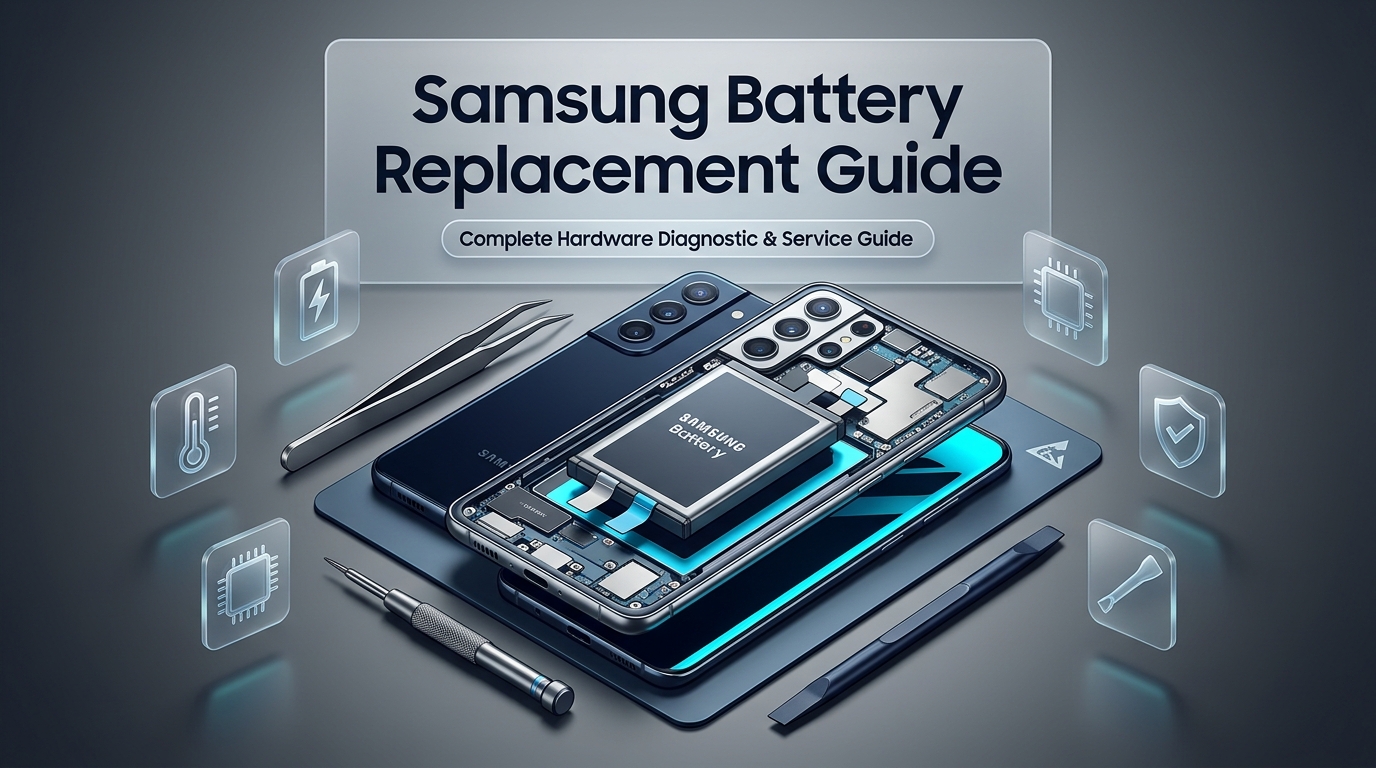
Samsung Battery Replacement Guide
Understanding Samsung Galaxy Lithium-Ion Battery Technology and Chemical Degradation
Modern Samsung Galaxy smartphones rely on high-energy-density lithium-ion and lithium-polymer rechargeable cells to power high-refresh-rate Dynamic AMOLED displays, multi-band 5G modems, and power-hungry multi-core processors. Whether you carry an ultra-flagship Galaxy S24 Ultra, a sleek Galaxy Z Fold, or a dependable Galaxy A-series device, the chemical core of your handset behaves according to universal physical principles. Energy is stored and released through the physical migration of lithium ions back and forth between a positive cathode and a negative anode suspended in a liquid or gel electrolyte. Each time you plug in your phone, lithium ions travel toward the anode; during discharge, they move back toward the cathode, releasing electrical current to run your hardware.
Lithium-ion cells are consumable components with a finite operational lifespan. From the precise moment a battery finishes its manufacturing cycle, internal chemical breakdown begins. Over time and repeated thermal cycles, small physical transformations occur inside the sealed pouch. Microscopic metallic crystalline structures known as lithium dendrites gradually accumulate on the electrodes, reducing the effective surface area available for electrical exchange. Concurrently, the liquid electrolyte slowly oxidizes and decomposes under the strain of high operating temperatures, leaving behind passive resistive films that impede ion mobility.
Most modern Samsung Galaxy batteries are chemically engineered to maintain approximately eighty percent of their original rated capacity through five hundred complete charge cycles. In practical terms for the average mobile user, one complete charge cycle represents using one hundred percent of the battery's total capacity, whether consumed in a single intensive afternoon or split across two days of moderate use. Because most smartphone owners charge their handsets every single night, typical everyday usage depletes five hundred charge cycles within eighteen to twenty-four months. Once a battery passes this threshold, chemical resistance rises dramatically, battery runtime drops noticeably, and the device struggles to deliver peak electrical current during intensive tasks.
Rapid charging protocols introduce additional thermal stress into this equation. Samsung's Super Fast Charging protocols push between twenty-five and forty-five watts of direct electrical power through the device's power management integrated circuits. While this enables rapid top-ups in thirty to forty-five minutes, the intense heat generated during the initial zero-to-fifty percent charging phase accelerates internal chemical decomposition. When sustained heat is combined with daily deep discharge cycles, lithium-ion health deteriorates even faster, making a professional Samsung phone repair or dedicated battery renewal essential to restore full daily dependability.
Critical Warning Signs You Need a Samsung Battery Replacement
Recognizing the early symptoms of battery deterioration prevents unexpected power failures, sudden emergency data losses, and dangerous physical device swelling. Smartphone batteries rarely fail without displaying clear operational warning signs weeks or months in advance. Learning to identify these symptoms helps you schedule timely maintenance before your device becomes unreliable or permanently damaged.
The most widespread symptom is rapid and unpredictable percentage depletion. When your battery operates normally, energy drains in a steady, linear fashion proportional to your active screen time and background application activity. A chemically exhausted battery exhibits erratic, jagged discharge curves. Your phone might maintain seventy percent charge through breakfast, suddenly plummet to thirty percent during a brief fifteen-minute video conference, and then drop to five percent within moments of launching a navigation application. This abrupt collapse indicates that the cell's internal impedance has risen so high that the battery can no longer sustain voltage stability under momentary processor spikes.
Unexpected shutdowns under moderate or heavy operational loads represent another unmistakable red flag. Modern Samsung Galaxy processors require immediate bursts of high voltage when launching demanding tasks such as high-resolution 4K video recording, optical zoom stabilization, or 3D gaming. When an aged battery attempts to supply this sudden surge, its internal voltage collapses below the minimum operational threshold required by the motherboard power management circuit. To protect onboard NAND flash memory and prevent hardware corruption, the device initiates an emergency shutdown, leaving you with a black screen even though the battery indicator read twenty or thirty percent only moments earlier.
Excessive heat generation during routine tasks and standard charging is an equally concerning signal. While smartphones naturally warm up during demanding gaming sessions or outdoor navigation in bright sunlight, a device that feels uncomfortably hot to the touch during simple web browsing, messaging, or basic charging indicates severe internal resistance. As lithium-ion cells age, the internal resistance to electrical flow increases, transforming electrical energy into wasted heat rather than usable power. Persistent thermal spikes not only accelerate remaining battery decay but also expose sensitive display panels, camera optical sensors, and motherboard solder joints to premature heat failure.
Physical swelling is the most critical and dangerous warning sign of severe battery failure. As the internal electrolyte decomposes due to age, overheating, or electrical overstress, it generates gaseous byproducts including carbon dioxide, carbon monoxide, and hydrogen. Because modern Galaxy batteries are hermetically sealed inside puncture-resistant aluminum pouches, these expanding gases have nowhere to escape, causing the battery pack to balloon outward. A swollen battery exerts intense outward mechanical pressure inside the tightly packed chassis. Early signs include subtle gaps along the back glass seam, spongy screen resistance, or the phone rocking unevenly when placed flat on a smooth desk. Swollen batteries represent an active fire and puncture hazard that requires immediate emergency intervention by certified technicians specializing in battery replacement service.
Persistent device sluggishness and severe thermal throttling also accompany advanced battery wear. Samsung's One UI operating system monitors battery health and real-time voltage stability. When the system detects that an aged battery cannot supply peak power without crashing, the kernel dynamically throttles CPU and GPU clock speeds to flatten power draw. Users frequently assume their phone has become obsolete or that software updates have bloated their storage, when in reality the device is merely throttling its computing capacity to compensate for an exhausted power cell. Installing a fresh battery instantly restores snappy responsiveness, fluid app transitions, and original factory processing speeds.
| Degradation Symptom | Underlying Hardware / Chemical Cause | Severity Level | Recommended Technical Action |
|---|---|---|---|
| Rapid Percentage Drop (e.g. 50% to 15% in minutes) | High internal resistance preventing stable voltage output under active processor loads. | Moderate | Perform diagnostic cycle test; schedule battery replacement before sudden cutoffs worsen. |
| Random Shutdowns with 20% to 30% Battery Remaining | Voltage drop below minimum threshold during camera, 5G, or processor burst draw. | High | Immediate hardware replacement needed to safeguard flash storage from corrupting shutdowns. |
| Back Glass Lifting or Screen Frame Separation | Electrolyte gas decomposition causing mechanical swelling inside the sealed cell pouch. | Critical Hazard | Stop charging immediately; visit an expert repair workshop for emergency extraction. |
| Unusual Heat During Basic Scrolling or Normal Charging | Degraded electrolyte chemical matrix converting electrical energy into parasitic thermal output. | Moderate to High | Inspect charging port for debris and replace worn battery to prevent heat-related board damage. |
| Phone Only Boots or Remains On While Connected to Wall Charger | Complete open-circuit cell failure or blown internal battery protection fuse board. | High | Complete battery unit replacement required; verify power management IC functionality. |
How to Accurately Check Battery Health on Samsung Galaxy Devices
Unlike iOS, which provides a simple percentage indicator labeled Maximum Capacity directly inside system settings, Samsung devices distribute battery diagnostic data across multiple layers of the One UI operating system and Android diagnostic firmware. Understanding how to access these native tools empowers you to obtain accurate, objective metrics regarding the actual health and capacity of your hardware.
The most straightforward method available to every Galaxy user is the built-in Samsung Members diagnostic suite. Samsung pre-installs this application on virtually all Galaxy S, Note, Z, and A-series handsets. To run the diagnostic, launch the Samsung Members application, select the Support tab at the bottom of the screen, and tap Phone Diagnostics. Within the hardware testing grid, tap the Battery Status icon. The diagnostic runs an instantaneous assessment of cell impedance, voltage level, and cycle counter data, returning a summary rating categorized as Good, Normal, or Action Required. When the diagnostic displays Action Required or Weak, the system has detected significant capacity degradation and recommends immediate service.
Advanced users can inspect detailed battery hardware metrics through Samsung's native diagnostic dialer codes. Launch the stock phone dialer application and enter asterisk pound zero two two eight pound. This command immediately brings up the BatteryStatus field engineering menu. This system overlay provides real-time readouts of battery voltage in millivolts, current operating temperature, Analog-to-Digital Converter values, and fuel-gauge calibration offsets. Normal resting battery voltage should hover between 3.8 and 4.35 volts depending on state of charge. If the voltage fluctuates wildly by more than two hundred millivolts while idling, or if the fuel gauge level drops significantly when tapping Quick Start, the battery fuel-gauge mapping is desynchronized due to degraded cell capacity.
Third-party battery monitoring applications such as AccuBattery provide an additional layer of precision by monitoring daily charge sessions over several days. AccuBattery calculates real-time charging current drawn through the USB-C interface and compares accumulated milliampere-hours against the factory design capacity stored in your phone's kernel device tree. If an app analysis demonstrates that your Galaxy S23 Ultra, engineered with a 5000mAh battery, only accepts 3600mAh during a full zero-to-one-hundred percent charge cycle, your cell has degraded to seventy-two percent effective health, confirming that a professional replacement will yield an immediate, dramatic boost in daily runtime.
The Risks of Ignoring a Failing or Swollen Samsung Battery
Continuing to use a Samsung Galaxy smartphone with a severely degraded or physically compromised battery introduces severe technical and safety risks. While many device owners tolerate frequent recharging by carrying external power banks, postponing necessary repair work can lead to catastrophic hardware damage that far exceeds the cost of a simple battery service.
Physical display and back glass destruction represents the most immediate structural consequence of battery swelling. In modern slim-bezel devices such as the Galaxy S-series, components are engineered with sub-millimeter tolerances. When a degrading battery expands inside this sealed aluminum and glass frame, the expanding gas exerts crushing hydraulic pressure against the back of the Super AMOLED or Dynamic AMOLED display panel. This mechanical pressure manifests initially as localized yellow or purple discolorations on the screen, followed by vertical green lines, unresponsive digitizer touch zones, and eventually catastrophic panel cracking from the inside out. In such scenarios, owners must pay for both an expensive screen repair and a battery replacement, whereas timely battery servicing would have preserved the original factory display intact.
Motherboard circuit damage is another severe consequence of operating on an unstable battery. As lithium-ion cells age, their internal resistance spikes, producing voltage instability and erratic transient current spikes. These erratic fluctuations force the motherboard's power management integrated circuits to work under extreme electrical stress. Over time, volatile voltage can damage sensitive power regulators, audio amplifiers, and baseband processors, causing permanent logic board failure that requires complex micro-soldering diagnostics or total motherboard replacement.
Thermal runaway is the most dangerous hazard associated with damaged lithium-ion batteries. When an aged, deformed, or swollen cell is subjected to the high amperage of modern fast chargers, internal short circuits can form between the positive and negative layers. If the separator membrane punctures or disintegrates, chemical energy converts instantaneously into uncontrolled heat, generating temperatures exceeding six hundred degrees Celsius accompanied by noxious fumes and open flame. Taking prompt action the moment you notice swelling, excessive heat, or erratic power drops eliminates these catastrophic risks entirely.
Step-by-Step Breakdown: Professional Samsung Battery Replacement Process
Replacing an internal battery on a modern Samsung Galaxy smartphone is an exacting, precision procedure that requires specialized thermal equipment, anti-static workstations, and professional technicians. Unlike older smartphone generations equipped with removable plastic back doors, contemporary Galaxy devices feature curved glass rear covers bonded with industrial-grade waterproof structural adhesives. Understanding the meticulous steps involved highlights why professional workshop repair is essential for safety and longevity.
The repair begins with a comprehensive pre-service hardware diagnostic. Technicians verify the operational state of the display digitizer, biometric fingerprint scanner, cameras, wireless charging coils, and microphone arrays to ensure the device is completely functional before disassembly. The technician connects the phone to an inline digital USB power analyzer to measure resting current draw, verify fast-charging handshake protocols, and rule out underlying motherboard short circuits.
Disassembly requires controlled, uniform heating to soften the perimeter adhesive without damaging sensitive internal electronics. The device is placed on a digitally regulated heating platform set precisely between seventy-five and eighty degrees Celsius. Once the adhesive reaches optimal pliability, technicians apply high-grade suction clamps and micro-thin flexible prying shims along the perimeter seam. Special care is taken around the camera island and lower edge where delicate 5G antenna flex cables and wireless charging ribbon assemblies are anchored millimetres beneath the glass surface.
With the rear glass safely removed, technicians detach the protective internal armor bracket. This mid-frame shield secures the NFC antenna, Qi wireless charging coil, and graphite thermal heat dissipation sheets. Using specialized Phillips and Torx drivers, precision screws are removed and mapped to their exact original positions. The wireless charging coil is gently lifted to expose the main logic board and the primary battery flex cable connector. Disconnecting the battery FPC connector is the absolute first electrical step, instantly de-energizing the motherboard to prevent accidental short circuits during subsequent tool manipulation.
Extracting the factory battery represents the most delicate phase of the repair. Samsung secures its battery packs inside the machined aluminum frame cavity using heavy-duty double-sided acrylic adhesive ribbons. Prying against the battery with metal tools is strictly forbidden in professional repair environments, as puncturing the flexible aluminum outer pouch can trigger immediate chemical combustion. Technicians apply specialized adhesive-dissolving compounds around the battery perimeter or utilize factory pull-tab release channels. Gentle, steady tension lifts the spent battery cell cleanly from the housing without bending or puncturing the pouch.
The empty battery housing is thoroughly prepped before the new cell is installed. Residual factory adhesive, dust particles, and old bonding tape are meticulously cleared using precision swabs and high-purity isopropyl solvent. A genuine-specification, high-capacity battery cell is pre-tested on an external multimeter and battery analyzer to confirm nominal voltage, zero cycle count, and pristine internal resistance. High-bond thermal conductive adhesive strips are applied to secure the new battery firmly in place, preventing internal shifting or vibration damage during daily use.
Reassembly involves reattaching the logic board shielding, reconnecting the wireless charging coil, and installing factory-molded perimeter waterproof seals. The rear glass is aligned with optical precision and placed in an even-pressure pneumatic clamping jig. This uniform compression cures the fresh adhesive gasket, restoring structural rigidity, dust protection, and clean factory frame seams. Finally, technicians run post-repair cycle calibration diagnostics, verifying rapid charge throughput, thermal dissipation, and accurate battery percentage calibration.
| Evaluation Criteria | Do-It-Yourself (DIY) Battery Swap | Professional Repair Center Service |
|---|---|---|
| Fire & Puncture Safety Risk | Very High (Prying without proper solvent can puncture lithium pouch). | Zero Risk (Conducted with ESD platforms, extraction solvents, and safety hoods). |
| Back Glass Breakage Hazard | High (Curved Gorilla Glass frequently cracks under uneven heat gun application). | Safe (Uniform digital heating beds and precision suction separation tools). |
| Battery Part Quality & Provenance | Uncertain (Marketplaces frequently sell recycled, re-wrapped, or low-capacity cells). | Certified (Factory-grade fresh cells tested for true capacity and zero cycle counts). |
| Water & Dust Seal Integrity | Lost (Standard adhesive tapes leave micro-gaps and compromise water ingress resistance). | Restored (Custom laser-cut perimeter adhesive gaskets clamped under pressure). |
| Turnaround Time Required | 3 to 6 hours plus tool sourcing and parts shipping wait times. | 20 to 35 Minutes while you wait on-site. |
| Warranty & After-Service Protection | No warranty on phone components if damaged during repair attempt. | Full parts and labor warranty included with certified guarantee. |
Samsung Galaxy Battery Capacity and Technical Specifications Across Models
Samsung designs each smartphone series with distinct physical form factors, thermal envelopes, and power consumption profiles. Understanding the factory specifications of your specific Galaxy model helps you evaluate whether your current battery performance aligns with expected degradation or indicates premature cell failure.
The premium Galaxy S-series represents the pinnacle of Samsung's power delivery engineering. Devices such as the Galaxy S24 Ultra and Galaxy S23 Ultra incorporate robust 5000mAh dual-tab battery packs designed to sustain forty-five-watt wired charging speeds and high-refresh-rate 1440p displays. In comparison, standard compact models such as the Galaxy S22 and Galaxy S23 feature smaller 3700mAh to 3900mAh battery capacities due to their compact physical dimensions, making battery degradation noticeable much earlier in their lifecycles. If you use a flagship device, scheduling a dedicated Samsung Galaxy S series repair restores original all-day endurance without sacrificing peak performance.
Mid-range Galaxy A-series smartphones, including the widely popular Galaxy A54 5G, Galaxy A53 5G, and Galaxy A34 5G, are equipped with substantial 5000mAh battery packs paired with energy-efficient processors. While these handsets offer exceptional initial multi-day battery runtime, budget-conscious users frequently keep them for three to four years, resulting in severe long-term chemical aging. Scheduling professional service through our Samsung Galaxy A series repair department rejuvenates these reliable daily drivers at a fraction of the cost of purchasing a brand-new device.
Foldable devices such as the Galaxy Z Fold and Galaxy Z Flip series feature an innovative, complex split-battery architecture. Because the device folds along a central mechanical hinge, engineers distribute energy storage across two separate battery cells housed in distinct chassis halves, connected electrically by flexible ribbon cables passing through the hinge mechanism. Servicing foldable batteries requires advanced technical expertise to ensure synchronized charge-discharge calibration across both cells without stressing the internal folding display.
| Samsung Galaxy Model | Factory Battery Capacity (mAh) | Peak Charging Speed | Typical Cycle Lifespan | Average In-Store Repair Turnaround |
|---|---|---|---|---|
| Samsung Galaxy S24 Ultra | 5,000 mAh | 45W Super Fast Charging 2.0 | 500–800 Cycles (~2 Years) | 25 to 35 Minutes |
| Samsung Galaxy S23 Ultra | 5,000 mAh | 45W Super Fast Charging 2.0 | 500–750 Cycles (~2 Years) | 25 to 35 Minutes |
| Samsung Galaxy S22 / S23 Standard | 3,700 mAh / 3,900 mAh | 25W Fast Charging | 450–650 Cycles (~1.5–2 Years) | 20 to 30 Minutes |
| Samsung Galaxy A54 5G / A53 5G | 5,000 mAh | 25W Fast Charging | 500–700 Cycles (~2 Years) | 20 to 30 Minutes |
| Samsung Galaxy Z Fold 5 / Z Fold 4 | 4,400 mAh (Dual Split Cells) | 25W Fast Charging | 500–700 Cycles (~2 Years) | 35 to 50 Minutes |
Preventative Best Practices: How to Extend Your New Samsung Battery Lifespan
Once you install a fresh, high-capacity battery, implementing thoughtful charging habits substantially prolongs its chemical integrity and delays the onset of natural wear. While modern battery management chips protect against catastrophic overcharging, adopting smart daily routines keeps cell degradation to an absolute minimum.
Activating One UI's native Battery Protection feature is the single most effective software setting for extending cell longevity. In Samsung's Settings menu under Battery, enabling Battery Protection limits charging to eighty or eighty-five percent when plugged in overnight. Lithium-ion chemistry experiences the greatest mechanical and thermal stress when pushed into the high-voltage zone between ninety and one hundred percent capacity. By preventing your phone from resting at maximum voltage for hours on end while you sleep, you effectively double the cycle lifespan of the internal cell.
Mitigating thermal exposure during charging is equally critical. Avoid charging your Samsung phone beneath pillows, on plush mattresses, or inside thick insulating cases that trap thermal output. Similarly, never leave your device charging on your car dashboard under direct midday sunlight, as high temperatures compound electrical stress and rapidly accelerate electrolyte breakdown. If your device feels unusually hot while using heavy navigation apps or playing graphic-intensive games, allow it to cool down before connecting a high-wattage power adapter.
Utilizing high-quality, certified USB Power Delivery charging equipment protects internal charging circuitry. Modern Galaxy phones rely on the USB-PD 3.0 standard with Programmable Power Supply (PPS) protocol to dynamically negotiate optimal voltage and amperage levels millisecond by millisecond. Cheap counterfeit chargers or degraded dollar-store cables often deliver erratic, noisy electrical currents with severe voltage ripples. These fluctuations can trigger excessive heating, damage the phone's charging port flex cable, and degrade battery cells prematurely. If you experience loose cable connections or slow intermittent charging, scheduling a professional charging port repair alongside battery maintenance ensures uninterrupted, safe energy delivery.
Practicing the twenty-to-eighty percent charge cycle routine further shields lithium-ion cells from chemical fatigue. Discharging a modern smartphone down to absolute zero percent subjects the internal electrodes to severe mechanical contraction, while topping off to one hundred percent maximizes chemical strain. Keeping your battery level comfortably between twenty and eighty percent throughout the workday reduces internal impedance rise and keeps the chemical matrix functioning smoothly for years.
Why Choose Phone Repair Place for Your Samsung Battery Replacement
When your Samsung smartphone requires expert service, choosing a reputable, specialized repair center guarantees the safety of your device and the longevity of your investment. At Phone Repair Place in Hyattsville, MD, we combine certified technical expertise, medical-grade diagnostic equipment, and premium factory-matched components to deliver an unparalleled repair experience.
We install only premium, factory-specification battery cells rigorously tested for real capacity, exact impedance compliance, and zero initial cycle count. We never use recycled, salvaged, or cheaply re-wrapped generic cells that misreport capacity or trigger overheating warnings. Every battery we install integrates comprehensive protection circuitry against short-circuiting, overcharging, and thermal runaway, restoring your device to its original factory runtime and performance specifications.
Your personal data remains completely safe, secure, and private throughout our entire repair workflow. Our battery replacements strictly target physical hardware components within the device frame. We never wipe your phone, perform unauthorized factory resets, or alter your internal storage partitions. Your personal photos, mobile banking applications, work documents, contact lists, and sensitive message threads remain untouched and intact from the moment you drop off your device to the moment you pick it up.
We respect your busy schedule by offering rapid, same-day turnaround times. Most standard Samsung Galaxy battery replacements are completed in just twenty to thirty-five minutes on-site while you browse the shops at The Mall at Prince Georges. Every repair is backed by our comprehensive parts and labor warranty, giving you total peace of mind that your investment is fully protected. Whether you require general Android repair services, complex board troubleshooting, or a swift battery swap, our master technicians are ready to deliver exceptional craftsmanship.
Visit Phone Repair Place for Fast, Same-Day Samsung Battery Replacement
Stop struggling with dead batteries, carrying bulky external chargers everywhere you go, or worrying about unexpected power shutdowns during important phone calls. Revitalize your Samsung Galaxy device today with a swift, affordable, and certified battery replacement performed by our experienced repair technicians. Walk-ins are always warmly welcomed six days a week, or you can call ahead to reserve your service slot and have your replacement battery pre-tested and ready for rapid installation upon arrival.
Phone Repair Place
3500 East-West Hwy STE 1417,
Hyattsville, MD 20782, United States
(202) 870-4914
https://phonerepairpgmall.com/
Frequently Asked Questions About Samsung Battery Replacement
How long does a power cell service take at Phone Repair Place?
Most Samsung Galaxy battery replacements are completed in approximately twenty to thirty-five minutes at our Hyattsville repair center. Our experienced technicians keep high-demand battery cells in stock for Galaxy S, A, Note, and Z-series devices, allowing you to walk in without an appointment and leave with a fully restored phone while you wait.
Will installing a new battery erase my photos, contacts, or personal data?
Replacing the battery on your Samsung smartphone will not erase or affect your personal data, photos, text messages, or downloaded applications. Our technicians strictly replace physical power hardware without performing operating system resets or modifying your flash memory partitions, ensuring everything remains intact.
How can I identify whether my phone battery has swollen?
A swollen battery typically pushes the rear glass panel away from the phone frame, creating visible gaps, adhesive separation, or a spongy feeling along the back cover. If you notice your phone wobbling on a flat surface or the frame pulling apart, discontinue charging immediately and bring the device to our repair center for safe, professional extraction.
Will my Galaxy phone maintain water resistance after service?
During battery replacement, our technicians clean the old adhesive residue and install factory-molded perimeter waterproof adhesive gaskets before applying uniform pressure clamping. While this process restores excellent everyday resistance against dust, rain, and minor splashes, we always advise keeping repaired devices away from intentional deep water submersion.
Is it cost-effective to service the power cell on an older phone?
Yes, replacing the battery on an older Samsung phone is extremely cost-effective compared to buying a new device. Installing a fresh battery restores snappy processor performance, eliminates unexpected shutdowns, and provides full all-day battery runtime, easily extending the practical lifespan of your phone by two to three additional years.
Need This Problem Fixed Fast?
Bring your broken smartphone, tablet, or console to Phone Repair Place in Hyattsville, MD for quick diagnosis and same-day turnaround.