iPhone Battery Replacement: Signs You Need a New Battery Right Now
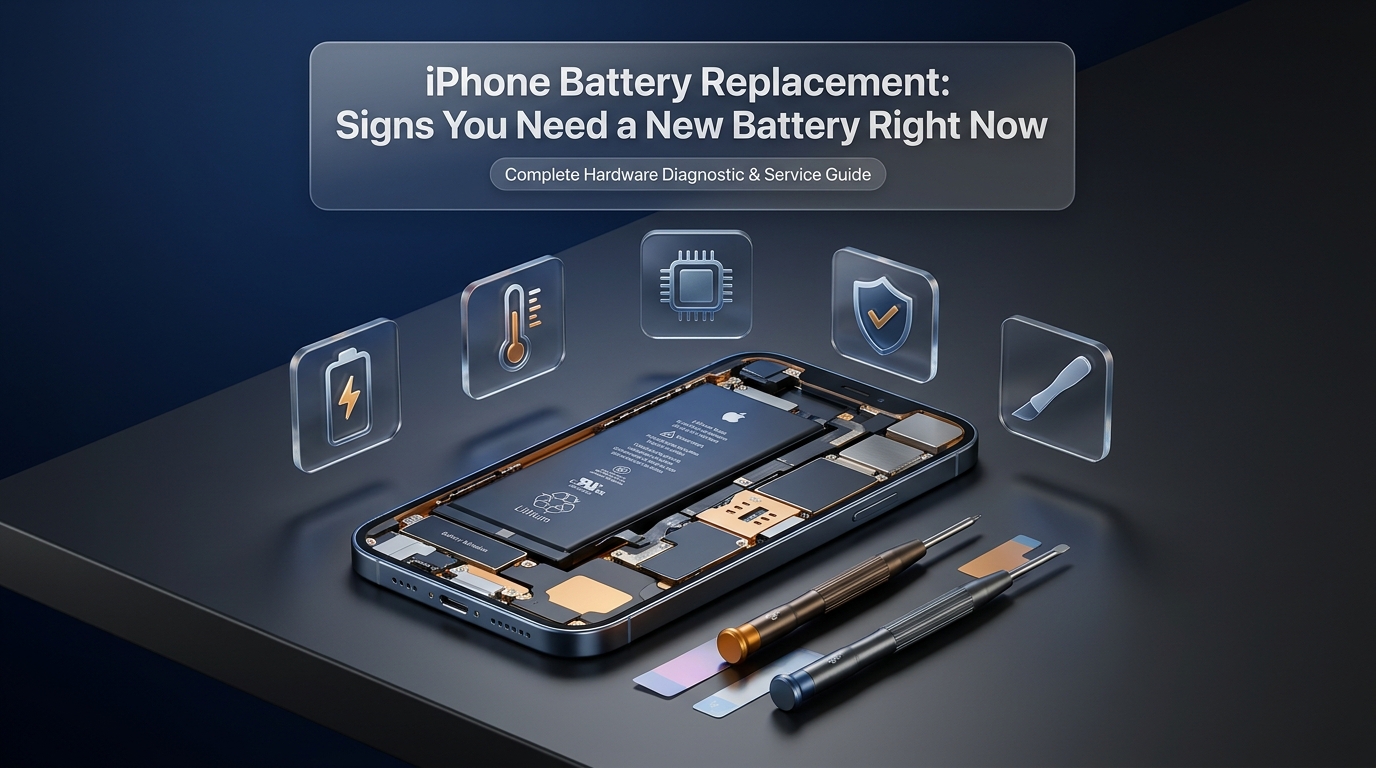
Every smartphone user relies on steady, dependable battery runtime to manage work schedules, communicate with family, capture memories, and access personal data. Apple designs the iPhone with energy-efficient processors, yet no software optimization can bypass the physical laws of electrochemistry. The lithium-ion battery sealed inside your iPhone is a consumable component with a finite chemical lifespan. Over regular daily use, physical changes occur inside the cell that gradually diminish its ability to hold an electrical charge and deliver steady voltage under peak demand.
Recognizing when your device requires an iPhone battery replacement marks the difference between a quick, affordable maintenance service and sudden hardware failure. Ignoring progressive battery degradation often causes unexpected system shutdowns during crucial calls, severe system sluggishness, and in extreme cases, physical cell swelling that fractures delicate display panels. Understanding how your battery functions, identifying the physical and digital symptoms of cell exhaustion, and knowing when to schedule professional iPhone repair keeps your device dependable and responsive.
Understanding the Chemistry and Lifecycle of Lithium-Ion Batteries
Lithium-ion batteries power modern smartphones by packing high energy density into compact enclosures. Unlike older cell chemistries, lithium-ion charges faster, discharges efficiently, and eliminates memory-effect issues. Inside every iPhone, lithium ions migrate through an electrolyte solution between a positive cathode and negative graphite anode.
Each journey between electrodes constitutes a charge cycle. Apple rates most iPhone batteries to retain roughly 80 percent of original capacity after 500 complete cycles, while iPhone 15 and 16 lineups endure up to 1,000 cycles. A cycle represents 100 percent cumulative discharge: using 50 percent today, recharging, and using 50 percent tomorrow equals one cycle.
Chemical aging stems from cumulative cycles, ambient temperatures, and rising electrical resistance. As impedance climbs, the cell struggles to supply instant bursts of peak voltage needed by computing cores during intensive tasks. When voltage sags under load, iOS intervenes to prevent sudden system crashes, triggering performance throttling or unexpected restarts.
What Happens When Battery Health Drops Below Eighty Percent?
Apple provides battery health reporting inside iOS settings to show current capacity relative to brand-new factory condition. A 100 percent rating means chemical cells accept their full designed milliampere-hour rating.
Once capacity dips below 80 percent, the battery is technically consumed. Electrolyte fluid dries, crystalline dendrites form on electrodes, and the voltage delivery curve becomes erratic.
When an iPhone detects degraded power delivery, iOS activates performance management. This throttling caps CPU clock speeds, reduces frame rates, and dims screens to prevent unexpected crashes. Replacing the worn cell restores original factory processing speed immediately.
Primary Warning Signs You Need an iPhone Battery Replacement
Recognizing the symptoms of battery degradation allows you to address the issue before your phone shuts off unexpectedly or suffers physical internal trauma. These primary indicators demonstrate that your internal cell has reached the end of its reliable service life.
1. Battery Health Reads Below Eighty Percent with Service Warnings
The clearest indicator of battery depletion lives directly inside the operating system. Open Settings, tap Battery, and select Battery Health & Charging. If maximum capacity reads 79 percent or lower, the operating system posts an explicit notification stating that your battery health is significantly degraded and that service is recommended to restore full capacity and performance.
This message signifies that internal cell impedance has surpassed the acceptable safety and performance thresholds established by hardware engineers. Running an iPhone under these conditions stresses secondary power management circuits and leaves you vulnerable to sudden power losses at critical moments throughout your workday.
2. Sudden and Spontaneous Device Shutdowns
Having an iPhone power down spontaneously while battery life still registers at 30, 40, or even 50 percent causes immediate frustration. These unexpected shutdowns rarely stem from software bugs; they represent acute voltage drops under load.
When you launch an application requiring high computational power—such as recording high-resolution 4K video, opening the camera with the flash enabled, playing an intensive mobile game, or using turn-by-turn navigation—the processor demands an immediate surge of electrical current. A healthy battery delivers this surge effortlessly. A degraded battery with high internal resistance suffers a sudden voltage collapse. The internal battery protection circuit detects that voltage has fallen below the minimum operational threshold required to keep memory active, triggering an emergency shutdown to protect delicate components from electrical shock. If your device restarts only to display a completely different battery percentage, your power cell has reached critical instability.
3. Rapid Battery Draining and Volatile Percentage Fluctuations
A healthy iPhone battery discharges in a smooth, predictable, linear fashion throughout the day. You should observe steady, incremental percentage drops corresponding to active screen time and background app refresh activities.
Degraded batteries exhibit erratic, non-linear discharge behavior. You might unplug your phone at 100 percent, browse social media for ten minutes, and watch the gauge plunge to 75 percent. Conversely, the percentage may freeze on a specific number for hours before plunging twenty points in seconds. This volatility indicates that the fuel-gauge microchip inside the battery protection circuit can no longer accurately read the state of charge because chemical storage capacity has deteriorated unevenly across the internal cell layers.
4. Severe Performance Throttling and UI Lag
When an iPhone experiences an unexpected shutdown caused by a weak battery, iOS quietly activates Performance Management. While this feature prevents subsequent unexpected restarts, it does so by capping the maximum clock speed of the central processing unit and graphics chip.
The physical symptoms of this throttling are readily apparent in everyday use:
- Applications take two to three times longer to launch.
- Scrolling through web pages, messages, or photo libraries stutters noticeably rather than gliding smoothly.
- Frame rates drop dramatically during video playback and mobile gaming.
- The camera shutter exhibits noticeable lag between tapping the capture button and saving the photo.
- Backlight brightness dims unexpectedly even when auto-brightness is disabled.
- Speaker output volume decreases by several decibels during calls and media playback.
Many users assume their device is aging out of usefulness and consider purchasing an expensive new smartphone. In reality, scheduling an affordable iPhone battery replacement instantly resets the performance management flags, returning processor speeds to their original factory benchmarks.
5. Excessive Heat Generation During Routine Tasks
Lithium-ion cells naturally produce mild thermal energy during charge and discharge cycles as electrons encounter normal resistance moving through conductive materials. However, your device should never become uncomfortably hot during basic interactions like reading emails, streaming audio, or scrolling through text messages.
As a battery ages, its internal resistance multiplies. Increased resistance directly transforms electrical energy into wasted heat energy. When your battery operates with elevated internal resistance, normal current draw generates excessive heat within the enclosed chassis. Overheating poses severe risks to your phone. It degrades neighboring display adhesive, stresses logic board solder joints, and accelerates battery deterioration, creating a cycle of thermal degradation.
6. The Phone Only Operates When Tethered to a Power Cable
In advanced stages of chemical exhaustion, the battery loses the capacity to sustain operational voltage entirely. At this point, your iPhone functions purely as a desktop terminal, turning off the split second you disconnect the charging cable.
This symptom demonstrates that the battery cells can no longer store an electrical potential; the phone runs strictly off external power. Continuing to operate a device in this condition places excessive electrical strain on charge management microchips on the logic board. Without a functioning battery to act as an electrical buffer, minor voltage spikes from external power sources can cause permanent component damage.
7. Physical Battery Swelling and Screen Separation
Physical swelling is the most urgent warning sign a battery can display. Unlike digital throttling or rapid draining, a swollen battery poses immediate physical safety hazards, including structural device damage and potential thermal runaway events.
Lithium-ion batteries swell when deep internal degradation, short circuits, or overcharging produce gaseous byproducts—primarily carbon dioxide, carbon monoxide, and volatile organic hydrocarbons. Because the battery pouch is hermetically sealed to keep out moisture and oxygen, these escaping gases cause the pouch to expand like a small pillow.
Warning signs of a swelling battery include:
- The glass screen lifting upward away from the aluminum or titanium frame.
- A visible gap developing along the left side of the screen where the battery sits.
- Spongy or soft resistance when pressing down on the display glass.
- White, purple, or rainbow pressure discoloration blooming across the screen pixels.
- Volume or power buttons becoming stiff or impossible to depress.
If you observe any physical lifting or chassis separation, cease charging the device immediately. Do not squeeze, press, or puncture the screen, as piercing a pressurized battery pouch introduces atmospheric oxygen to volatile lithium compounds, potentially resulting in fire or intense smoke. Place the device on a non-flammable surface and bring it directly to a professional repair facility for safe hazardous material extraction.
Comparison: Normal Aging Versus Critical Battery Failure
To help you accurately determine whether your device requires standard maintenance or immediate emergency service, review the differences outlined below.
| Diagnostic Parameter | Normal Battery Aging | Critical Battery Exhaustion | Recommended Action |
|---|---|---|---|
| Battery Health Metric | 81% to 100% capacity | 79% or lower (Service warning) | Schedule routine replacement |
| Daily Runtime | Slightly shorter lifespan; 6-8 hrs | Drains in 1-3 hrs; erratic drops | Prompt battery swap needed |
| System Stability | No sudden reboots; stable OS | Random shutdowns at 20-40% charge | Immediate hardware servicing |
| System Responsiveness | Fluid animations; normal app launches | Noticeable UI lag; CPU throttling | Replace battery to restore speed |
| Thermal Characteristics | Mild warmth during fast charging | Uncomfortably hot under light tasks | Stop usage; seek repair |
| Physical Integrity | Pristine, flat screen-to-frame fit | Screen lifting; chassis separation | Emergency hazardous repair |
Why Delaying Replacement Damages Other Internal Hardware
Treating a degraded battery as a minor inconvenience rather than an urgent repair often leads to collateral damage across other device subsystems. The internal architecture of modern smartphones leaves virtually no empty space inside the enclosure. Every millimeter is tightly calculated to house the logic board, camera modules, wireless charging coils, and Taptic Engine.
When a battery pouch begins to swell even slightly, it exerts significant upward mechanical force directly against the back of the OLED or LCD panel. This pressure frequently results in permanent display damage:
- Dead pixel lines appearing vertically down the glass.
- Touchscreen digitizer failure, creating unresponsive dead zones or erratic ghost touches.
- Cracking the delicate glass display from the inside out, turning a simple battery service into a costly iPhone screen repair.
Beyond physical pressure, an unstable battery strains the delicate power management integrated circuit and charging circuitry on the logic board. When a battery suffers from erratic internal impedance, the power management chip must constantly modulate voltage rails to prevent catastrophic component burnout. Over months of handling unstable power spikes, these microscopic motherboard components can fail completely, requiring intricate micro-soldering or complete board replacements. Prompt servicing preserves the integrity of your technological investment.
DIY Replacement Versus Professional Service: Weighing the Risks
With repair tutorials and inexpensive replacement kits widely available online, many device owners wonder whether attempting a home battery replacement is worth the effort. While DIY repair can seem appealing from a pure parts-cost perspective, modern smartphones are precision-engineered machines that present significant hazards for inexperienced hands.
| Comparison Factor | Do-It-Yourself (DIY) Repair | Professional Repair Facility |
|---|---|---|
| Specialized Tooling Required | Pentalobe, Tri-point drivers, suction lifts, heating mats, ESD gear | Calibrated industrial heat separation stations, anti-static workstations, torque drivers |
| Battery Component Quality | Risk of counterfeit cells, recycled lithium pouches, or inaccurate capacity ratings | OEM-grade, premium certified cells with strict cycle quality assurance |
| Safety and Puncture Hazard | High; snapping pull tabs can tempt prying, leading to thermal combustion or smoke | Zero risk to customer; technicians use chemical solvents and non-conductive tools |
| Water Resistance Seals | Rarely replaced properly; leaves internal housing vulnerable to moisture and dust | New custom-cut perimeter adhesive gaskets installed and pressurized to factory specs |
| Battery Serialization & Warnings | Triggers Unknown Part banners; Battery Health tracking often disabled | Access to proprietary calibration tools and microchip programming |
| Warranty & Turnaround Time | No guarantee; hours of risky labor; user absorbs all costs if display tears | 30 to 60 minute turnaround; comprehensive parts and labor warranty included |
Opening a modern smartphone involves real risk. Strong perimeter waterproof adhesive requires calibrated heat to separate safely without cracking displays or burning OLED crystals. Furthermore, batteries are anchored with fragile stretch-release strips; prying a stuck cell with metal tools risks puncturing the pouch, creating chemical sparks and smoke.
Professional repair shops use specialized thermal plates, non-conductive tools, and safe debonding solvents to remove exhausted cells cleanly, preserving frame alignment and water resistance.
Proven Practices to Maximize Battery Longevity After Service
Once your phone has been restored with a fresh battery, adopting healthy charging habits can significantly extend the lifespan of the new cell, allowing you to enjoy years of uninterrupted performance.
- Enable Optimized Battery Charging: Located inside Settings > Battery > Battery Health, this feature learns your daily routine and delays charging past 80 percent when plugged in overnight, only topping up to 100 percent right before you wake up. Newer models also offer an explicit 80 percent charge limit toggle, which drastically cuts chemical stress on the cathode.
- Avoid Extreme Ambient Temperatures: Lithium-ion chemistry performs optimally between 62° and 72° Fahrenheit (16° to 22° Celsius). Leaving your phone sitting on a car dashboard in the hot sun or charging it beneath a pillow causes severe thermal degradation. Temperatures exceeding 95° Fahrenheit (35° Celsius) cause permanent chemical capacity loss that cannot be reversed.
- Remove Heavy Protective Cases While Charging: Rugged, thick cases trap heat generated during charging cycles. If your device feels notably warm while plugged in, remove the case so heat radiates away freely into ambient air.
- Use Certified Charging Accessories: Low-quality, unbranded charging bricks and cheap cables lack clean voltage regulation. They produce electrical ripple noise and inconsistent current delivery that damages both the battery cell and logic board charge microchips. Always choose certified cables and quality power adapters.
- Avoid Deep Discharges Down to Zero: Regularly depleting a battery down to zero percent places intense mechanical and chemical strain on the cell electrodes. Aim to plug your phone in when it reaches roughly 20 percent rather than letting it shut down completely.
Visit Phone Repair Place for Same-Day Battery Solutions
Living with a dying, unpredictable, or swelling smartphone battery compromises your daily schedule, creates safety hazards, and ruins the smooth user experience your phone was built to provide. You do not need to spend hundreds of dollars upgrading to a brand-new device simply because an internal consumable power cell has reached the end of its natural lifespan.
Phone Repair Place provides prompt, professional, and affordable battery replacements performed by certified technicians using premium OEM-grade parts. Most smartphone battery services are completed within 30 to 45 minutes, allowing you to walk in, run an errand or browse the mall, and return to an iPhone operating at 100 percent peak performance capability with full-day runtime restored. Every service includes complete internal cleaning, fresh waterproof sealing, and comprehensive warranty coverage for absolute peace of mind.
Whether you need a quick battery diagnostic, a safe extraction of an expanded cell, an urgent phone repair, or assistance with recurring charging port repair issues, our expert team is ready to assist you today. Walk-ins are always warmly welcomed, or you can call ahead to reserve your service slot and verify component availability.
Phone Repair Place
3500 East-West Hwy STE 1417,
Hyattsville, MD 20782, United States
Phone: (202) 870-4914
Website: https://phonerepairpgmall.com/
Frequently Asked Questions
How long does an iPhone battery replacement take at a repair shop?
A standard professional battery replacement typically takes between 30 and 45 minutes from start to finish. Certified technicians carefully open the chassis, safely extract the aged adhesive strips, install a fresh OEM-grade cell, and reapply the waterproof perimeter gasket before running diagnostic tests to ensure complete operational stability.
Will replacing my iPhone battery delete any of my personal data?
Replacing the internal battery is strictly a hardware repair that does not alter or erase the data stored on your device internal storage chips. However, standard professional repair best practices always recommend performing an iCloud or computer backup before bringing any electronic device in for hardware servicing.
Why is my iPhone battery health dropping so fast after eighty-five percent?
Battery health metrics drop faster as internal chemical resistance builds up over hundreds of cumulative charge cycles. Once a cell drops below 85 percent, internal degradation accelerates because the remaining healthy chemical surface area must handle the same electrical current demands, leading to more concentrated heat and faster wear.
Does Apple's "Important Battery Message" mean the replacement battery is defective?
No, the Important Battery Message or Unknown Part notification appears whenever a battery is replaced outside of an Apple store because modern iPhone batteries have microchips paired cryptographically to the original logic board. A reputable independent repair shop uses premium certified cells that match original factory specifications, restoring full performance and battery runtime regardless of whether Apple software displays this standard notification banner.
Can a worn-out battery cause my iPhone screen to crack or stop responding to touch?
Yes, a severely degraded battery can begin producing gaseous byproducts that cause the lithium-ion pouch to swell outward. Because there is virtually no empty clearance inside modern iPhone frames, this swelling pushes directly against the back of the display, causing touch digitizer dead zones, color distortion spots, and eventually cracking the glass screen from the inside.
Need This Problem Fixed Fast?
Bring your broken smartphone, tablet, or console to Phone Repair Place in Hyattsville, MD for quick diagnosis and same-day turnaround.