Book Your Repair Appointment
Fast diagnostic, warrantied genuine parts, and quick same-day turnaround in Hyattsville, MD.
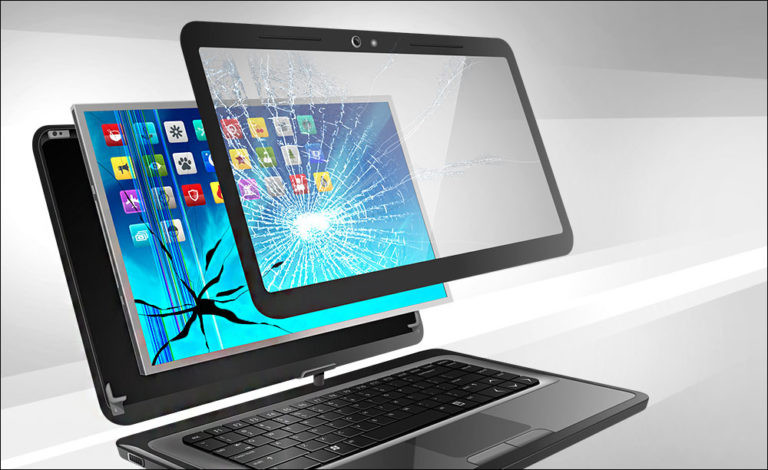
Laptop Broken Screen
Certainly, here's a more detailed version:
When faced with a broken laptop screen, it's essential to address the issue promptly and effectively to ensure you can resume using your device with minimal disruption. Here's a step-by-step guide to help you navigate through this situation:
1. **Assess the Damage**: Carefully examine the extent of the damage to your laptop screen. Is it a minor crack, or has the screen shattered completely? Understanding the severity of the damage will help you determine the appropriate course of action.
2. **Backup Your Data**: If your laptop is still functional despite the broken screen, prioritize backing up your important data immediately. You can connect an external monitor to your laptop to access and transfer your files. This step is crucial to prevent data loss in case the situation worsens or the laptop becomes inoperable.
3. **Check Warranty Coverage**: If your laptop is under warranty or if you've purchased an extended warranty that covers accidental damage, contact the manufacturer or retailer. Inquire about their policies regarding screen repairs or replacements. They may offer repair services at no additional cost or direct you to an authorized repair center.
4. **Seek Professional Repair Services**: If your laptop is out of warranty or if the warranty does not cover screen damage, consider seeking professional repair services. Look for reputable computer repair shops or technicians who specialize in laptop screen replacements. Before proceeding with any repairs, be sure to inquire about the cost, warranty on the repair work, and turnaround time.
5. **Consider DIY Repair (with Caution)**: If you're technically inclined and have experience working with electronics, you may attempt a DIY screen replacement. However, keep in mind that laptop repairs can be complex, and attempting to repair it yourself may void any existing warranties. Make sure to research thoroughly, follow step-by-step guides or video tutorials, and proceed with caution to avoid causing further damage.
6. **Utilize an External Monitor**: If your laptop is still functional despite the broken screen, you can connect an external monitor to continue using your device. Most laptops have ports for connecting external monitors, such as HDMI or VGA. This allows you to mirror or extend your laptop's display onto the external monitor, providing a temporary solution until you can get the screen repaired or replaced.
7. **Prevent Further Damage**: While waiting for repairs or a replacement, take precautions to prevent further damage to the broken screen. Avoid touching or pressing on the damaged area, as this could worsen the situation or cause injury. Consider using a protective cover or adhesive screen protector to cover any exposed edges and minimize the risk of accidents.
By following these steps, you can effectively address a broken laptop screen and take the necessary measures to restore your device to full functionality. Whether you opt for professional repair services or attempt a DIY solution, prioritizing data backup and taking precautions to prevent further damage are crucial aspects of managing this situation effectively.
- 90-Day Warranty on Parts & Labor
- Fast Same-Day Turnaround
- WISE & OEM Certified Technicians
- No Fix, No Fee Policy